EasyManua.ls Logo

AMX NMX-ENC-N1122 - User Manual

AMX NMX-ENC-N1122
64 pages
Print Icon
To Next Page IconTo Next Page
Loading...
INSTRUCTION MANUAL
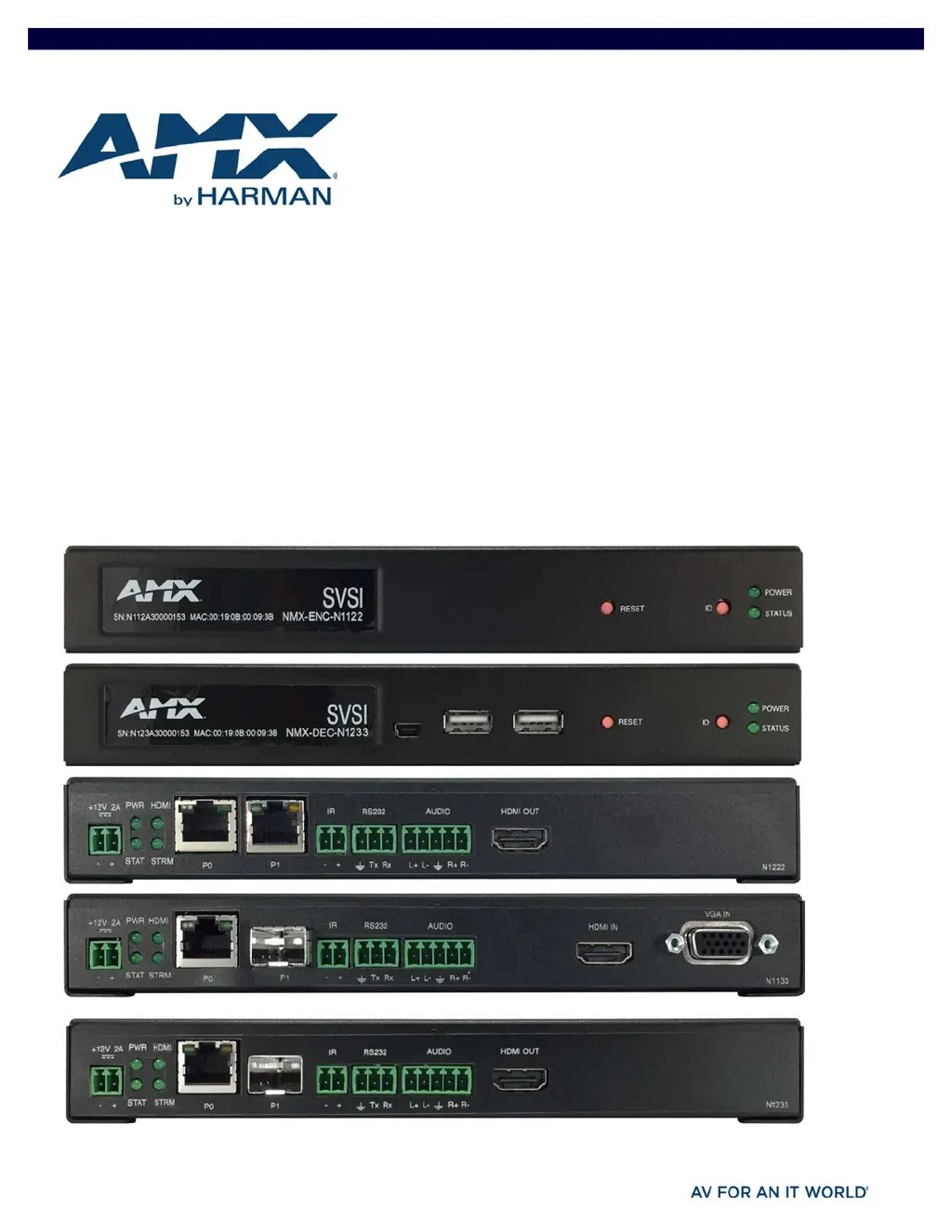
SVSI N1000 MPC SERIES ENCODERS/DECODERS
DIGITAL MEDIA DISTRIBUTION & SWITCHING SOLUTION
NMX-ENC-N1122, NMX-DEC-N1222, NMX-ENC-N1133, AND NMX-DEC-N1233

Table of Contents

Questions and Answers

  • J
    Joseph BakerAug 17, 2025
    Why is my AMX NMX-ENC-N1122 Media Converter showing a black screen?
    • A
      Alexis HallAug 18, 2025
      If your AMX Media Converter displays a black screen, first set the Decoder to LocalPlay. If the LocalPlay screen doesn't appear, check the display input settings and cabling. If LocalPlay appears, set the Decoder to Live play mode and verify the network is configured properly.
  • K
    kristinacoxAug 20, 2025
    What to do if the AMX NMX-ENC-N1122 video output is stuttering?
    • G
      gzunigaAug 20, 2025
      Stuttering video output on your AMX Media Converter might indicate a network bandwidth issue. The full video stream might not be reliably getting from the Encoder to the Decoder. Contact your network administrator for assistance.
  • M
    Marie ManningAug 22, 2025
    What to do if AMX NMX-ENC-N1122 Media Converter is not receiving audio?
    • L
      Lisa FloydAug 22, 2025
      If you are not receiving audio on your AMX Media Converter, check that the Decoder has the proper audio stream setting, typically by enabling 'Audio follows Video'.
  • S
    sreedAug 26, 2025
    How to fix no audio detected on AMX NMX-ENC-N1122 Media Converter?
    • H
      hayley41Aug 26, 2025
      If no audio is detected on your AMX Media Converter, check the following: * If there is no audio on all Decoders, verify the audio settings are correct on the Encoder. * If there is no audio on a single Decoder, verify the audio settings are correct on the Decoder.
  • C
    colemanchristineAug 28, 2025
    Why does my AMX NMX-ENC-N1122 Media Converter display the HostPlay screen?
    • T
      Theresa KimAug 28, 2025
      If your AMX Media Converter displays the HostPlay screen instead of the video from the source, verify the following: * The Encoder is in Live play mode. Its name will display in black text on the Video Matrix page. You can change to Live mode on the Settings page. * The source is attached and is outputting a valid signal. The HDMI LED on the Encoder should be on.
  • A
    Andrea WilliamsAug 30, 2025
    What to do if AMX NMX-ENC-N1122 displays Unsupported Input Resolution screen?
    • C
      Carol SchmidtAug 30, 2025
      If your AMX Media Converter displays an 'Unsupported Input Resolution' screen, try the following: * Change the source resolution to a valid resolution (try 720p60). * Verify the cabling is correct.
  • S
    Sean WhiteSep 1, 2025
    Why does my AMX Media Converter display the LocalPlay screen?
    • J
      Jessica MeyerSep 2, 2025
      If your AMX Media Converter displays the LocalPlay screen instead of the stream from the Encoder, check the following: * Verify the Decoder is assigned to view a valid stream from an active Encoder. * Verify the Decoder is currently in Live play mode. Its name will display in black text on the Video Matrix page. You can change to Live mode on the Settings page. * Verify the network is properly configured and set up. If needed, connect the Encoder’s network port to the Decoder to bypass the network.
  • J
    Jerry BlackSep 4, 2025
    How to troubleshoot AMX NMX-ENC-N1122 serial port not working?
    • Z
      Zachary McintyreSep 4, 2025
      If the serial port on your AMX Media Converter is not working as expected, try the following: * Verify the RS232 Settings on the Settings page. Flush the serial port on the Settings page if another device is connected. * Connecting the Tx and Rx pins on the RS232 connector creates a loopback that could also help when troubleshooting.
  • J
    Jeremy BrownSep 6, 2025
    How to resolve audio problems when changing the audio type on AMX NMX-ENC-N1122?
    • S
      Samantha EvansSep 7, 2025
      When experiencing audio problems while changing the audio type on your AMX Media Converter, check the Audio Source (Encoder) and HDMI Audio (Decoder) settings on the Settings page. For example, if you are trying to change the audio type to make the input of the Encoder HDMI embedded audio in/analog audio out from the Decoder, these settings cannot be set to Auto. Set the Encoder to Audio Source > ON (embedded digital audio on an HDMI connection) and the Decoder to Enable HDMI Audio > OFF (analog output on the Phoenix connection).
  • A
    Alicia KramerSep 9, 2025
    What to do if AMX Media Converter displays Video Encrypted Screen?
    • S
      Stephen BriggsSep 9, 2025
      If your AMX Media Converter displays a 'Video Encrypted Screen', ensure the Decoder has the correct password for decrypting the stream. To reset the password, go to the Security page on both the Encoder and Decoder and click the Reset button.

AMX NMX-ENC-N1122 Specifications

General IconGeneral
BrandAMX
ModelNMX-ENC-N1122
CategoryMedia Converter
LanguageEnglish