Maintenance and care
qTOWER
3
/ qTOWER
3
G Edition 03.19 37
12. Place the hood back onto the device.
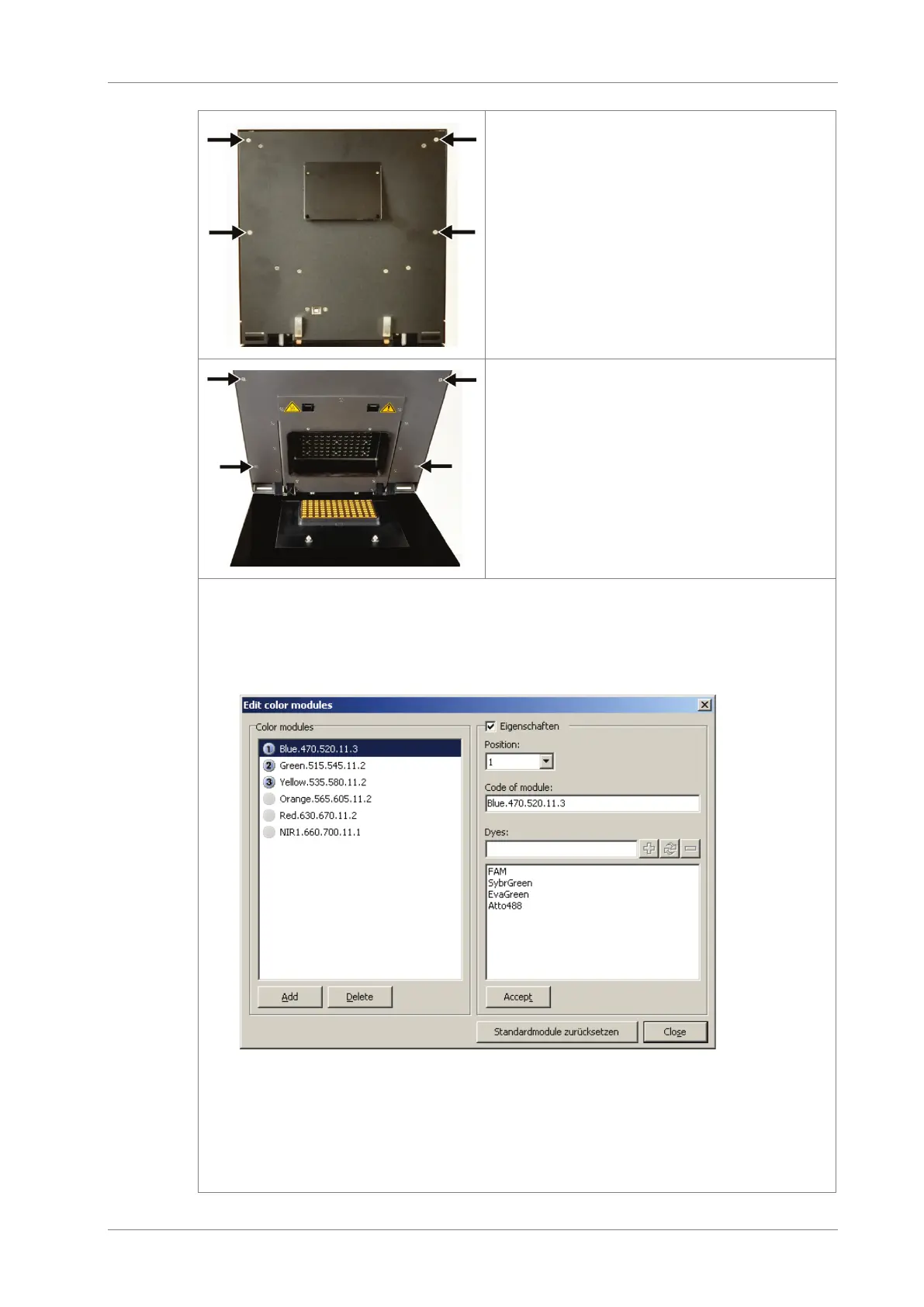
13. First tighten the four external screws at
the upper part on the backplate of the
qTOWER³.
14. Open the lid and remove the four ex-
ternal screws on the inside of the lid.
15. Close the lid again.
16. Switch on the qTOWER³ Start the qPCRsoft program.
17. Select the command EXTRAS EDIT COLOR MODULES from the menu.
The window with the same name opens.
The available color modules are listed on the left-hand side of the window.
18. From the list, select the module installed in the device.
Activate the P
ROPERTIES checkbox and select the position in which the module is
installed in the device. If necessary, add dye names, if these have not yet been
included in the list. Click on [A
CCEPT].
19. Follow the above instructions for every installed color module.









 To Next Page