SECTION 5 BASIC OPERATION PROCEDURE
5-9
Screen Hard Copy
The screen can be hard-copied with the VP-600 printer (Epson) via an RS232C interface, and the procedures
are described below:
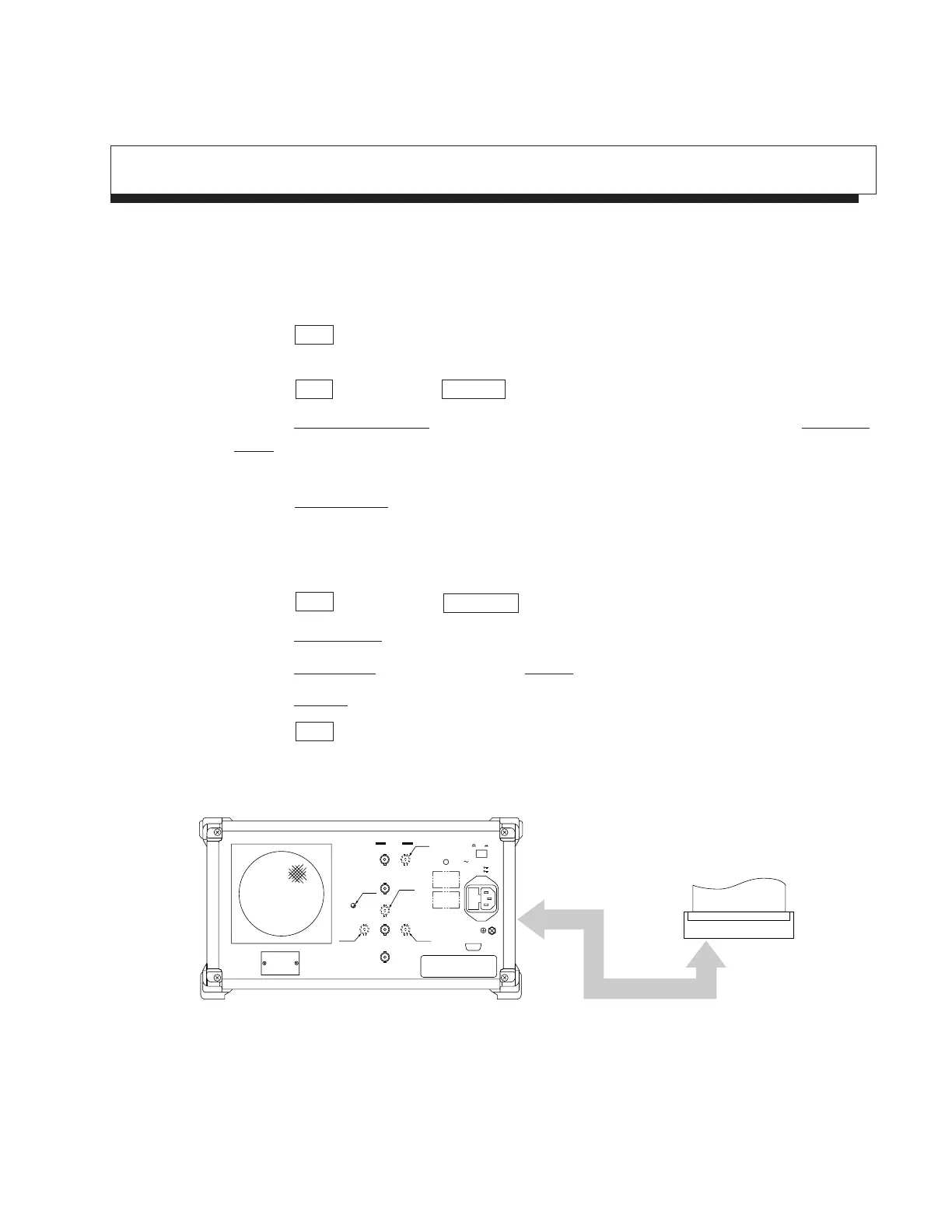
1) As illustrated below, connect the RS-232C connector and printer with an attached RS-232C cable.
2) Press the Copy key, and the currently displayed screen is hard-copied.
If the printed copy is improper, check if the RS-232C interface is correctly set in the following sequence.
3) Press the Shift key and then the Interface key.
4) Press the
Connect to Controller key several times to get None on the display, and press the Connect to
Prt/Plt key several times and get RS-232C on the display.
Now the printer can be operated with RS-232C.
5) Press the RS232C Setup key and set so that (or check if) the setting of RS-232C interface is the same
between the main body and printer.
(For the setting/checking of the RS-232C interface on the printer side, refer to the instruction manual of
the printer.)
6) Press the Shift key and then the Copy Cont key.
7) Press the Printer/Plotter key and select Printer.
8) Press the Printer Setup key, and then press the VP-600 key.
9) Press the Magnify key several times and make the display 1×1.
10) Press the Copy key, and the currently displayed screen is hard-copied.
RS-232C cable
Printer
WARNING
Off
Line Input 330VA Max
47.5
−
63Hz
On
CAUTION
RS
−
232C
9pins
Freq Adj.
Trig/Gate In
(–10V)
Phone
IF Out (10.69MHz)
SWP Status(Z)Video(Y)Sweep(X)
TTL0
−
0.5V0
−
10V
Composite Out
7.5Ω
10MHz STD
Ref In Buff Out
0dBm >2Vp-p
100
−
120V T5A
200
−
240V T5A
OPT15
OPT15
Name Plate
OPT01
OPT07
OPT06
Fig. 5-14
Rear panel












 To Next Page