11
ONE by APOGEE – User’s Guide
OS X Audio MIDI Setup
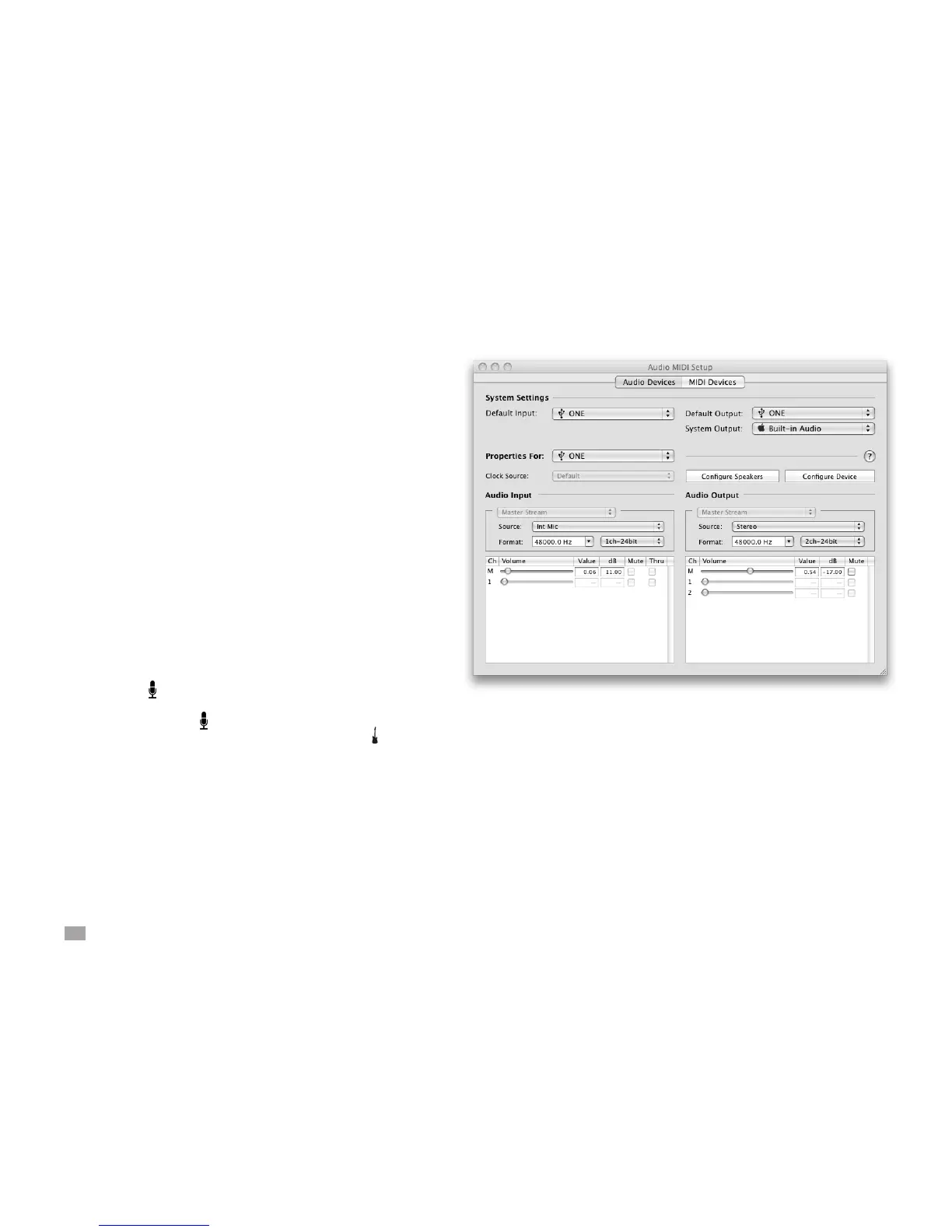
The OS X utility Audio MIDI Setup provides settings to choose ONE
for Mac sound input/ output and control ONE’s parameters. To open
Audio MIDI Setup, choose Applications > Utilities > Audio MIDI
Setup.
Selecting ONE for Mac Sound Input/Output
Controlling ONE’s Input/Output Parameters
1 Select ONE in the Default Input menu.
2 Select ONE in the Default Output.
3 Leave System Output set to Built-In Audio to send OS X alert
sounds and user interface sound effects via the Mac’s built-in
speakers.
1 Select ONE in the Properties For menu.
2 Select the active input in the Audio Input Source menu:
Select Int Mic to use the internal mic;
Select Ext Mic to use a mic connected to the breakout
cable’s (XLR) input;
Select Ext 48V Mic to use a phantom-powered mic
connected to the input;
Select Inst to use an instrument connected to the input.
3 To set ONE’s input gain, use the Volume slider under Audio
Input.
4 Select an output operating characteristic in the Audio Output
Source menu:
Select Stereo when connecting ONE to headphones,
powered speakers, a mixing console or a home stereo;
Select Amp when connecting ONE to an instrument amplier.
Setting ONE’s Sample Rate
ONE operates at a sample rate of 44.1kHz or 48kHz . In most cases
the sample rate is set by the audio application with which ONE is
streaming audio. For example, when working with GarageBand,
ONE’s sample rate is automatically set to 44.1kHz, to match the
GarageBand song’s sample rate. For those audio applications that
don’t include a sample rate selection, such as Apple’s iTunes, ONE’s
sample rate may be selected in either Format menu under Audio
Input or Audio Output. For more information on which sample rate to
work at, see page 11.



 To Next Page