115
Wi-Fi/Bluetooth
®
AQUOS zero2
Using Wi-Fi Direct
Use Wi-Fi Direct to establish a Wi-Fi connection with other
Wi-Fi Direct compatible devices with no need for an access
point or Internet connection.
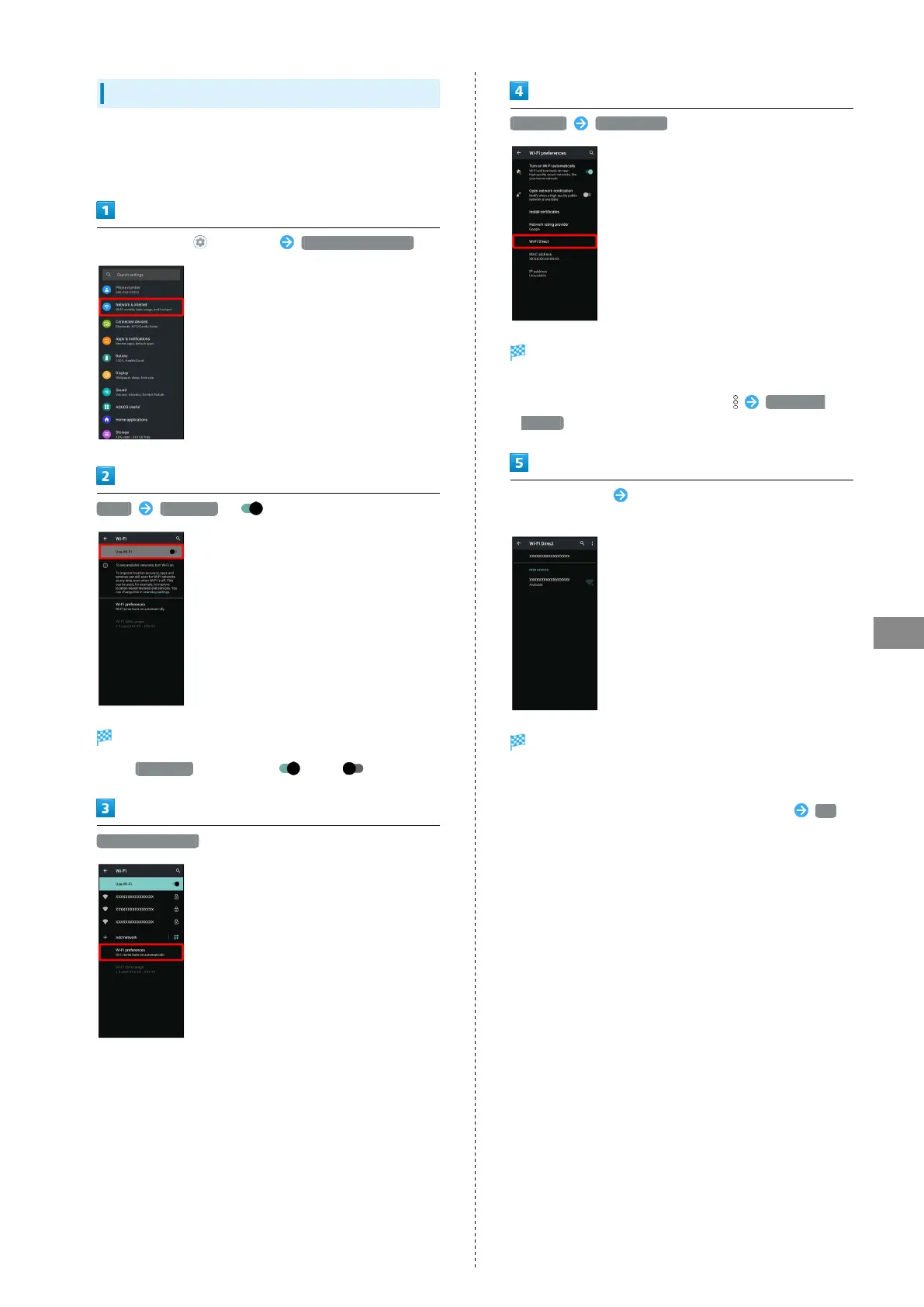
In Home Screen, (Settings) Network & internet
Wi-Fi Use Wi-Fi ( )
Wi-Fi is enabled.
・
Tap Use Wi-Fi to toggle on ( )/off ( ).
Wi-Fi preferences
Advanced Wi-Fi Direct
Found Wi-Fi Direct compatible devices appear in Peer
devices field.
・
If target device does not appear, Tap Search for
devices to try searching again.
Tap target device Follow onscreen prompts for
authentication
Handset connects to the device.
・If connection is not accepted after a certain period, the
connection request is canceled.
・
To stop the connection, Tap the connected device OK .



 To Next Page