22
Using Manner Mode
Mute ringtones and other handset sounds to avoid disturbing
others around you.
Manner mode setting is also accessible from Quick Settings
Window.
Manner Mode Options
Settable items are the following.
・Vibe
Ringtones and other handset sounds are muted; handset
vibrates for incoming calls/messages, etc.
・Mute
Ringtones and other handset sounds are muted; handset
does not vibrate for incoming calls/messages, etc.
Manner Mode Cautions
Camera shutter sound, video recording tones, alarms, media
sound, etc. still play even in Manner mode.
・Alternatively, to mute alarms and media sound, use "Do
not disturb." See "Sound Settings" for details.
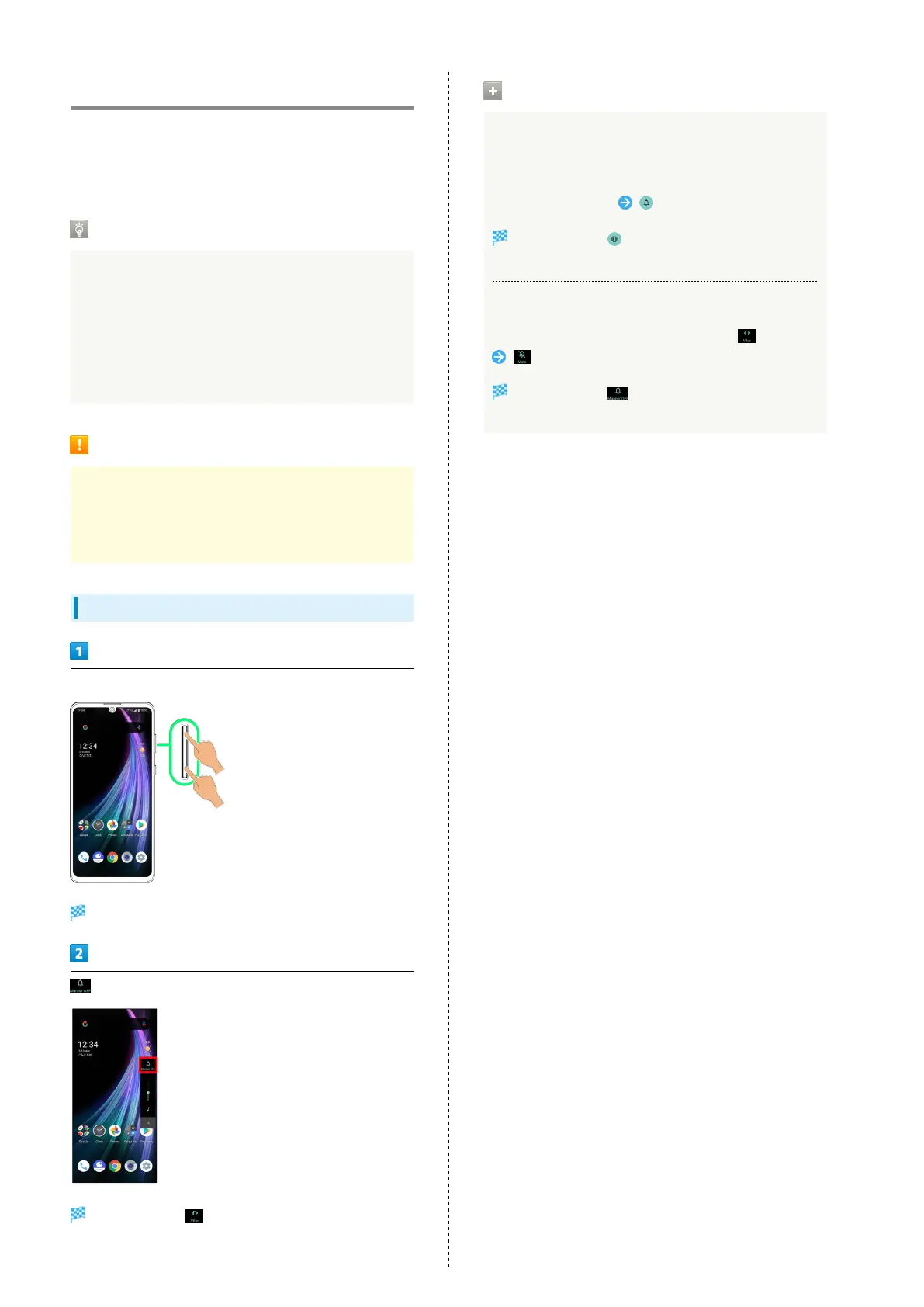
Activating Manner Mode (Vibe)
Press Volume Up/Down Key
Volume bar appears.
(Manner OFF)
Icon changes to (Vibe), and handset enters Manner
mode (vibe).
Manner Mode (Vibe) Operations
Setting from Quick Settings
Manner mode (vibe) setting is also accessible from Quick
Settings Window.
Drag Status Bar down
Icon changes to , and handset enters Manner mode
(vibe).
Canceling Manner Mode (Vibe)
Press Volume Up/Down Key for volume bar, (Vibe)
(Mute)
Icon changes to (Manner OFF), and handset exits
Manner mode.



 To Next Page