13
Getting Started
AQUOS zero2
Making Initial Settings
When powering on the first time, an initial settings wizard
appears for optionally making Wi-Fi, Google™ account, and
other settings. Follow onscreen instructions to set items.
Insert SIM Card before powering on handset.
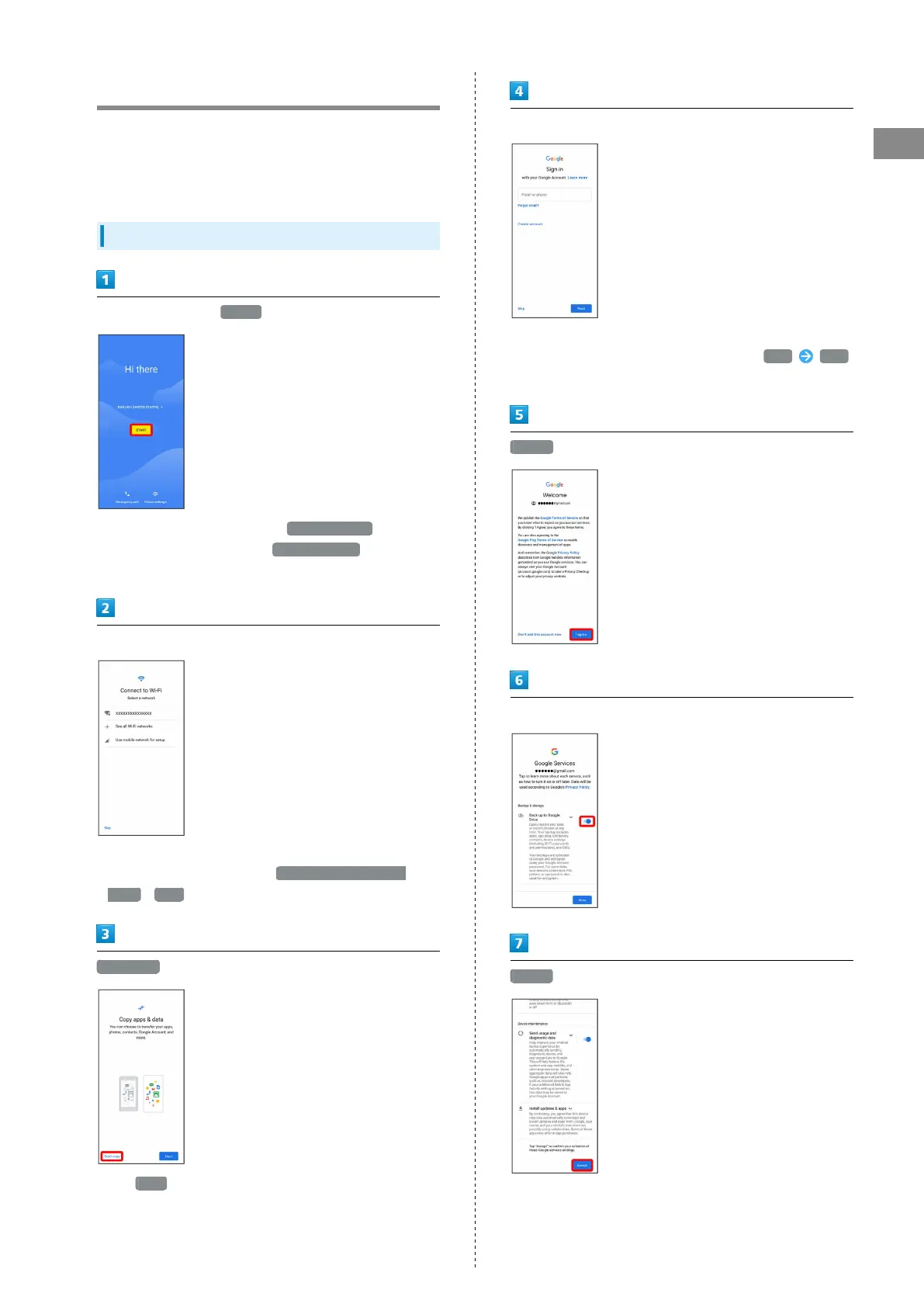
Making Initial Settings
Select language then START
・
To place an emergency call, Tap Emergency call .
・
To set visual assistance, Tap Vision settings . See
"Accessibility" for details.
Set Wi-Fi items
・Follow onscreen prompts.
・
To skip Wi-Fi settings, select Use mobile network for
setup / SKIP . Continue by following onscreen prompts.
Don't copy
・
Tap Next to copy data from another mobile, etc. Follow
onscreen prompts.
Set up a Google Account
・See "Google Account" for details on a Google Account.
・
If not making Google account settings, Tap Skip Skip
.
I agree
Set/check each item
Accept



 To Next Page