14
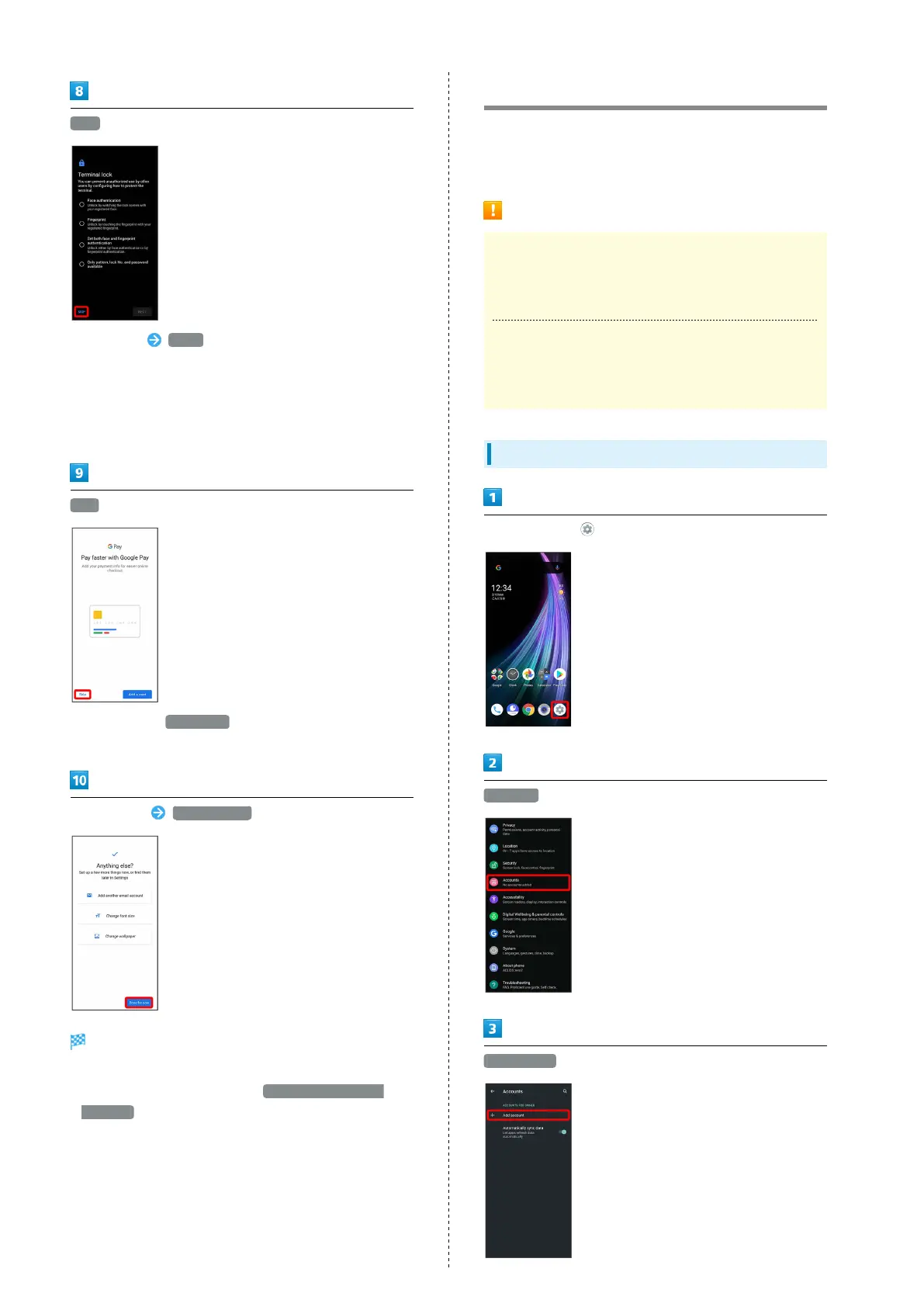
SKIP
・
Tap method NEXT to set selected method. See "Using
Fingerprint Authentication Function," "Setting Screen
to Unlock by Tracing Pattern," "Requiring Lock No. (PIN)
Entry for Unlocking Screen," "Setting Screen to Unlock with
Password," and "Using Face Authentication" for details.
・Follow onscreen prompts to set up Google Assistant™.
Skip
・
After Tapping Add a card follow onscreen prompts to
save card information.
Set each item Done for now
Handset restarts, and initial settings are complete.
・To make My SoftBank settings, after initial settings,
Drag Status Bar down, then Tap Information about My
SoftBank .
Google Account
Use a Google Account and get more convenience with Google
services. A Google Account is required to use some services or
fully use some applications.
Google Account Cautions
Google Account Mail Address & Password
Be careful not to forget your Google account mail address
and password.
Google Account Operations & User Interface
Operations and user interface are subject to change due to
automatic application updates or other reasons.
Creating a Google Account
In Home Screen, (Settings)
Accounts
Add account



 To Next Page