39
Handset Interface
AQUOS zero2
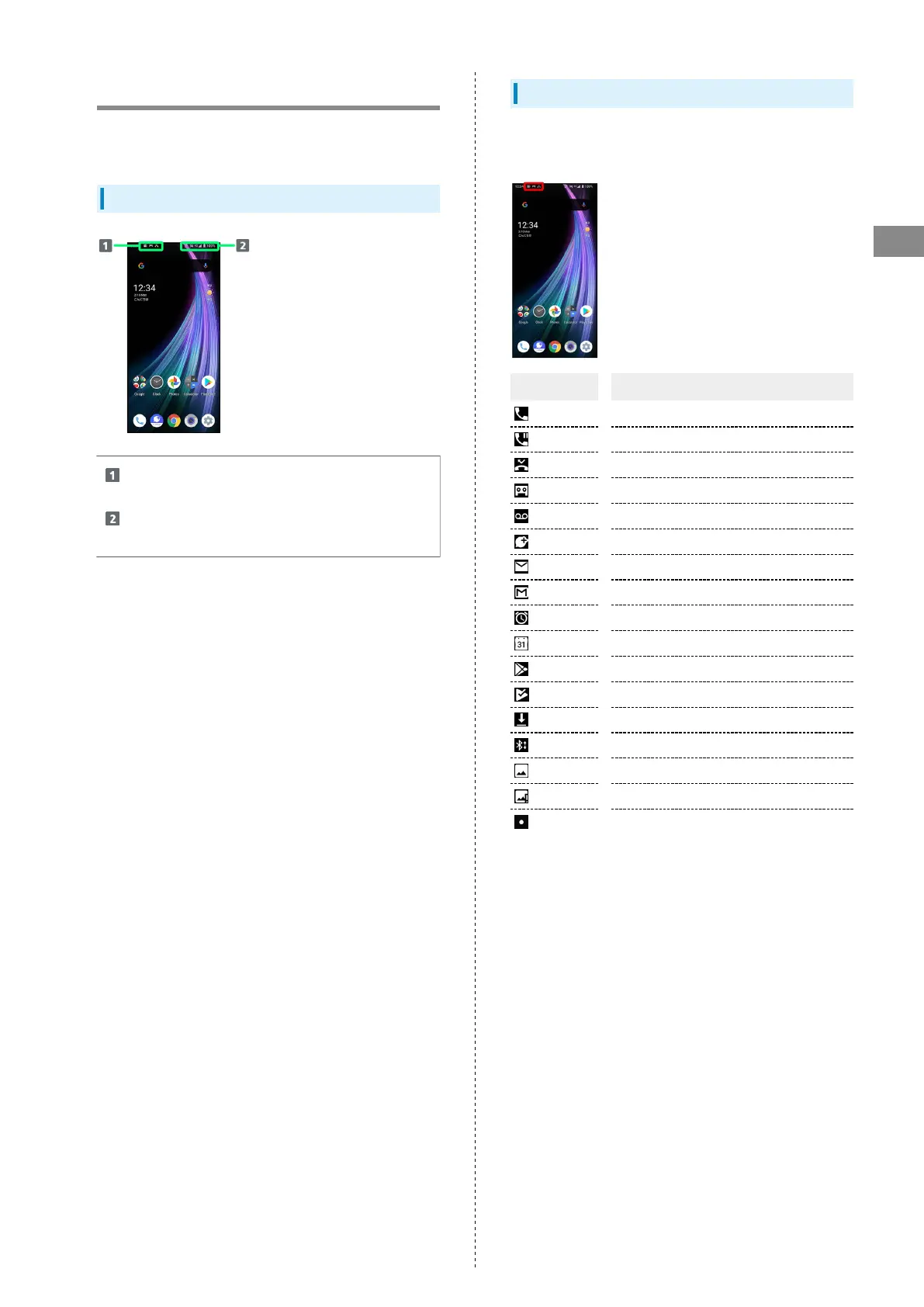
Icons at Display Top (Status Bar)
Indicators (new message notification, handset status, etc.)
appear at the top of Display.
Status Bar Layout
Notifications, warnings, etc. appear here. (Notification
Indicators)
Handset status and other information appear here.
(Status Indicators)
Main Notification Indicators
Notification Indicators appear on the left.
・Notification Indicators do not appear in lock screen.
Indicator Description
Call (Dialing/Arriving/in Progress)
Call on Hold
Missed Call
New Answer Phone Message
New Voicemail
New SMS/+Message
New Email
New Gmail™
Alarm Sounding/Snoozing/Upcoming Alarm
Calendar Event Notification
Application Update Available
Application Installation Complete
Data Downloaded
Bluetooth
®
Data Reception Request
Screenshot Captured
Screenshot Failed
More Notifications



 To Next Page