110
Connecting by Wi-Fi
Handset supports Wi-Fi (wireless LAN). Access the Internet
via household Wi-Fi networks.
Automatic Updates for Optimizing Wi-
Fi Connection
While using Wi-Fi, updates for optimizing connection may
be received or applied automatically.
Connecting Selected Access Points
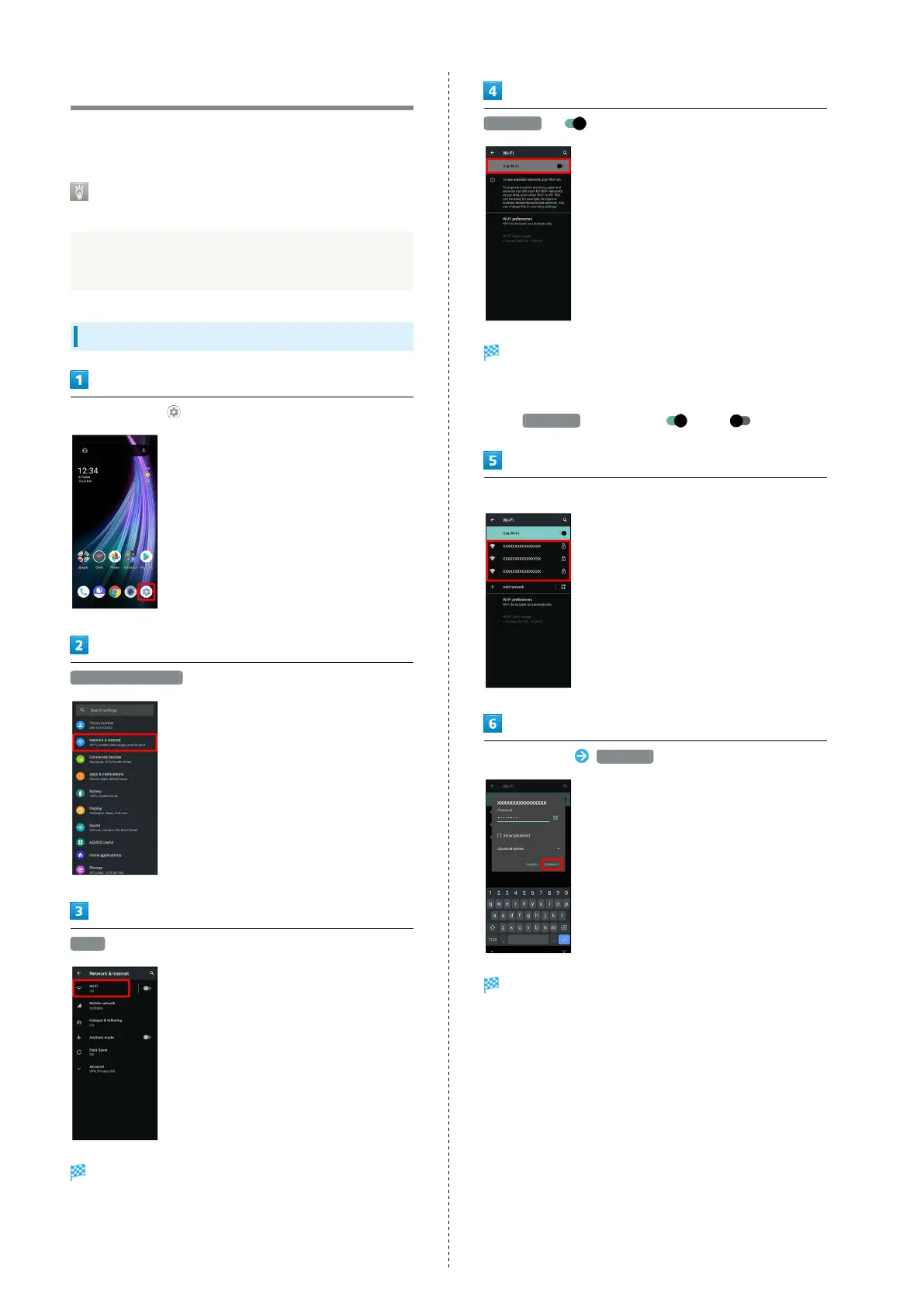
In Home Screen, (Settings)
Network & internet
Wi-Fi
Wi-Fi menu opens.
Use Wi-Fi ( )
Wi-Fi is enabled.
・Access point search starts; available access points appear
upon completion.
・
Tap Use Wi-Fi to toggle on ( )/off ( ).
Tap access point
Enter password CONNECT
Handset connects to the access point.
・Password (indicated by WEP, WPA, KEY, etc.) may be found
on a label on your Wi-Fi router. For details, contact the
vendor of the router. For public wireless LAN services, check
the password with your ISP.
・Depending on access point, password entry may not be
required.



 To Next Page