166
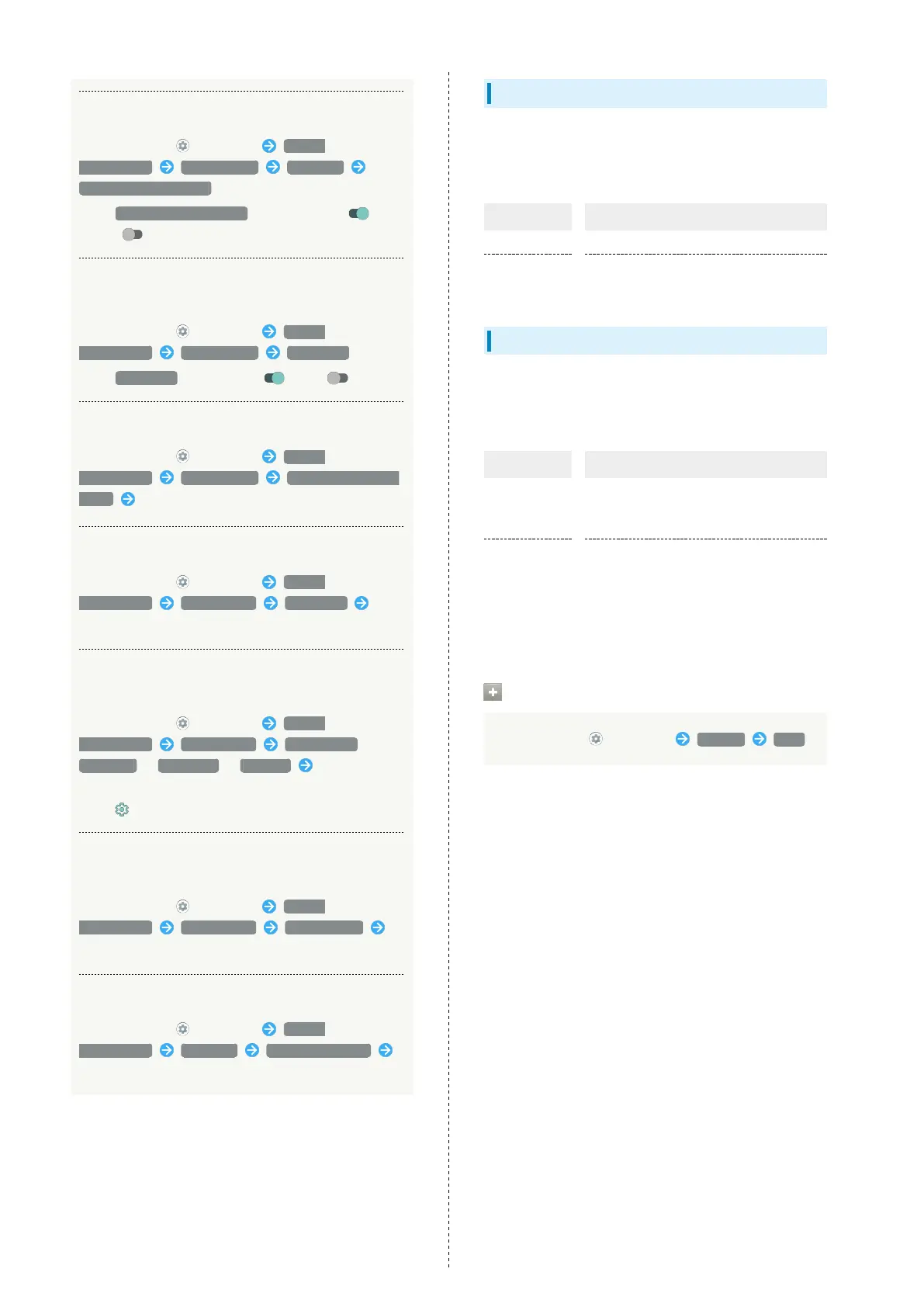
Showing/Hiding Notification Dots
In Home Screen, (Settings) Apps &
notifications Notifications Advanced
Allow notification dots
・
Tap Allow notification dots to toggle show ( )/
hide ( ).
Setting Whether to Flash Charging/Notification
Lamp for Notifications
In Home Screen, (Settings) Apps &
notifications Notifications Blink light
・
Tap Blink light to toggle on ( )/off ( ).
Setting Sound for Notifications
In Home Screen, (Settings) Apps &
notifications Notifications Default notification
sound Follow onscreen prompts
Make Settings for Assist Applications
In Home Screen, (Settings) Apps &
notifications Default apps Assist app
Follow onscreen prompts
Setting Default Applications for Browser, Home
Screen, Phone, SMS, Etc.
In Home Screen, (Settings) Apps &
notifications Default apps Browser app /
Home app / Phone app / SMS app Tap application
name
・
Tap for "Home app" to set Home Screen application.
Setting Integration with Other Applications,
Etc.
In Home Screen, (Settings) Apps &
notifications Default apps Opening links
Follow onscreen prompts
Make Settings for Special Application Access
In Home Screen, (Settings) Apps &
notifications Advanced Special app access
Set each item
Home Applications
Change the home application.
・Home applications installed via Google Play can be deleted
(uninstalled). See "Uninstalling Applications" for details.
Item Description
AQUOS Home Change home application to AQUOS Home.
AQUOS Kantan
Home
Change home application to AQUOS Kantan
Home.
Storage
Check memory space of internal storage and USB drive.
Settable items are the following.
・Available items vary depending on USB drive status.
Item Description
Internal
shared
storage
View information on internal storage
usage.
(USB drive
name)
1
Check data saved on USB drive.
1 Appears when the USB host function is in use. See "USB
ホスト機能を利用する (http://help.mb.softbank.jp/aquos-
zero2/05-06-08.html)" (Japanese) for details.
Checking Data Saved in Internal Storage
In Home Screen, (Settings) Storage Files



 To Next Page