54
Answering Calls (Display Off)
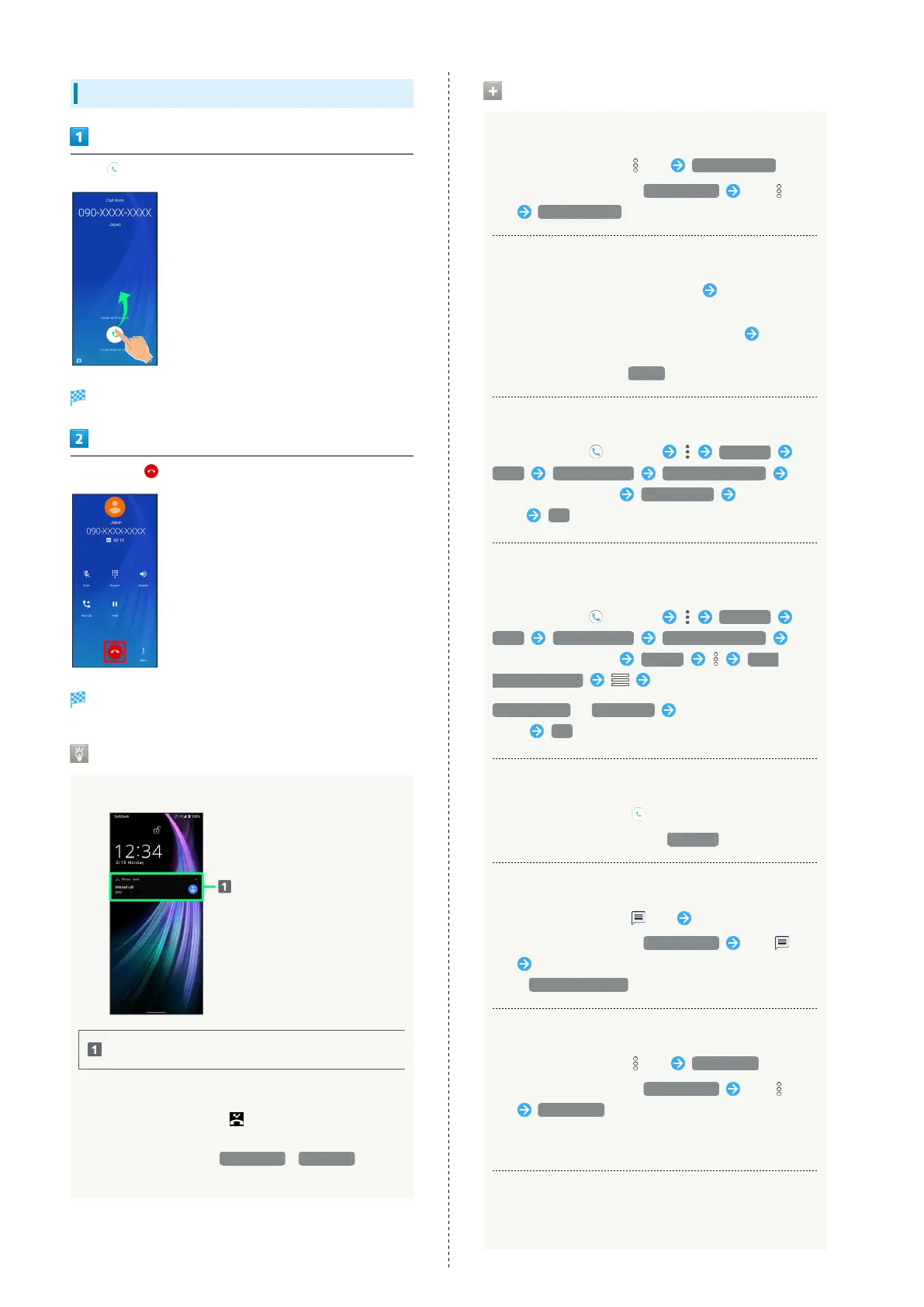
Flick up when call is arriving
Call connects.
To end call,
Call ends.
Missed Calls
For unanswered calls, notification appears in lock screen.
Notification
・Tap notification twice to check missed call records and
call back as needed.
・
When screen is unlocked, appears on Status Bar.
Drag Status Bar down for Notifications Window, then
Tap notification. When CALL BACK / MESSAGE appear
below notification, Tap to call back or send SMS.
Arriving Call/Answer Phone Operations
Answering with Answer Phone
As call is arriving, Flick up Absence Memo
・
When screen is unlocked, Incoming call Flick
up Absence Memo .
Playing Back Answer Phone Messages
In lock screen, Tap notification twice Tap message
・When screen is unlocked, Drag Status Bar down for
Notifications Window, then Tap notification Tap
message.
・
To stop playback, Tap Pause .
Editing Subjects of Answer Phone Messages
In Home Screen, (Phone) Settings
Calls Answer phone Answer phone list
Touch & Hold message Edit Subject Enter subject
name OK
Copying Answer Phone Messages to Internal
Storage
In Home Screen, (Phone) Settings
Calls Answer phone Answer phone list
Touch & Hold message Export Show
internal storage
AQUOS zero2 / Downloads Select where message is
saved OK
Rejecting Arriving Calls
As call is arriving, Flick down
・
When screen is unlocked, Tap DECLINE .
Not Answering Call and Sending SMS
As call is arriving, Flick up Tap message to send
・
When screen is unlocked, Incoming call Flick
up Tap message to send.
・
Tap Write your own... to create and send message.
Forwarding Arriving Calls
As call is arriving, Flick up Forwarding
・
When screen is unlocked, Incoming call Flick
up Forwarding .
・Set a phone number to forward calls to beforehand. See
"Call Forwarding" for details.
Stopping Ringtone and Vibration
As call is arriving, Volume Up/Volume Down Key



 To Next Page