7
Getting Started
AQUOS zero2
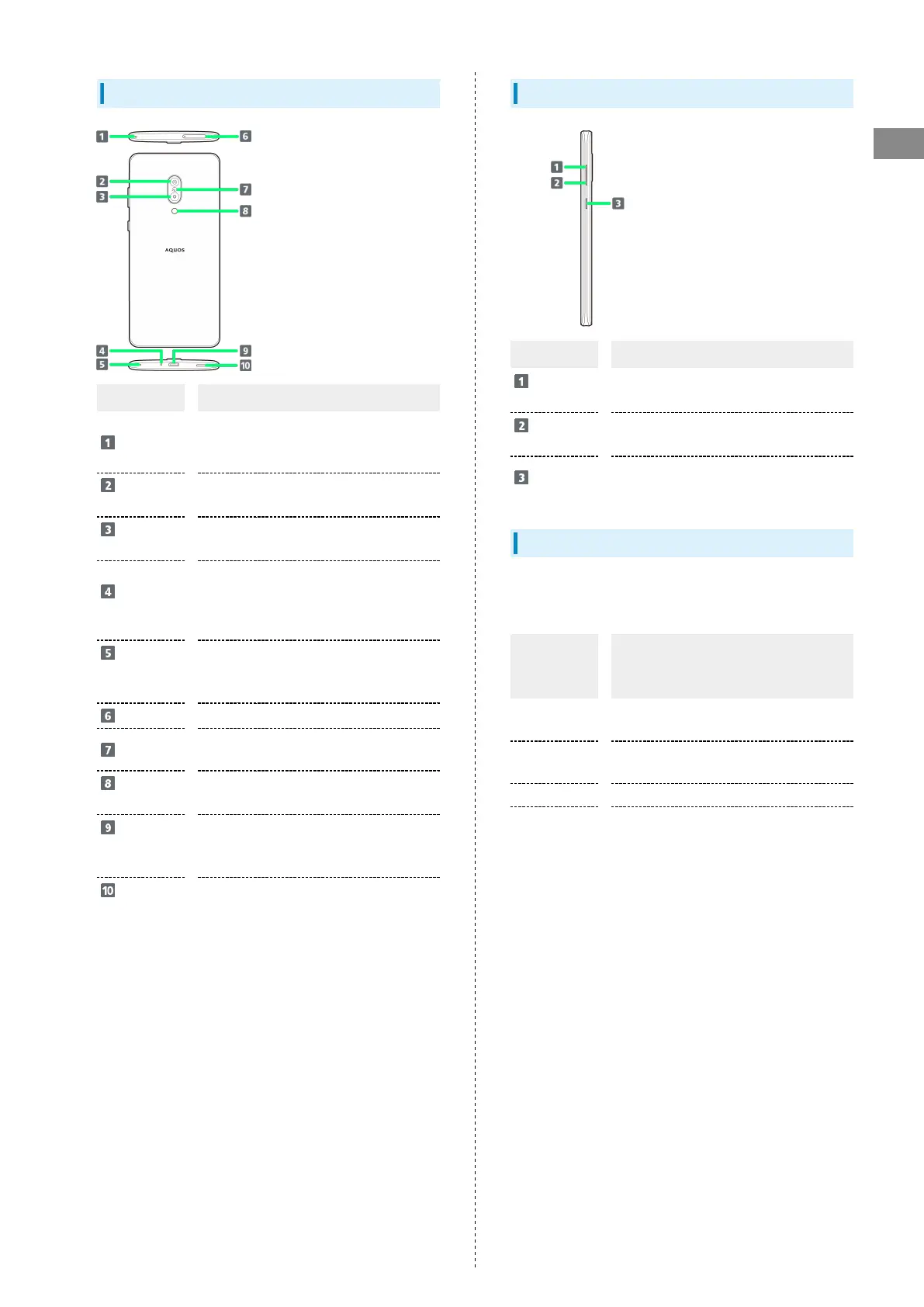
Handset (Back and Sides)
Name Description
Mic
Use while recording videos or when talking
through Speakerphone.
Make sure not to cover Mic.
Wide-Angle
Back Camera
Capture photos and videos with a wide
angle of view.
Standard
Back Camera
Shoot photos or videos.
Mic/
Recorder Mic
Talk to the other party here. Also use
while recording videos or when talking to
emopa.
Make sure not to cover Mic/Recorder Mic.
Charging/
Notification
Lamp
Illuminates while charging or for missed
calls and notifications.
Card Tray
Insert/remove SIM Card.
FeliCa mark
Hold up to reader/writer to use NFC/
Osaifu-Keitai
®
.
Mobile
Light
Use as a camera flash, flashlight, etc.
External
Connection
Jack
Connect to the AC Adaptor, etc.
Speaker
Listen to music, video sound, etc.
Handset Keys
Name Description
Volume Up
Key
Increase volume.
Volume
Down Key
Decrease volume.
Power Key
Turn Display off/on. Long Press for power
on/off, reboot, etc.
Charging/Notification Lamp
Lights/flashes while charging or for missed calls, new SMS,
etc.
Lamp
color and
illumination
Indication
Red, lit
Charging (Battery level less than about
94%)
Green, lit
Charging (Battery level more than about
95%)
Red, flashing Charging not possible
White,
flashing
1
Notifications (missed calls, new SMS, etc.)
1 Flashes when Display turned off.



 To Next Page