4.1.1.2. Remove the Bottom Cover
The Serial ATA connectors, the power connectors for SATA storage devices,
and the internal USB ports, PCI/PCIe slots are all built on the bottom side of the
main board. To access these connectors, the computer’s bottom cover has to
be removed. Follow through the steps below to remove the bottom cover from
the computer.
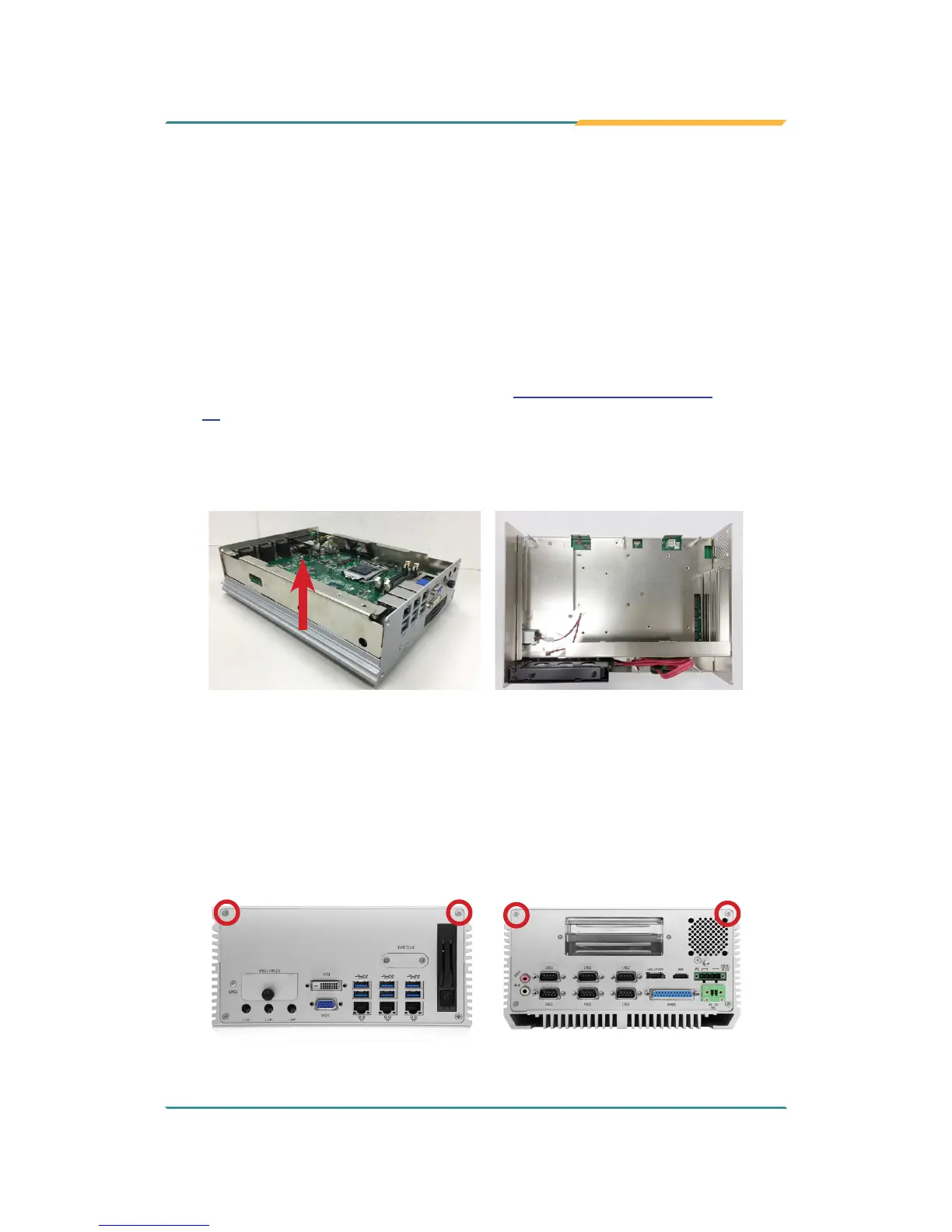
FPC-7900
1. Remove the top cover as desribed in 4.1.1.2. Remove Top Cover on page
32.
2. Lift and remove the main board assembly and you can access the bottom
side of the main board.
FPC-790X
1. Place the computer upside down on a at surface. Loosen and remove
the 2 screws on the bottom side of front and rear panels respectively as
shown below.



 To Next Page