4.1.3. Install/Uninstall Memory Modules
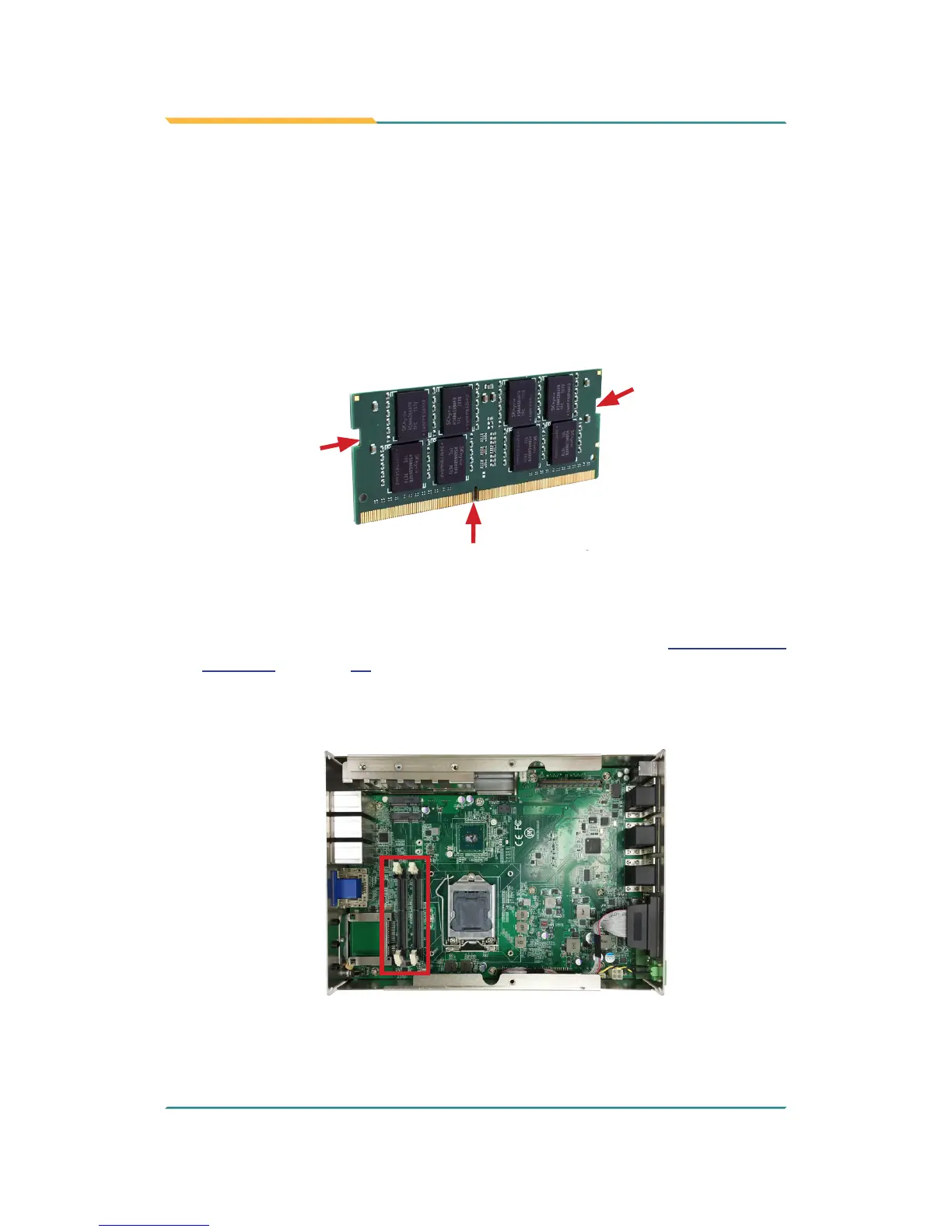
The main board has two memory module (DIMM) sockets. Increase memory
capacity to make programs run faster on the system. The memory module for
the FPC-7900 Series’ SO-DIMM sockets should be a 260-pin DDR4 with a
“key notch” off the centre among the pins, which enables the memory module
for particular applications. There are another two notches at each left and right
side of the memory module to help x the module in the socket.
key notch
side notch
side notch
To install a DDR4 memory module:
1. Remove the top cover from the computer as described in 4.1.1.2. Remove
Top Cover on page 32.
2. Locate the SO-DIMM sockets on the main board.



 To Next Page