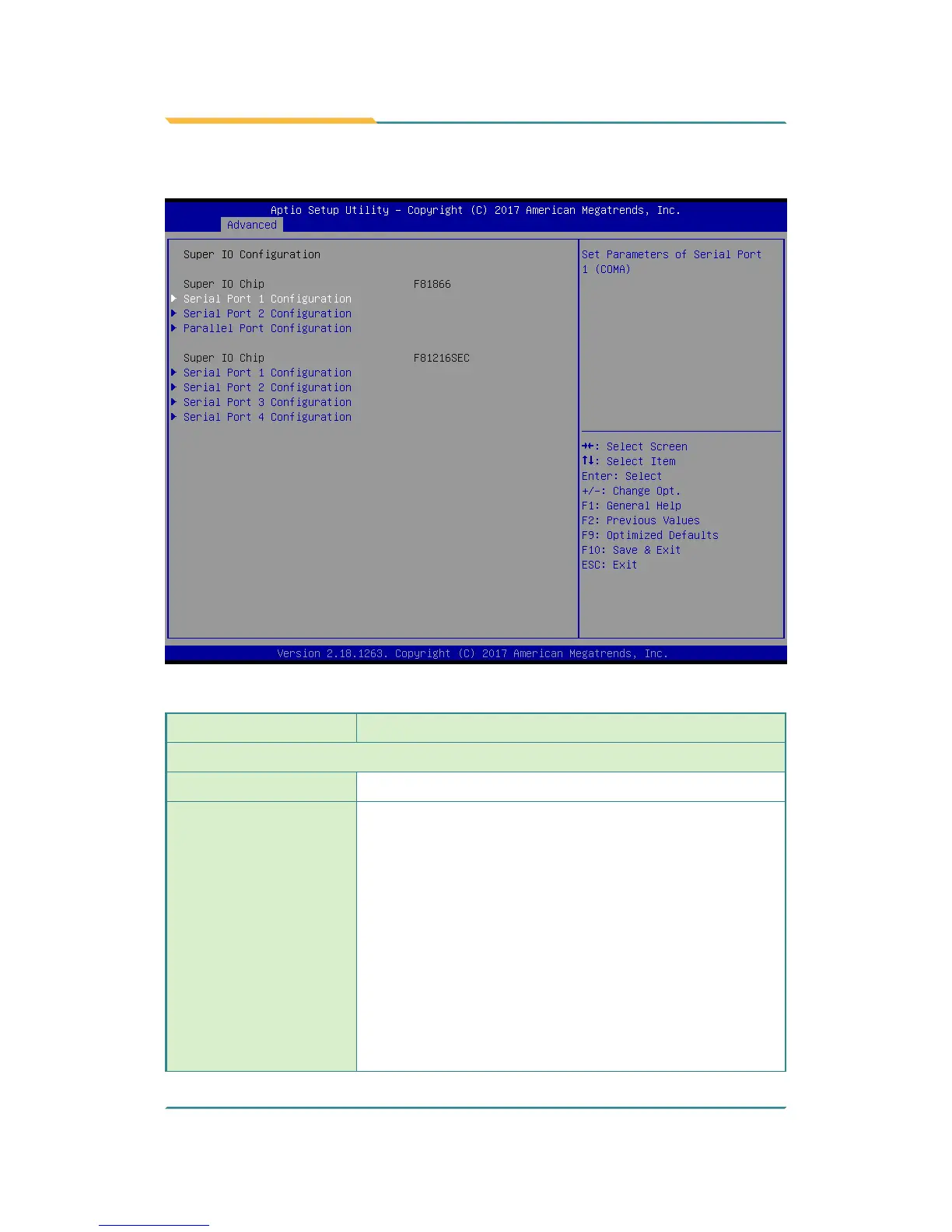
5.2.6. Super IO Conguration
Super IO Chip F81866 Settings
Setting Description
Serial Port Conguration
Serial Port
Enable (default) or Disable Serial Port (COM).
Change Settings
Select an optimal setting for Super IO device.
► Options for Serial Port 1:
IO=3F8h; IRQ=4 (default) ;
IO=3F8h; IRQ=3, 4, 5, 6, 7, 9, 10, 11, 12;
IO=2F8h; IRQ=3, 4, 5, 6, 7, 9, 10, 11, 12;
IO=3E8h; IRQ=3, 4, 5, 6, 7, 9, 10, 11, 12;
IO=2E8h; IRQ=3, 4, 5, 6, 7, 9, 10, 11, 12;
► Options for Serial Port 2:
IO=2F8h; IRQ=3 (default)
IO=3F8h; IRQ=3, 4, 5, 6, 7, 9, 10, 11, 12;
IO=2F8h; IRQ=3, 4, 5, 6, 7, 9, 10, 11, 12;
IO=3E8h; IRQ=3, 4, 5, 6, 7, 9, 10, 11, 12;
IO=2E8h; IRQ=3, 4, 5, 6, 7, 9, 10, 11, 12



 To Next Page