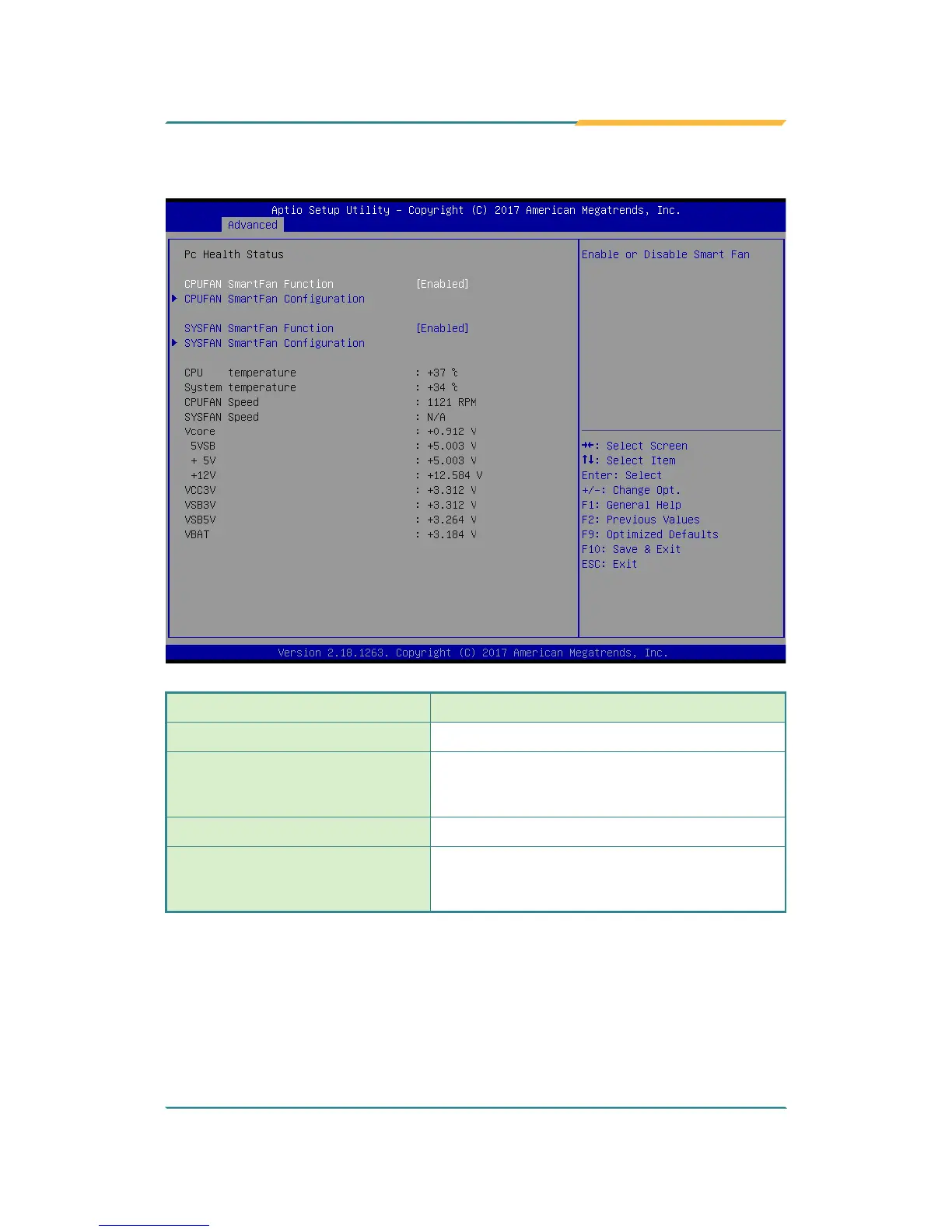
5.2.7. Hardware Monitor
Setting Description
CPUFAN SmartFan Function
Enables (default) or Disables Smart Fan
CPUFAN SmartFan
Conguration`
Temperature 1~4 & RPM Percentage 1~4
Auto fan speed control. Fan speed will follow
different temperature by different PRM 1-100.
SYSFAN SmartFan Function
Enables (default) or Disables Smart Fan
SYSFAN SmartFan
Conguration`
Temperature 1~4 & RPM Percentage 1~4
Auto fan speed control. Fan speed will follow
different temperature by different PRM 1-100.
Note: CPUFAN & SYSFAN functions only apply to SKUs with smart fan. If your SKU
doesn't come with smart fan, ignore these settings.



 To Next Page