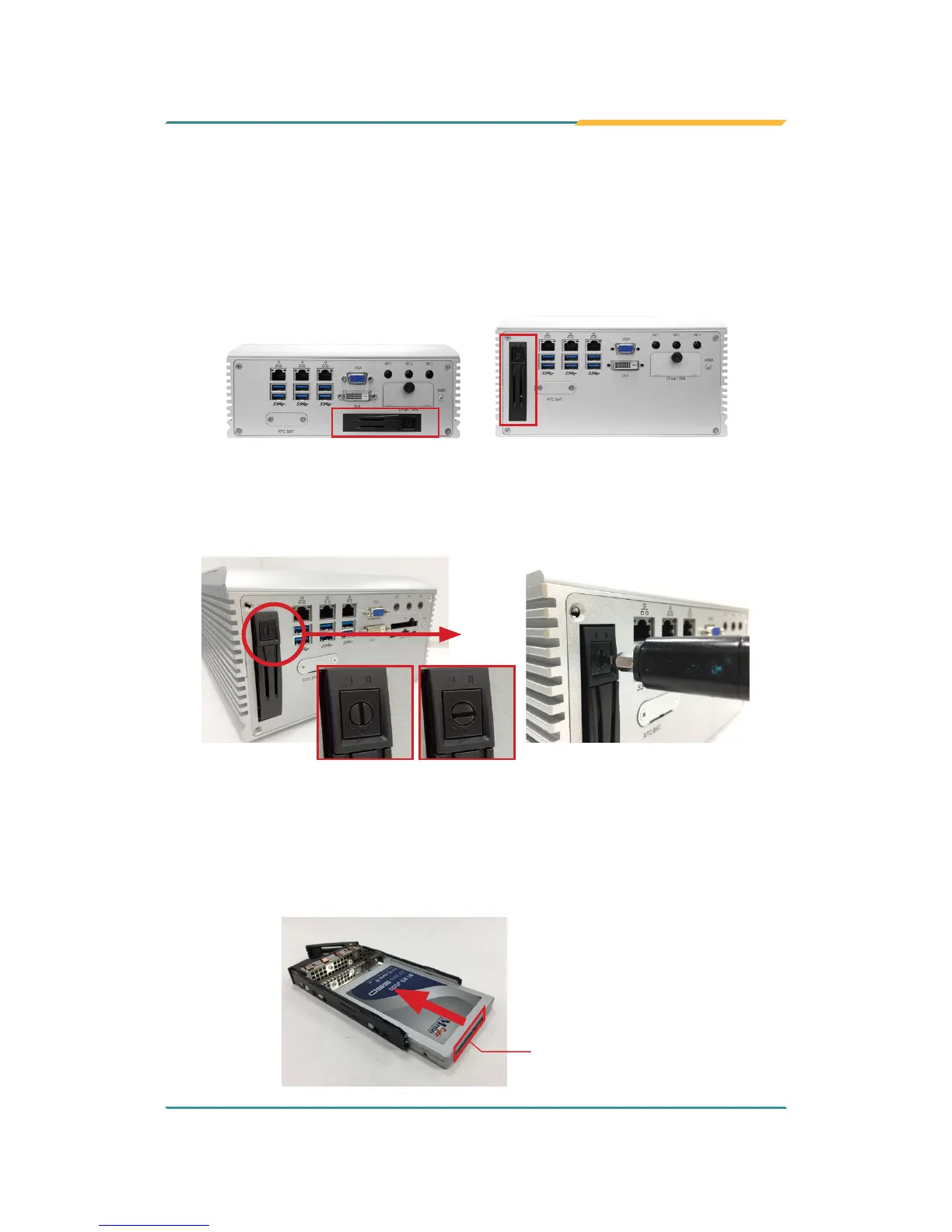
4.1.5. Install SATA Storage Devices
4.1.5.1. Install Outside Accessible SATA Storage Device
The computer comes with an outside accessible HDD/SSD tray for SATA
storage installation. This section will use FPC-790X as the installation example.
FPC-7900
FPC-790X
1. The outside accessible HDD/SSD tray comes with a lock. To eject the
tray, use a at head screwdriver to unlock the tray.
LockedUnlocked
2. Press the drive eject button as shown below to eject the HDD/SSD tray.
3. Slide the HDD/SSD storage device into the bracket with the connector
side facing toward the internal side.
Connector side



 To Next Page