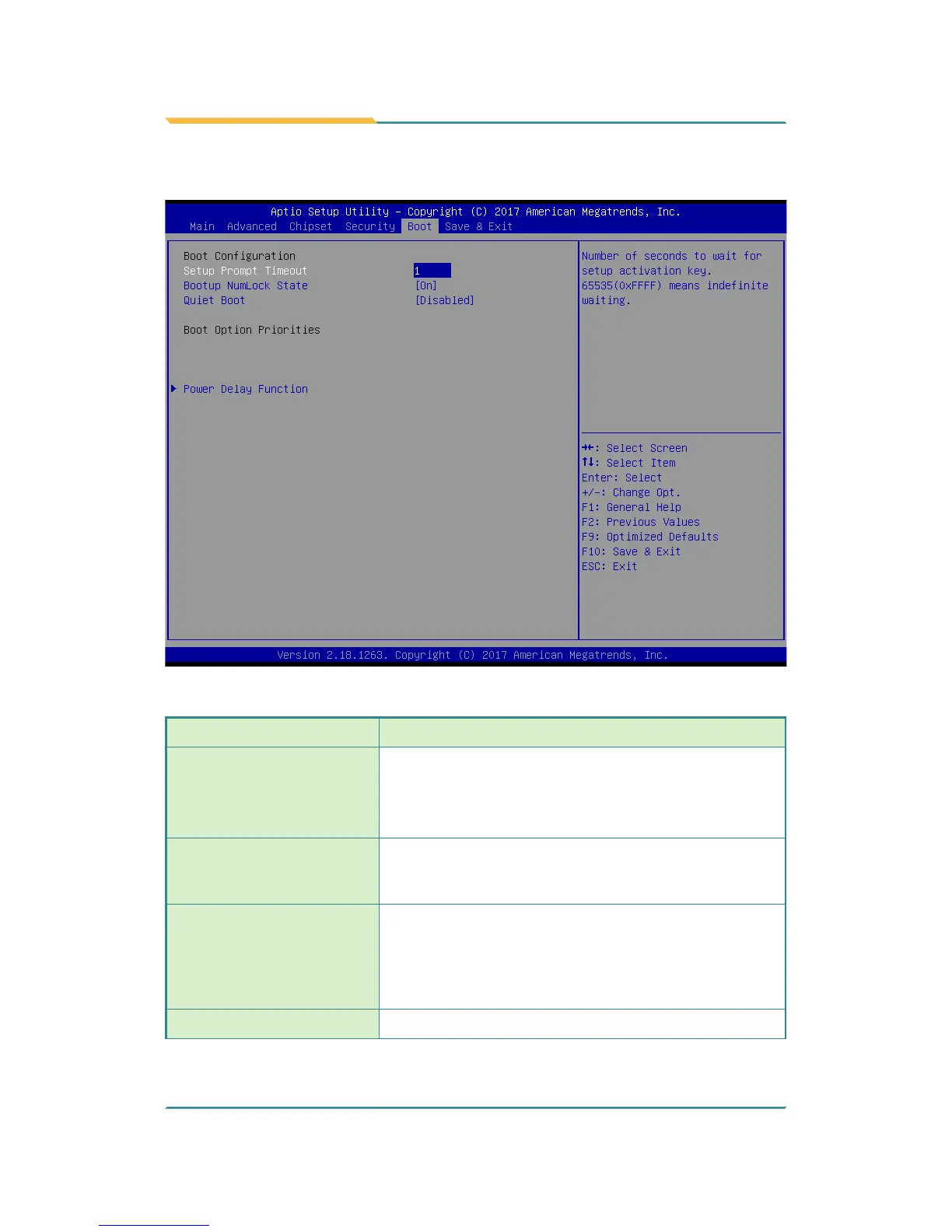
5.5. Boot
Setting Description
Setup Prompt Timeout
Set how long to wait for the prompt to show for entering
BIOS Setup.
► The default setting is 1 (sec).
► Set it to 65535 to wait indenitely.
Bootup NumLock State
Sets whether to enable or disable the keyboard’s
NumLock state when the system starts up.
► Options available are On (default) and Off.
Quiet Boot
Sets whether to display the POST (Power-on Self Tests)
messages or the system manufacturer’s full screen logo
during booting.
► Select Disabled to display the normal POST
message, which is the default.
Boot Option Priority
Set the system boot priorities.



 To Next Page