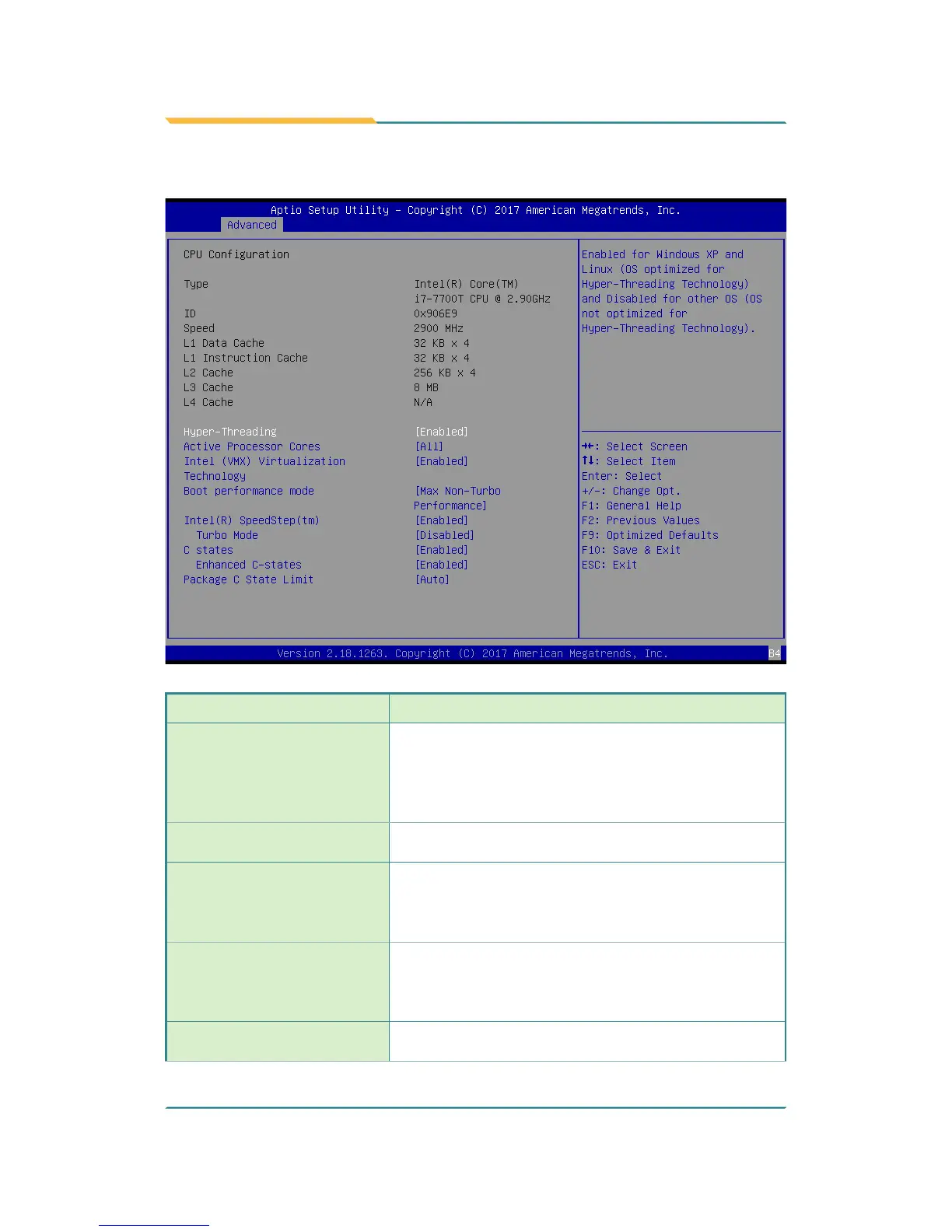
5.2.1. CPU Conguration
Setting Description
Hyper-Threading
Enabled (default) for Windows XP and Linux (OS
optimized for Hyper-Threading Technology) and Disabled
for other OS (OS not optimized or Hyper-Threading
Technology). When disabled only one thread per enabled
core is enabled.
Active Processor Cores
Number of cores to enable in each processor package.
► Options: All (default) and 1
Intel (VMX) Virtualization
Technology
When enabled, a VMM can utilize the additional
hardware capabilities provided by Vanderpool
Technology
► Options: Enabled (default) or Disabled
Boot performance Mode
Set the performance state that the BIOS will set before
the OS handoff.
► Options: Max Battery, Max Non-Turbo
Performance (default) and Turbo Performance .
Intel (R) Speed Step (tm)
Enable (default)/Disable Intel SpeedStep. Allows
more than two frequency ranges to be supported.



 To Next Page