4.1.7. Install/uninstall CFast Card
The computer supports a CFast card for storage and comes with an outside-
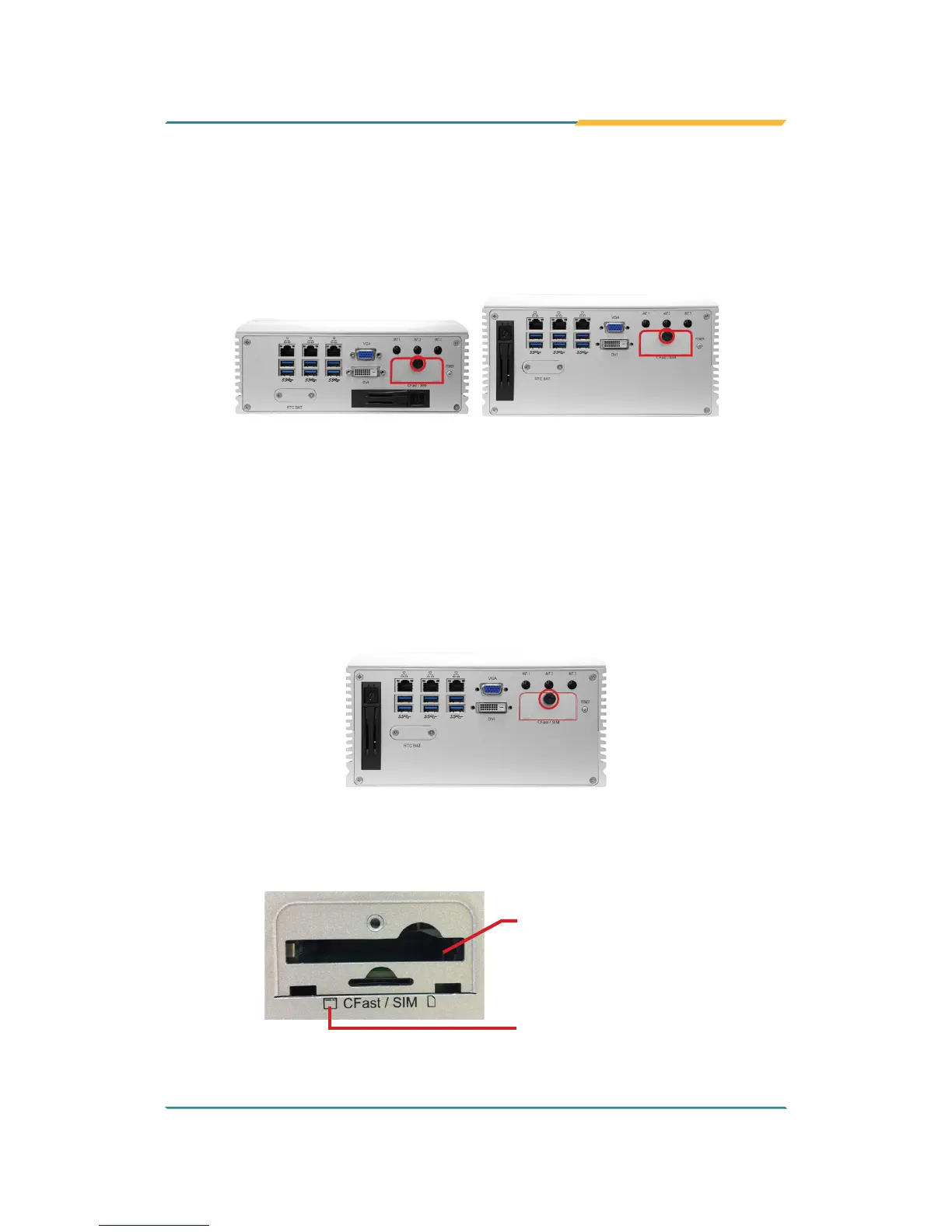
accessible CFast slot. Follow through the guide below to install a CFast card
to the computer. (This section will use FPC-790X as the installation example.)
FPC-7900
FPC-790X
Note: Be sure to turn off the computer before installing or uninstalling the
CF card if the OS is installed on the card.
To install the CFast card:
1. From the front panel of the computer, nd the door to the CFast slot.
Loosen and remove the screw that locks the door.
2. Once the screw is removed, open the door. The CFast slot then comes
to view.
Follow the printed graphic to
insert the CFast card
CFast card slot



 To Next Page