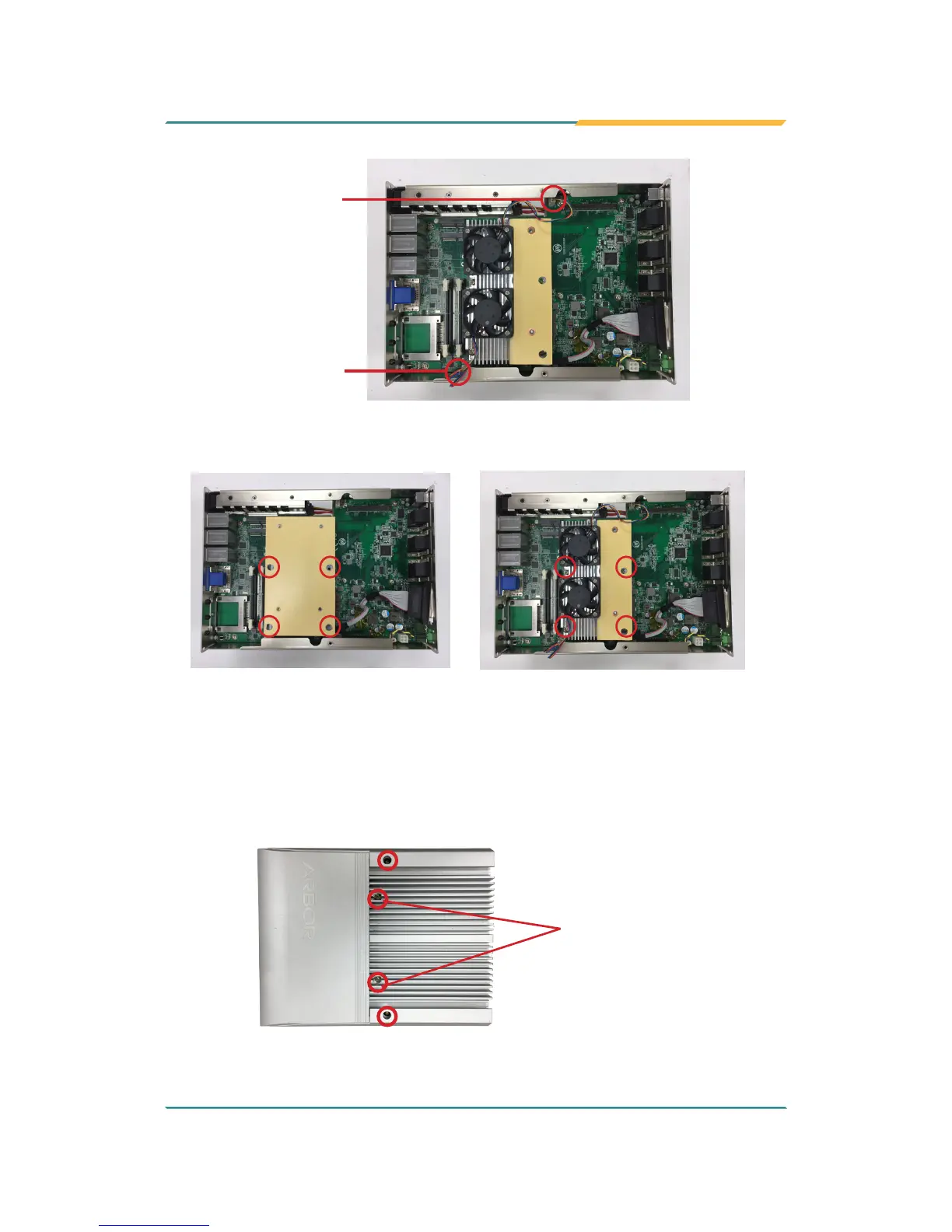
System fan
connector
CPU fan
connector
7. Secure the heat sink with 4 screws.
Heat sink for fanless models
Heat sink for models w/ SMART FAN
8. Restore the top cover to the computer by fastening the 4 screws as shown
below. Note that the 2 screws in the middle are used to secure the top
cover to the heat sink. Make sure they are tightened to ensure the heat
dissipation.
Make sure to
tighten the screws
to ensure the heat
dissipation.



 To Next Page