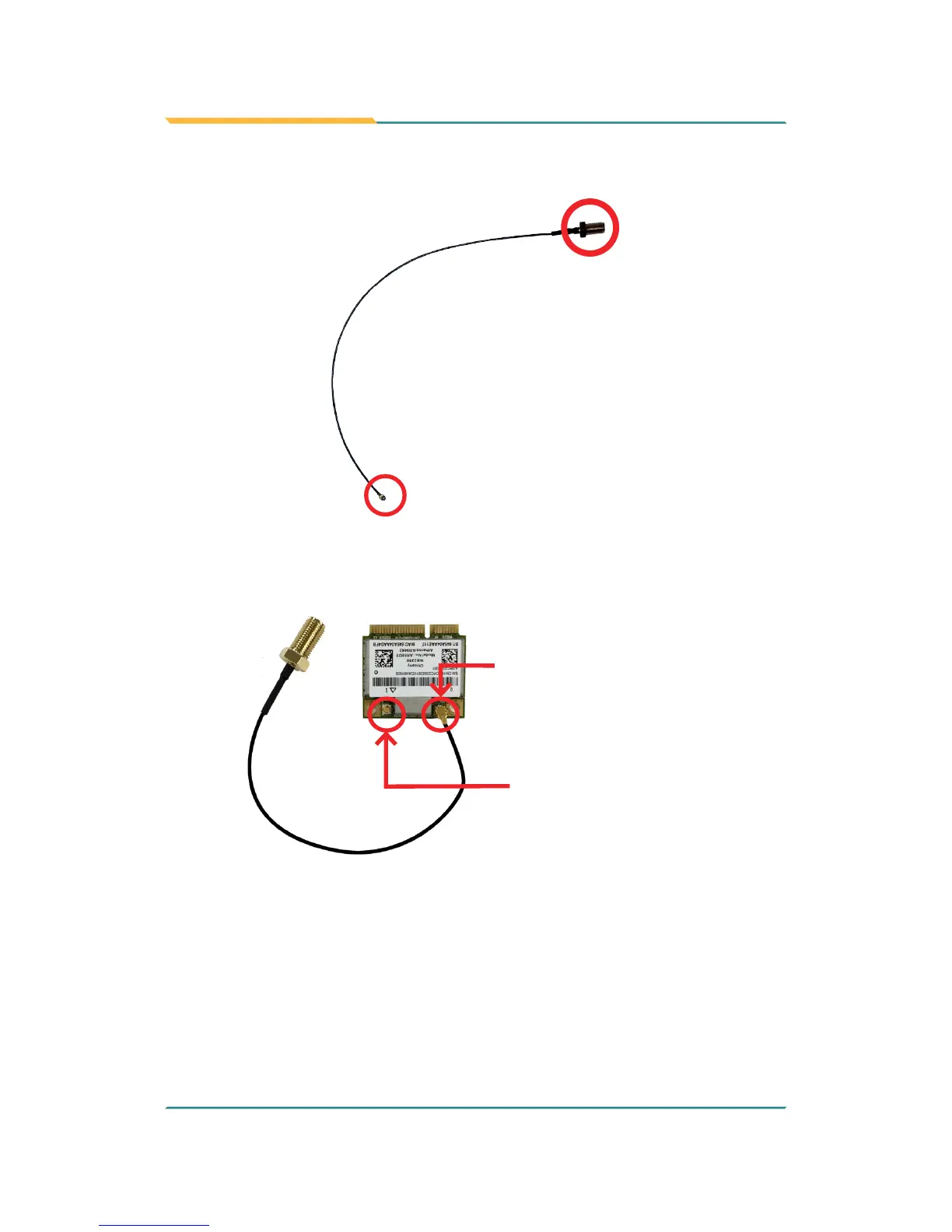
4. Have the RF antenna. The antenna has an SMA connector on one end
and an MHF connector on the other.
SMA connector
MHF connector
5. Connect the RF antenna’s MHF connector to the Wi-Fi module’s main
connector marked 0. If you are going to connect a secondary antenna,
connect it to the connector marked 1.
Connect the RF antenna’s
MHF connector to the Wi-Fi
module’s main connector
(marked 0)
Connect the secondary RF
antenna’s MHF connector to
the Wi-Fi module’s secondary
connector (marked 1)
6. Plug the Wi-Fi module to the socket’s connector by a slanted angle. Fully
plug the module, and note the notch on the wireless module should meet
the break of the connector.



 To Next Page