FUV Owner's Guide - 96
Enabling / Disabling Extended Range Mode
Extended Range Mode is enabled and disabled via the
Extended Range button on the Charging Screen.
To enable Extended Range Mode:
1. Plug the FUV into a charging station to invoke the
Charging Screen.
2.
Press the Extended Range button.
3.
Read the warning message, and press CONFIRM.
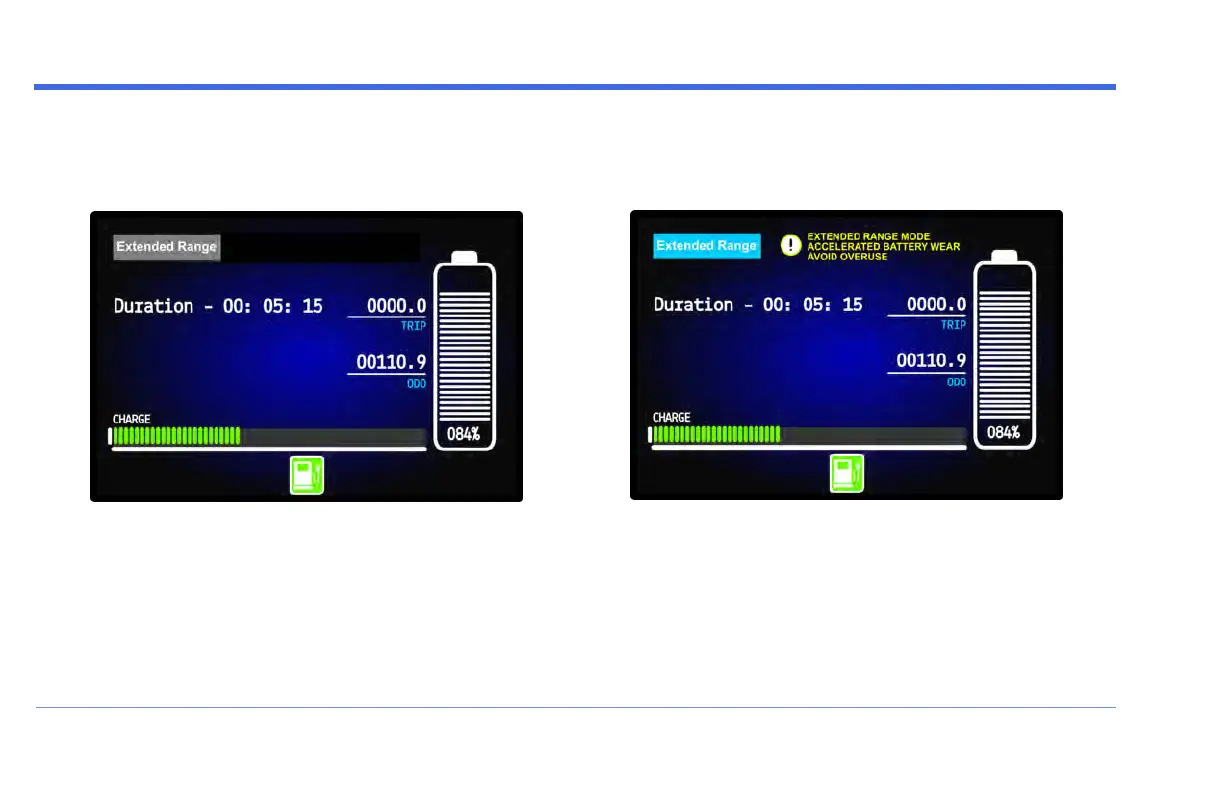
When the Extended Range button turns blue, the FUVis
in Extended Range mode.
To disable Extended Range Mode:
When in Extended Range Mode, press the (blue)
Extended Range button again. The button turns gray to
indicate that Extended Range Mode is now turned off.
OPERATION


 To Next Page