FUV Owner's Guide - 140
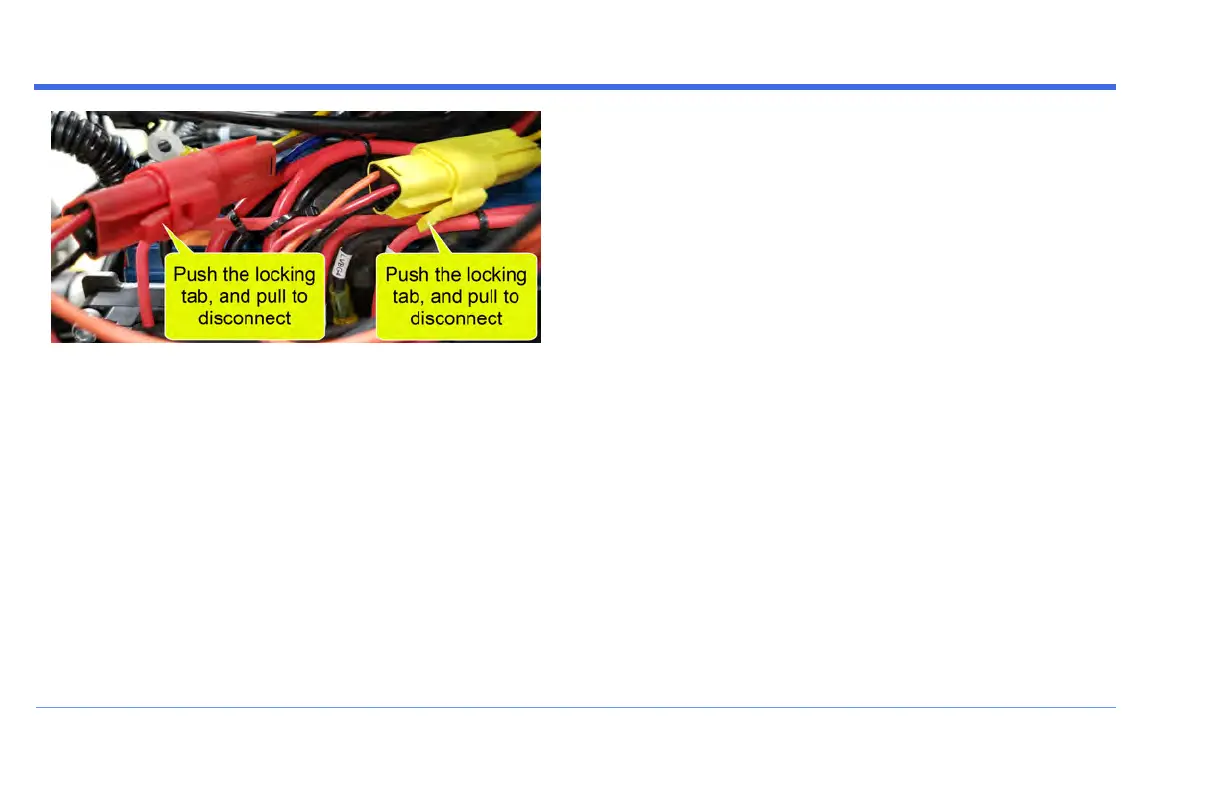
Once these connectors have been unplugged, the FUV is
ready for Long-Term Storage.
STEP 5: Replace the Dash Access Panels
Recovering the FUV From Long-
Term Storage
When it's time to bring the FUV out of long-term storage,
it is necessary to re-connect the 12V electrical system, as
described below:
STEP 1: Remove Both Dash Access Panels
Remove the two Phillips head screws that secure each
Dash Access Panel.
STEP 2: Plug both Power Output Connectors back
in
Plug both Power Output Connectors back in: Gently slide
the connectors into their plugs until the locking tabs snap.
Refer to the images in Step 4 above for reference.
Note that these connectors are indexed - they cannot
accidentally be plugged in incorrectly, and it doesn't
matter which one is plugged in first.
STORAGE


 To Next Page