MAINTENANCE AND CLEANING
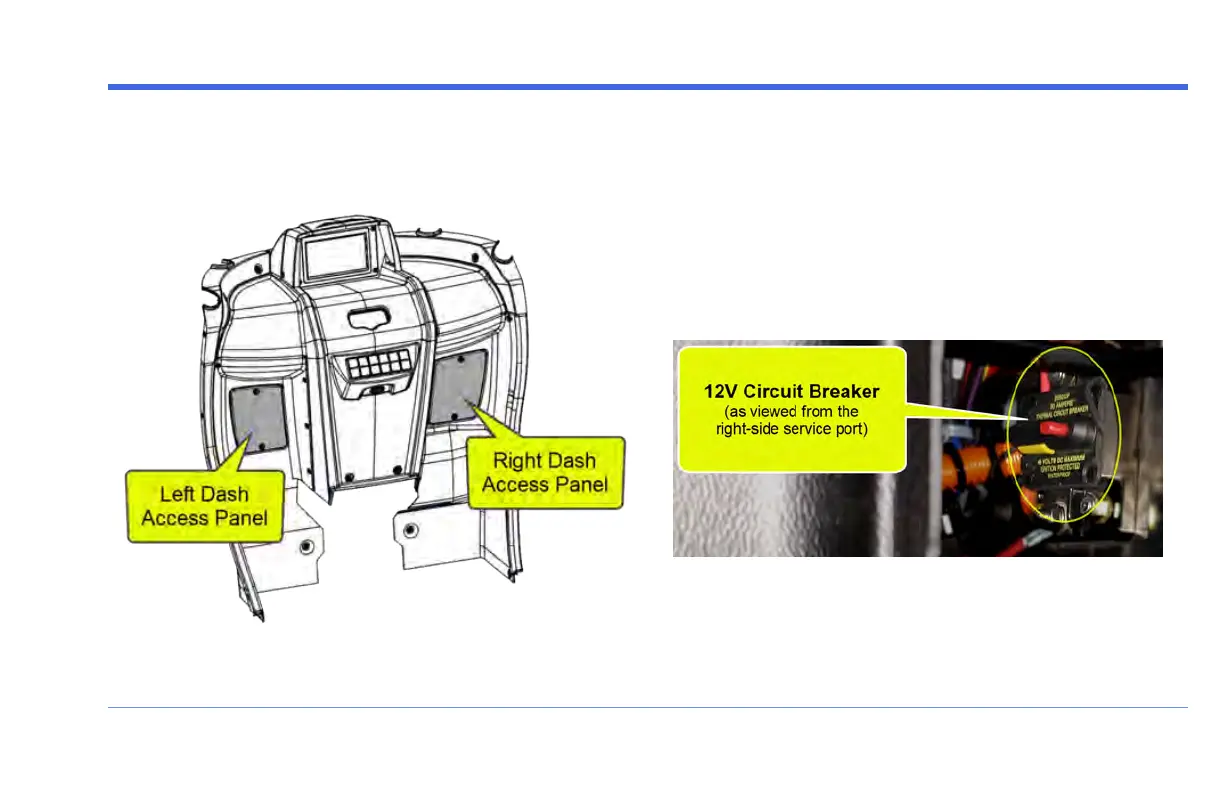
STEP 1: Remove Both Dash Access Panels
There are two Dash Access Panels located on either side
of the Dash Assembly:
Remove the two Phillips head screws that secure each
panel.
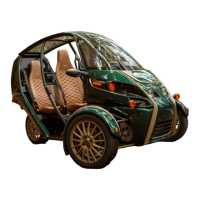
STEP 2: Access the 12V Circuit Breaker
Look into the right-side service port to locate the 12V
Circuit Breaker.
It is a black box with a red button and a yellow lever, right
behind the steering column:
FUV Owner's Guide - 131


 To Next Page