BIOS CONFIGURATION
31
is displayed in the selected capacity. The capacity value can be
increased or decreased by the UP and DOWN arrow keys. The
capacity of each volume set must be less than or equal to the
total capacity of the RAID set on which it resides. If the volume
set uses only part of the RAID set capacity, you can use the “Cre-
ate Volume Set” option in the main menu to dene additional
volume sets.
Stripe Size This parameter sets the size of the stripe written to
each disk in a RAID 0 or 1 logical drive. You can set the stripe
size to 4 KB, 8 KB, 16 KB, 32 KB, 64 KB, or 128 KB.
A larger stripe size produces better-read performance, especially
if your computer does mostly sequential reads. However, if you
are certain that your computer performs random reads more of-
ten, select a smaller stripe size.
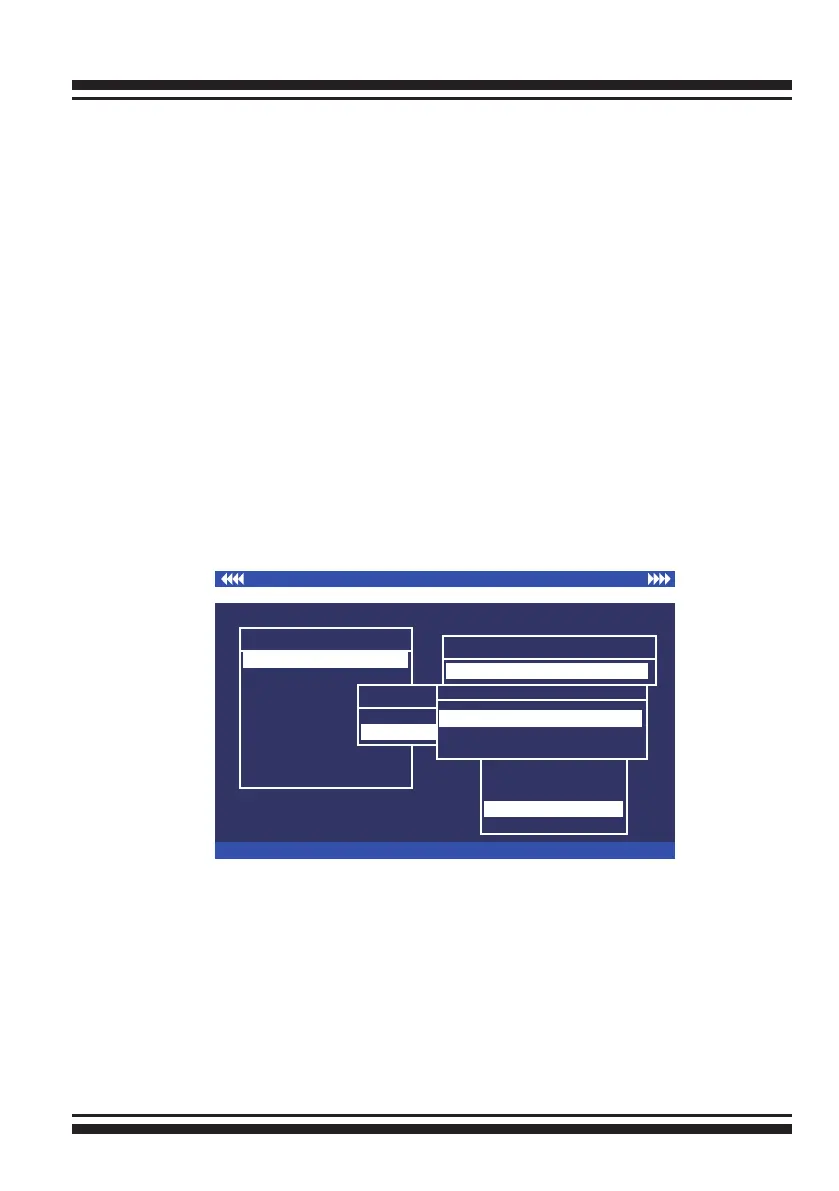
Press the Yes option in the “Create Vol/Raid” Set dialog box, the
RAID set and volume set will start to initialize it.
Select “Foreground Initialization”, “No Initialization” or "No Init
(To Rescue Volume)" for initialization.
I/O Port Addr:FD700000h, F2 (Tab): Select Controller, F10: Reset System
ArrowKey Or AZ:Move Cursor, Enter: Select, ESC: Escape, L:Line Draw, X: Redraw
Areca Technology Corporation RAID Controller
Main Menu
Raid Set Function
Volume Set Function
Physical Drives
Raid System Function
View System Events
Clear Event Buffer
Hardware Monitor
System information
Quick Volume/Raid Setup
Total 2 Drives
Raid 0
Raid 11
Raid 1
Available Capacity : 140.0GB
Selected Capacity : 140.0GB
Select Strip Size
4K
8K
16K
32K
128K
64K
Initialization Mode
No Initialization
No Init (To Rescue Volume)
Foreground Initialization
• Select "Foreground Initialization" for faster initialization of
the selected volume set. When "Foreground Initialization", the
initialization proceeds must be completed before the volume
set ready for system accesses.
• Select "No Initialization", there is no initialization happened,
the volume set is fully accessible for system reads and writes.
The operating system can instantly access to the newly created
arrays without requiring a reboot.
• Select "No Init" (To Rescue Volume) for customer to rescue
volume without losing data in the disk.



 To Next Page