22
3 INSTALLATION OF OPTIONS
3.1 Printer (FD1800/1810)
3.1.1 Connection
1. Switch o the power to the machine.
2. Take the top panel o the machine.
B
A
002483
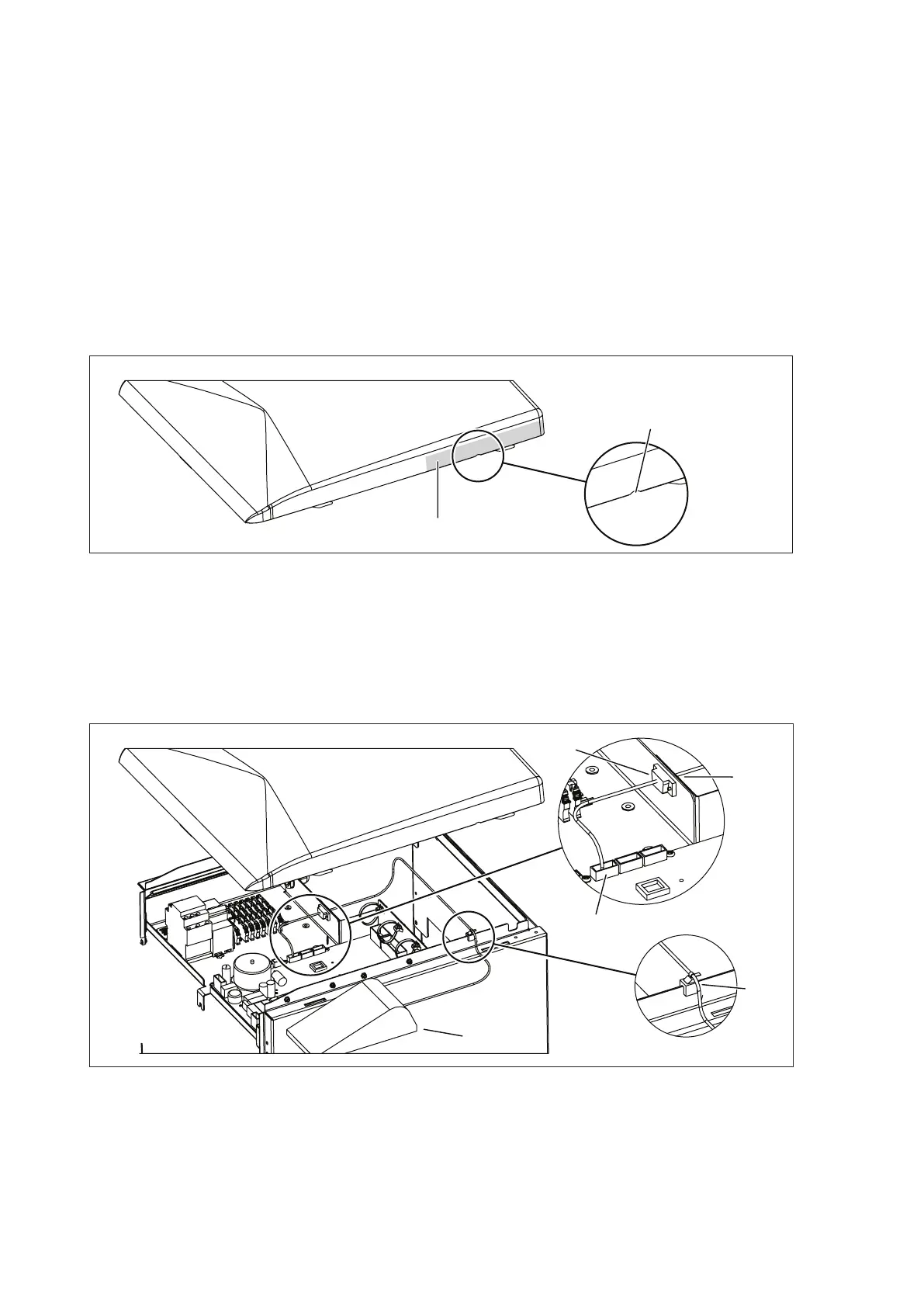
Figure 13. Placement of the opening in the top panel
3. Make an opening in the top panel (A) for the printer cable.
• Use a le or some other suitable tool.
• Make an opening within the area (B), which applies to
both the left and right side of the top panel. The area is
175 mm in length.
F
G
D
C
E
002477
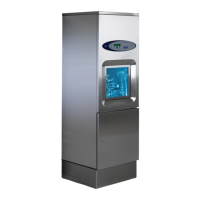
Figure 14. Connecting cables
4. Connect the interface cable (501140700):
• Connect one end to -X25 to the PCB card (C).
• Fix one end to the slit (D) with two D-sub screws
(501140600).



 To Next Page