25
4.2 Function check
WARNING!
Conduct a ground continuity test before the
function check and document the result.
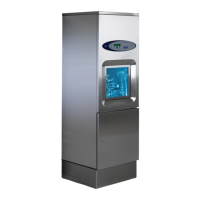
• Check that the usher-disinfector is connected to the correct
supply voltage and that it is protected by a fuse of the correct
rating as shown on the type plate.
• Open the water valves and close the isolator switch. Check
that all lights on the panel light up and that the buzzer
sounds. The display then shows the current program version,
followed by the preselected program.
• Check that the temperature of the incoming water is correct.
The temperature must be in the range 45 – 60°C for hot
water and not less than 2°C for cold water.
• Start a program with the machine empty and check that:
yellow light flashes for 6 seconds.
yellow light on comes on.
the temperature rises continuously until the cooling
phase begins.
the heating-up time does not exceed about 10 minutes.
the temperature reaches at least 89°C.
the green light at lights up and the display shows U7
(hot goods).
open the door and check the max temperature in the
display.
• The machine has a lime descaler system. Consult the
“Technical manual” regarding how to check and adjust
descaler use.
• Check that there are no water leaks. Tighten connections and
pipe couplings.
• Check that the ventilator (option) starts and that the hoses
are connected.



 To Next Page