Arkel Elektrik Elektronik San. ve Tic. A.Ş. www.arkel.com.tr
ARKEL 43 ARCODE
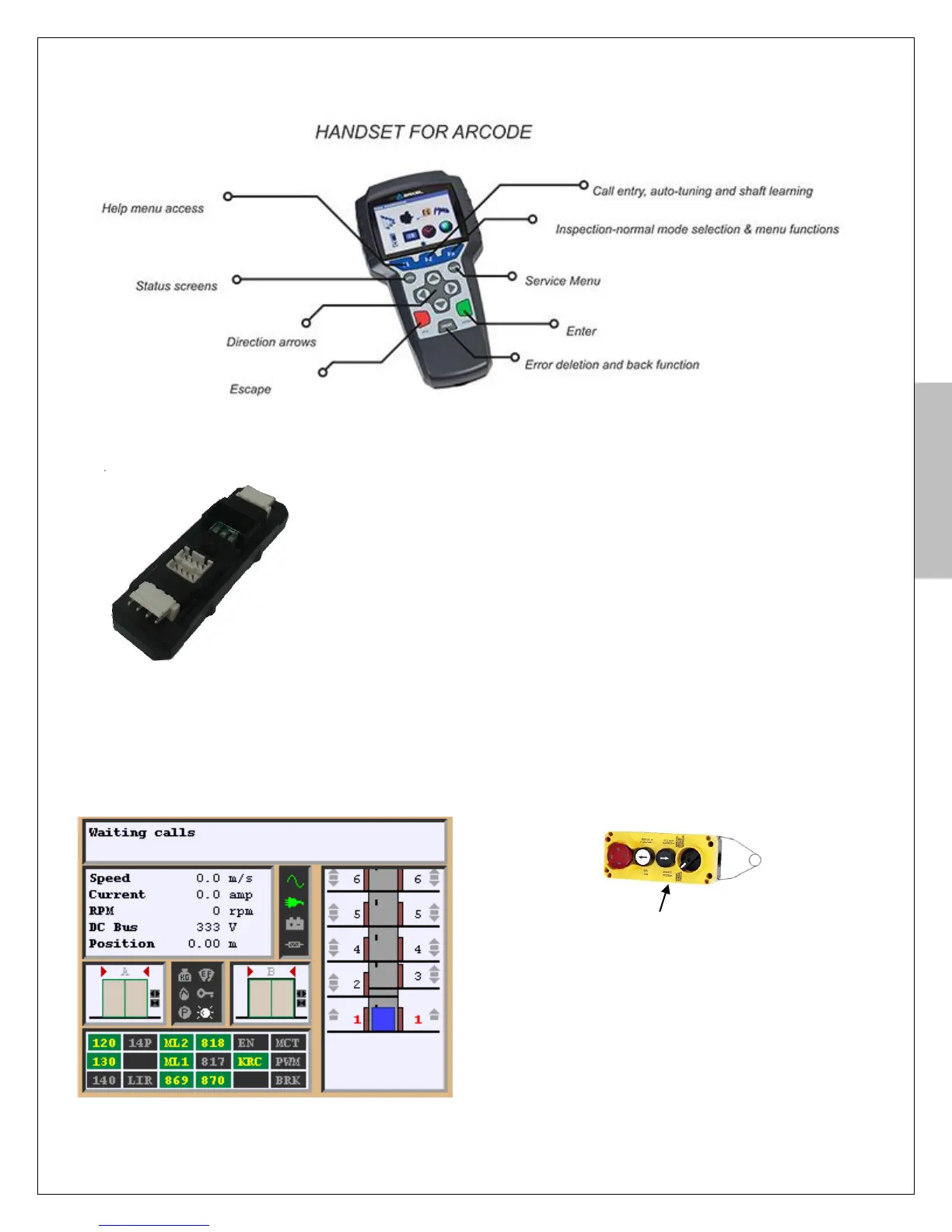
AREM hand terminal can be connected to CANBus line which is located in
shaft, LOP, COP or control panel. It is not possible to make any change in the
parameters without AREM.
AREM will run automatically when it is connected CANBus line. It can be
connected to KXCBA board or any CANBus access point. For first installation
ARCODE software must be updated by AREM. (See Appendix-1 software
update).
Activate the manual operation mode by turning the recall switch on the recall hand terminal to “REV”
position. In this case the motor can be moved by recall buttons from the control panel.
Turn on SMP main braker after opened all circuit
breakers (fuses).
Figure 9a appears on AREM screen when it is
connected to CANBus line.
Figure-8d: Recall hand terminal
Figure-8c: KXCBA CANBus terminal
Figure-9a: Main screen of AREM


 To Next Page