Arkel Elektrik Elektronik San. ve Tic. A.Ş. www.arkel.com.tr
ARKEL 44 ARCODE
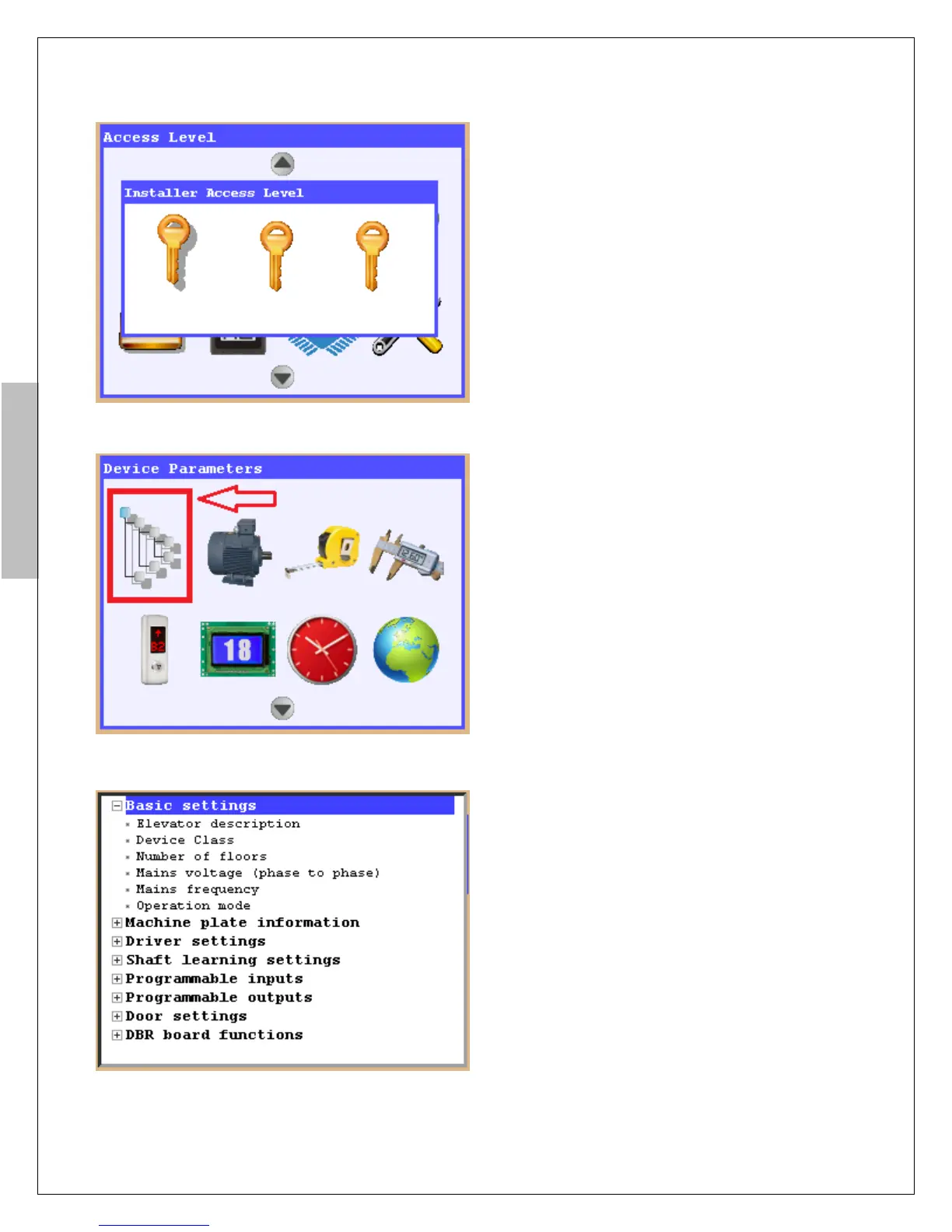
To enter menu, press “Tools” button on AREM
When pressed first time to “Tools” button you
will see figure 9b. AREM has 3 different user
access level. As “Installer”, “Maintainer” and
“Guest” which has system access level. And
“Installer” has uppermost access level in system.
For first installation it’s access code is“000000”
for all access level. To enter menu press “Enter”
button.
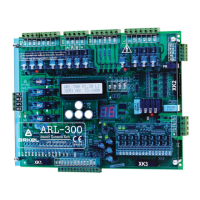
When entered menu to select “Device
Parameters” use direction arrows and press
Enter button to enter “Device Parameters”.
Figure-9c: “Device Parameters” settings
Figure-10a: “Operating settings”
Check parameters, “Number of floors”, “Mains
voltage” respectively.
“Operation mode” parameters should be selected
“Installation mode”. (According to EN81-20
norms, if the defined critical inputs are connected
to a peripheral and if this peripheral and main
controller can not be communicated, the system
has to be stopped (Er98). When this parameter is
selected as “Installation Mode”, system will not
check the critical signal positions and will not give
error.)
Machine plate information” should be set
according to motor plate.


 To Next Page