Arkel Elektrik Elektronik San. ve Tic. A.Ş. www.arkel.com.tr
ARKEL 49 ARCODE
Step-6: Shaft learning & test driving
ARCODE integrated elevator system needs to do a special shaft-learning run before going in to normal operation.
This must be done only once. Before performing a shaft-learning run, please check your magnets and magnetic
switches that are needed for encoder positioning system and then follow the steps described below:
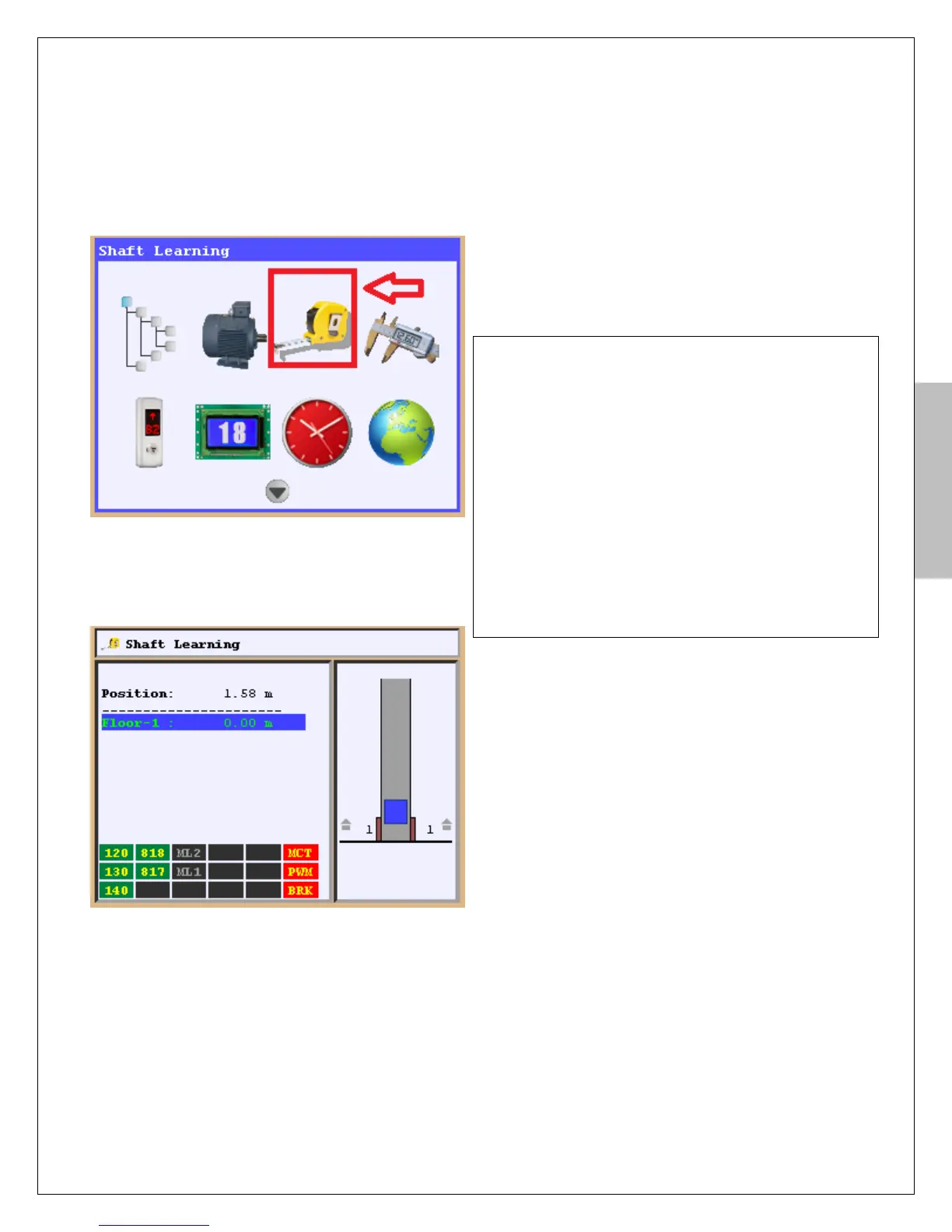
Select icon of “Shaft learning” in the menu and press
Enter button. You can run shaft learning procedure
pressing by “F2” button.
The shaft learning procedure depending on the length
of the shaft, this may take a while. You can follow
stage of shaft learning on AREM screen.
When the shaft learning run is completed, a message
“Shaft learned” will be displayed. Back to main menu
and save which is learned distance.
To run shaft learning procedure lift must not be in
inspection or recall mode and safety circuit must be
closed. If elevator is waiting in inspection mode when
shaft learing is started, a warning message appears on the
screen.
Position of car isn’t important during shaft learning. It
will move downward with half of high speed. It starts to
learn all floors after it reaches to bottom floor and shaft
learning is completed after it reaches to top floor.
If you need to interrupt the shaft-learning drive for any
reason, press the “Emergency Stop” button or take the
lift into manual operation mode by turning the recall
switch.
Figure-15a: Shaft learning screen
Figure-15b: Shaft learning stages
Figure-15b: Shaft learning stages


 To Next Page