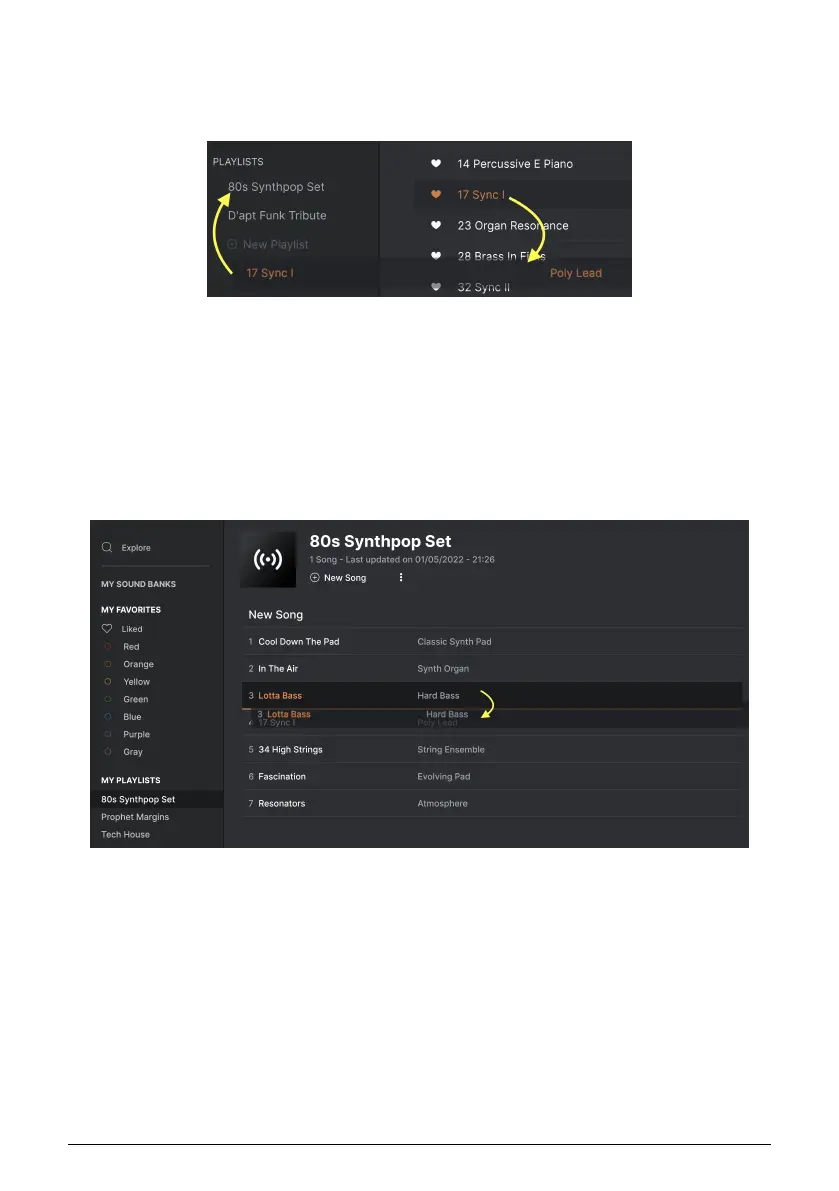
4.8.3. Add a Preset
You can use all of the options in the Explore window to locate Presets for your Playlist. When
you find a desired Preset, click-drag it onto the Playlist name.
To view the contents of a playlist, click on the playlist name.
4.8.4. Re-order the Presets
Presets may be reorganized within a Playlist. For example, to move a Preset from slot 3 to
slot 4, drag and drop the Preset to the desired location.
Click and drag from the Search Results list onto one of the
playlists
The white line indicates the final destination of the Preset you're dragging.
Arturia - User Manual Prophet-5 V - The Preset Browser 40














 To Next Page