7. EFFECTS
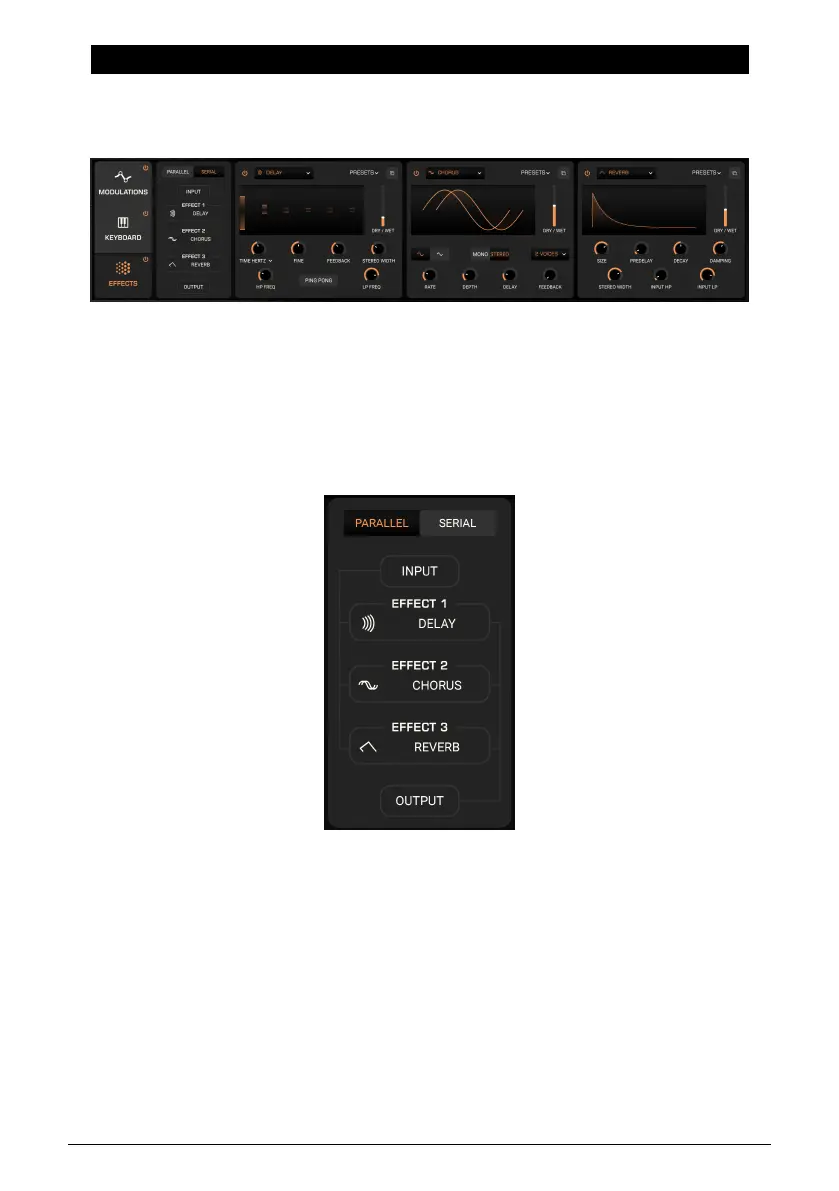
Prophet-5V features a comprehensive selection of effects. If the Advanced Panel is not
already open, click the Advanced button in the top right of the upper toolbar to open it, then
click the Effects tab to display this area:
You can use up to three effects at once, in serial or parallel routing, with a choice of the
same 16 effects per slot. The above image shows a fully populated effects complement.
7.1. Effects Routing
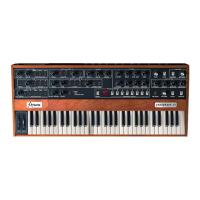
This has two options: parallel and serial.In
Parallel
mode, each effect is fed separately by
the upstream signal of Prophet-5 V, and in turn feeds its main output separately.
This means that, for the most part, you can adjust one effect without it having a direct, um,
effect
on the other (though this will of course change the overall sound).
In
Serial
mode, the synth feeds slot 1, which then feeds slot 2, which then feeds slot 3.
69 Arturia - User Manual Prophet-5 V - Effects











 To Next Page