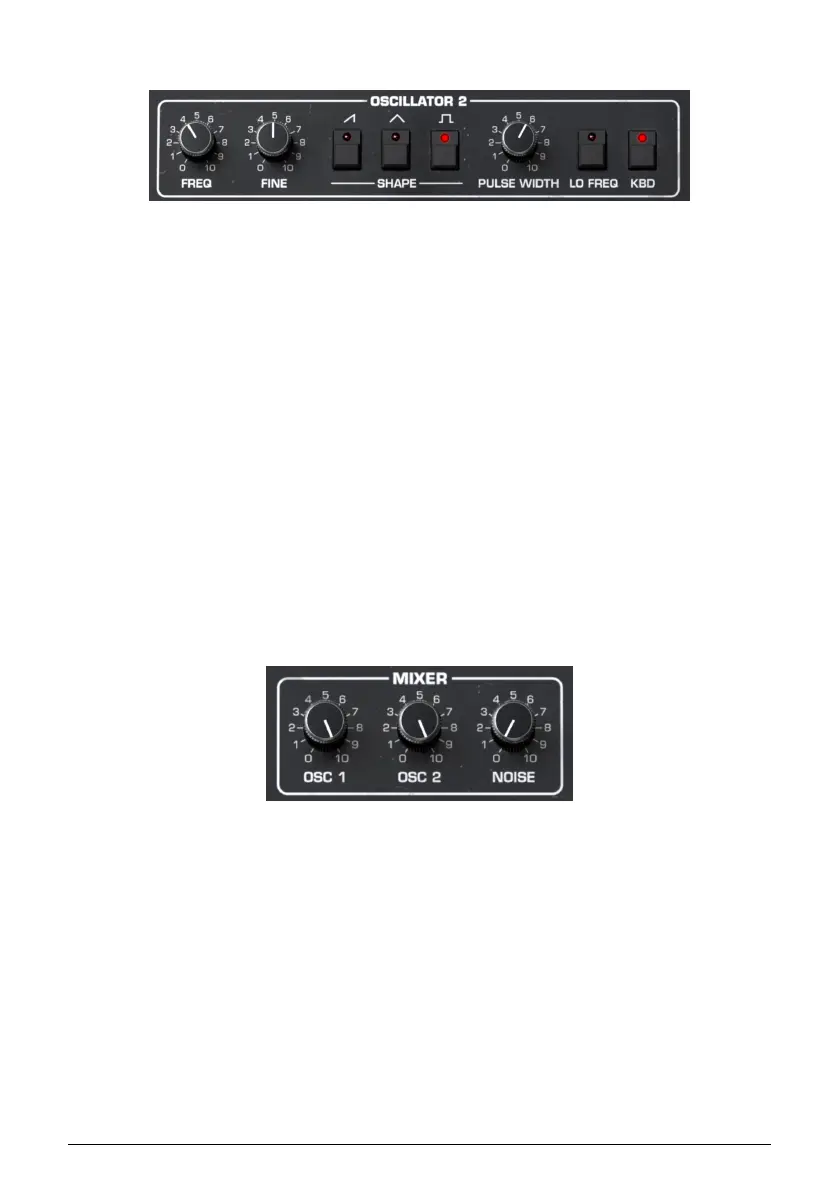
5.3.2. Oscillator 2
Oscillator 2 adds a triangle wave (which is good for mellower sub-basses) plus the ability to
function as an extra LFO.
• Frequency: Sets the oscillator pitch in semitones.
• Fine: Fine-tunes the oscillator pitch in cents.
• Saw On/Off: Turns the sawtooth wave on or off.
• Triangle On/Off: Turns the triangle wave on or off.
• Square On/Off: Turns the square/pulse wave on or off.
• Pulse Width: Adjusts the pulse width for the square wave only.
• Lo Freq: When active, Oscillator 2 becomes an LFO.
• KBD: Toggles Oscillator 2 keyboard tracking.
In normal use, you would leave KBD engaged unless you wanted Oscillator 2 to play a drone
that’s the same pitch regardless of the notes you play. Switch to LFO mode, and it should
usually be disengaged. Otherwise, the result is an LFO that speeds up as you ascend the
keyboard. (Who knows, you may want that!)
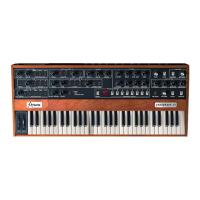
5.3.3. Mixer
This section simply mixes the outputs of Oscillators 1 and 2, and adds a white noise source,
upstream of the Filter.
• Osc1: Adjusts the volume of Oscillator 1.
• Osc2: Adjusts the volume of Oscillator 2.
• Noise: Adjusts the volume of the white noise source.
5.3.3.1. What is White Noise?
It’s a sound that contains all harmonics audible to the human ear. We experience it as
similar to static on a radio or the rushing of the ocean. Because everything is mixed into the
Filter, the Filter will affect the harmonic content of the white noise as well as the oscillator
waveforms. In fact, filtering white noise, then modulating the filter cutoff, is a classic method
for simulating wind and surf sounds.
45 Arturia - User Manual Prophet-5 V - Main Synth Panel











 To Next Page