Dialling
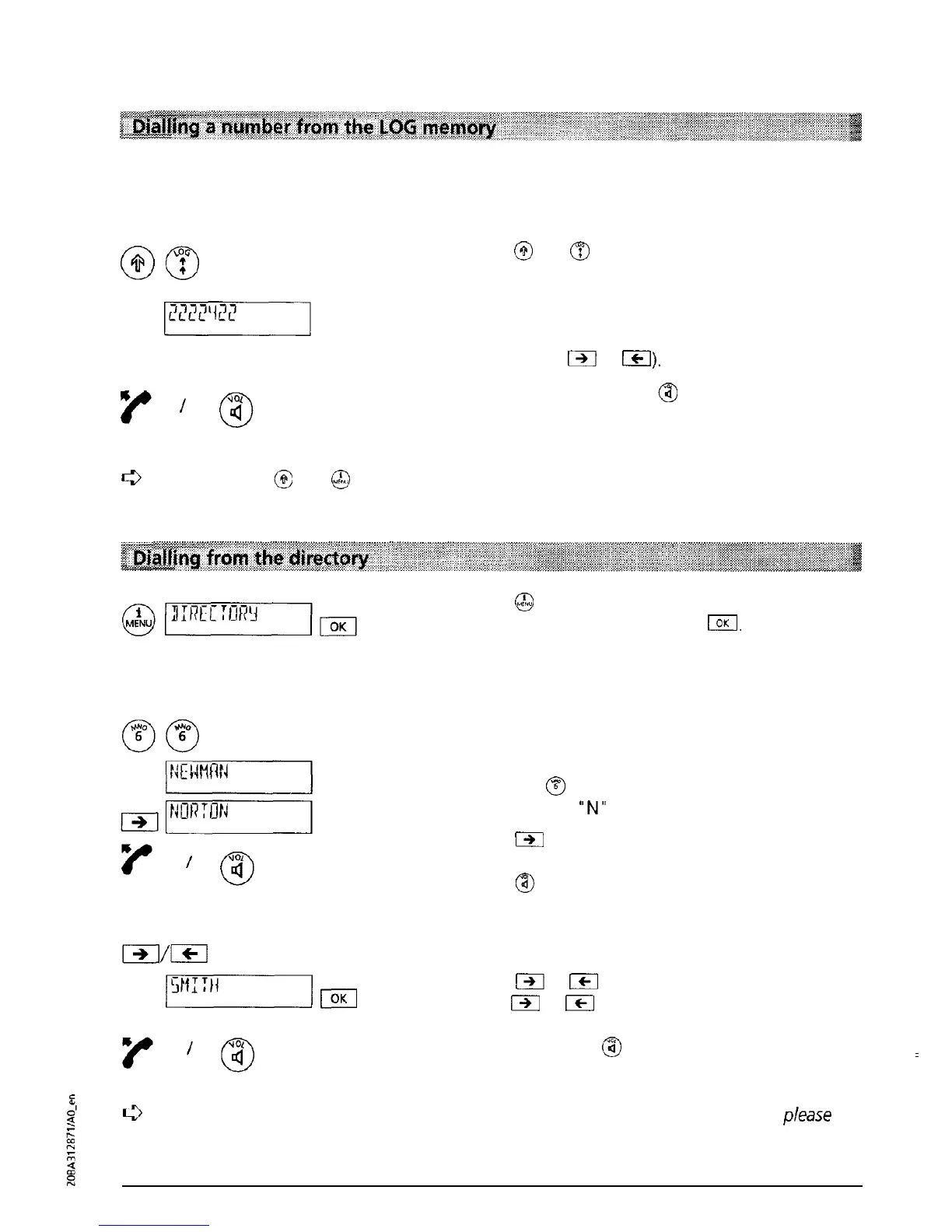
Your Eurit 22 registers the last 10 calls which were received and answered (for all users). You can
dial these numbers without having to enter the number.
Press
@
and
B
in order to select a number from
the last answered numbers log. The number, or if
the number of the calling party is in your directory
the name of the last call answered is displayed. (If
several calls are registered you can scroll through
the list using
m
or
ICI).
Lift the handset or press
@
and the number will be
dialled.
c3
By pressing
@
and
@
, date and time of the last received and answered calls can be
displayed.
Press
@
and “DIRECTORY” is displayed. Confirm
the menu selection by pressing
IOK
The first entry
in the directory is displayed.
You have two options to select a number from the
directory:
a) Enter the first letter of the name
You are looking for the name “Norton”.
Press key
8
twice. The first name beginning
with the letter
“N”
will be displayed.
Press
/91
as often as necessary until the name you
are looking for is displayed. Lift the handset or
press
@
and the number will be dialled.
b) Scroll
Press
m
or
ICI
to scroll through the directory
(hold
/-,
or
ICI
down in order to scroll quickly).
When the required name is displayed. Lift the
handset or press
@
and the number will be dialled.
For detailed information
about
the directory (setting it up, editing entries, etc.)
please
refer to the section “Directory”.
20



 To Next Page