Extendedfeutm-es
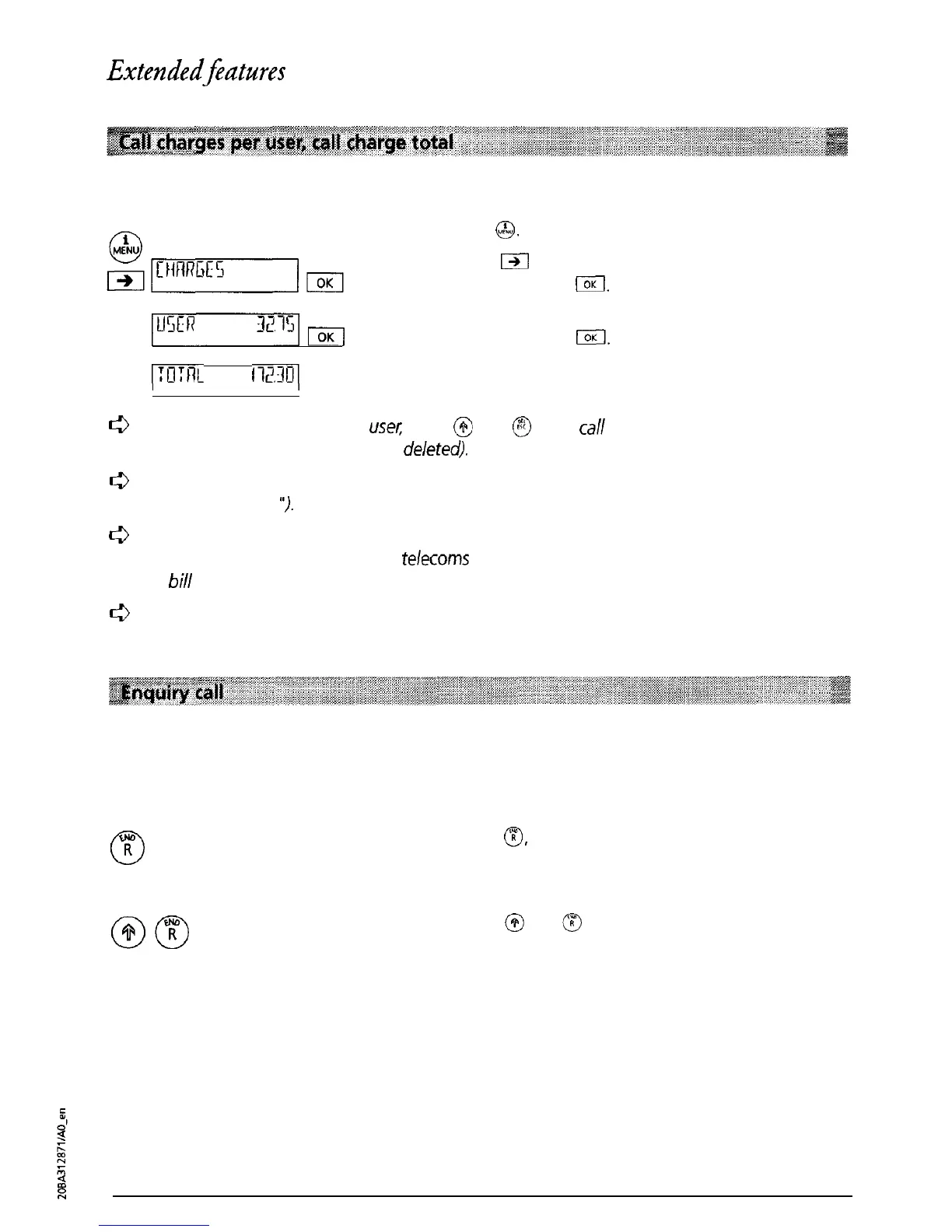
You can display the call charges for each user as well as the total for the telephone.
Press
@.
Press
m
as often as necessary until “CHARGES” is
displayed. Press
IX.
pmym
The call charges for the activated user are
displayed. Press
I.
(:Il:t-K
lWO(
The total call charges for all users are displayed.
c3
To delete call charges per
usel;
press
@
and
@
(total call charges cannot be deleted until
all
user call charges have been
deleted).
c3
Check that you have set the correct call charge factor and the correct currency (see
“Basic settings
“1.
c3
Please note that for technical reasons, the call charge displayed on your telephone
can
differ from the charge on your
telecoms
operator’s bill. The sum shown on the operator’s
bill
is binding.
c3
Depending on your provider,
call
charge information may not be transmitted.
In
this case
your Eurit 22 will not display charges per user/charge totals.
You are talking to one party and wish to make a brief call to another party without clearing the
existing call (the first call is automatically put on hold).
0
T
You are carrying on a conversation.
Press
@,
dialling tone is heard, first call is put on
hold.
Dial number and make enquiry call.
Press
@
and
a
to terminate the enquiry call and
to return to the first call.
26



 To Next Page