SECTION 4
MAINTENANCE
53
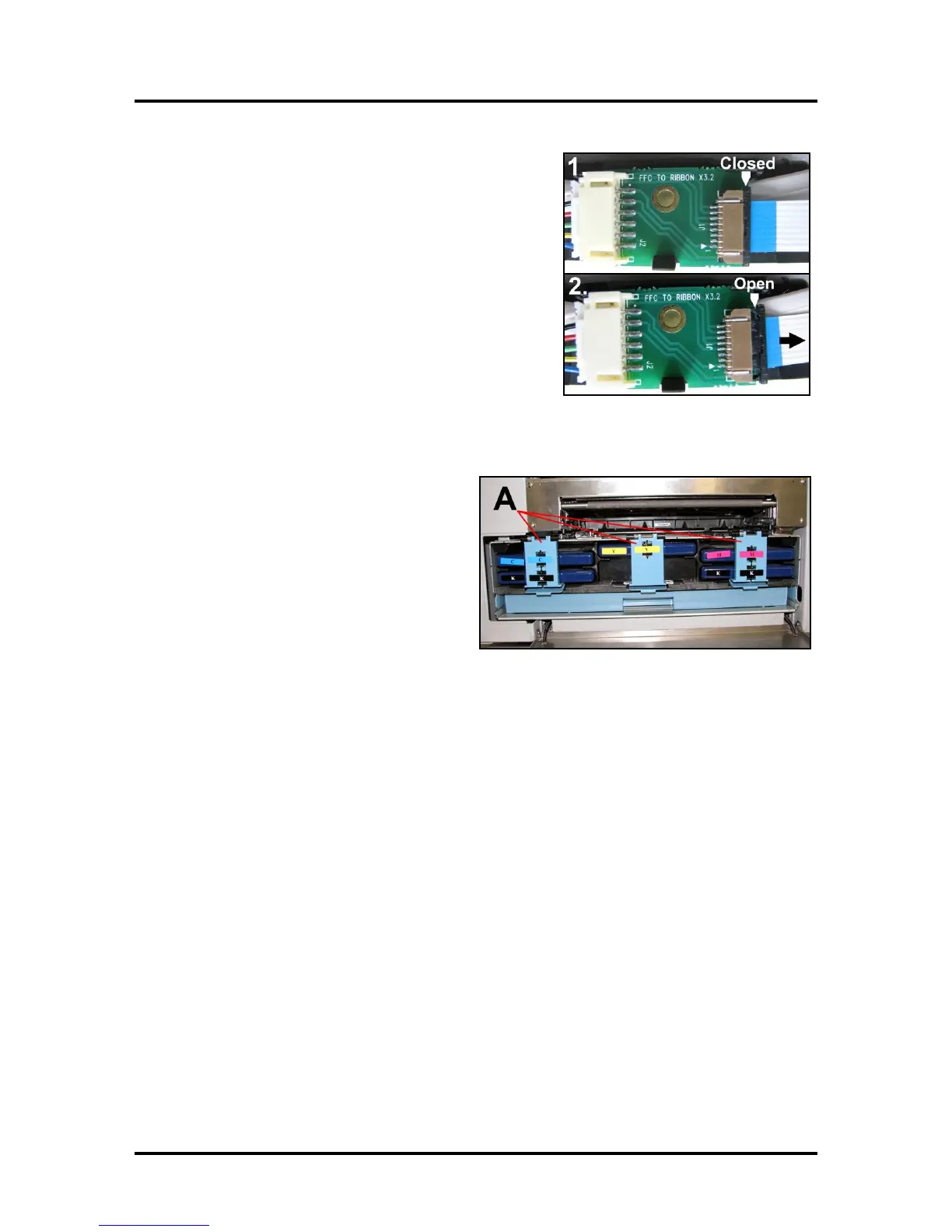
4. Disconnect the Ribbon Cable. Slide the Latch open on
the Service Station Circuit Board to release the Ribbon
Cable. Remove the Service Station.
Remove the Ink Tanks
1. Open the Front Cover (hinged at bottom).
Unlatch the three Locks [A] and pull the
Ink Tank(s) out of the Printer.
2. Carefully package the Ink Tanks in the
original packaging.
IMPORTANT: Make sure the ink seals
on the Ink Tanks are facing up to prevent
leakage.
3. Pack the Ink Tank bays with absorbent towels to catch any ink drips or spills.



 To Next Page