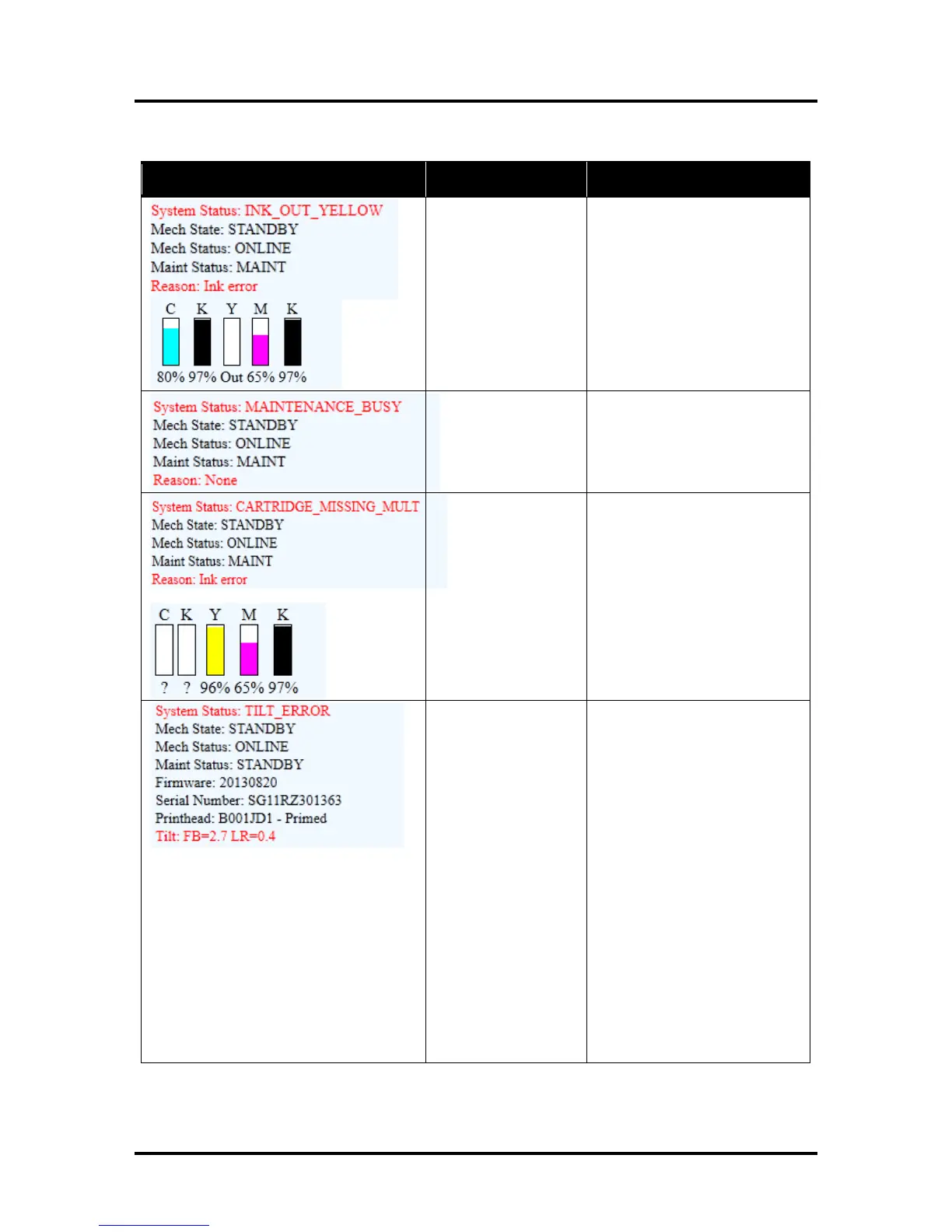
Replace empty Ink Tank(s),
using the “Replace Ink Tanks”
command from EWS.
Verify that the Ink Tanks are
seated firmly and the latches are
fully closed.
Clear error using “Refresh Ink
Levels” command in the Toolbox
or just press PAPER to refresh
ink levels and continue printing.
Insert missing Ink Tank or pop
the Ink Tank in and out to
improve connection.
Clear the error using the
“Refresh Ink Levels” command in
the Toolbox or just press PAPER
button to refresh ink levels and
continue printing.
Make sure that Printer is placed
on level surface. Failure to do so
may result in severe ink mixing
and cause an inaccurate ink
level reading in the Ink Tanks.
If just powered on, wait a few
minutes; the error may clear by
itself. Once the Tilt Level drops
to 1.99 or less you can clear the
error using the “Clear Error”
feature in the Toolbox.
Make sure Printer is placed on a
sturdy, level worktable. DO NOT
move Printer while power is on.
If the Tilt Level is 1.99 or less
you can clear this error using the
“Clear Error” feature in the M
Series Toolbox.
Contact technical support person
to have them check level and
possibly “Zero” the Tilt Sensor.



 To Next Page