SECTION 5
TROUBLESHOOTING
60
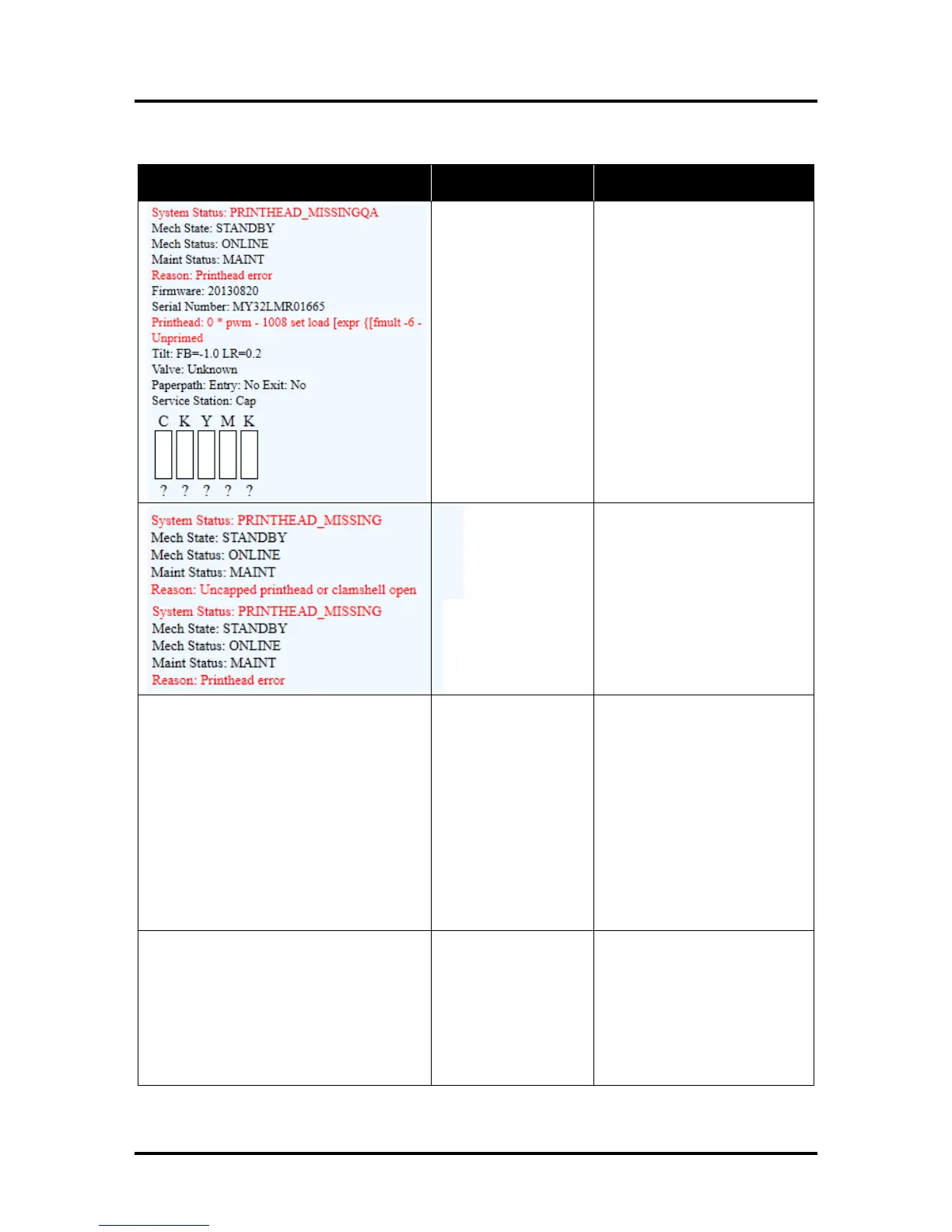
Toolbox System Status Messages (Continued)
Printhead missing and
one or more of the Ink
Tanks are missing.
When this error occurs,
Multiple EWS
monitoring is disabled.
Install Printhead.
Install Ink Tanks.
No Printhead installed
or Printhead not
making proper
connections.
J2001 cable
unplugged.
Printhead Latch is
open.
If the Printer was just powered
on, wait a minute; error may
clear by itself.
Install Printhead Cartridge.
Remove and reinstall Printhead.
Replace Printhead. Refer to the
appropriate sections in this
manual for removing and
installing Printhead Cartridge.
Printhead priming
process has failed.
If Printer was just powered on,
wait a minute; error may clear
by itself.
Remove Printhead Cartridge,
wet the print nozzles using
deionized or distilled water and
reinstall the Printhead Cartridge.
Refer to the appropriate
sections in this manual for
removing and installing the
Printhead Cartridge. If you
continue to have trouble priming
the Printhead; check for kinked
or pinched color tubes.
Job was cancelled by
user pressing the
CANCEL button.
Job was interrupted by
“Clamshell” being
momentarily opened.
Wait until print job has cleared
from Printer. Then manually
clear job from computer’s print
queue. Then send new print job.
Check to be sure “Clamshell” is
securely latched, and then press
“Clear Error” button to continue.
If problem persists contact
service support.



 To Next Page