www.atcom.cn 41
following steps:
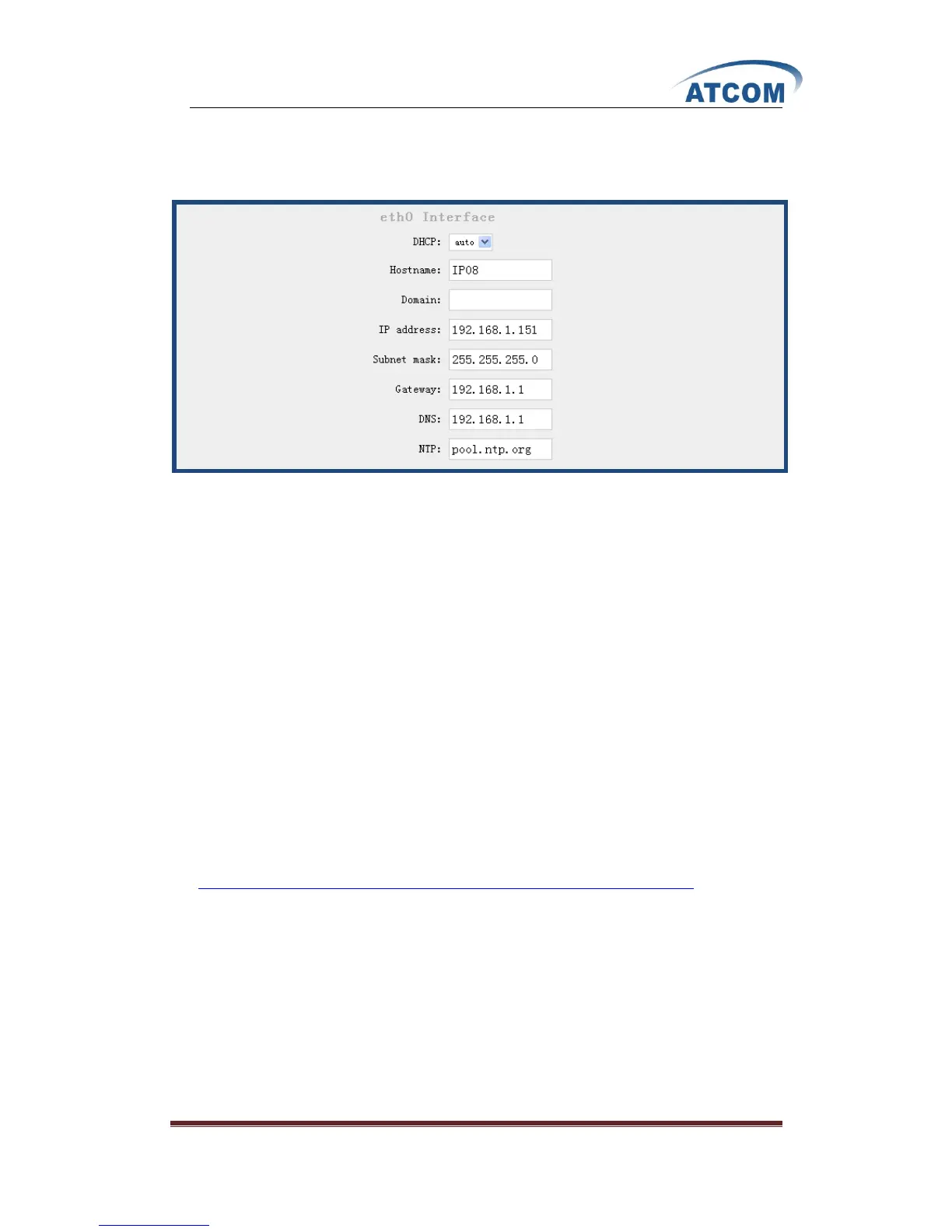
After click on OptionsAdvanced OptionsShow Advanced Options, please select Network
Settings option from the vertical menu on the left of main page, the following screen is where you
configure the network:
In the drop-down list of DHCP, you can see the following three options:
1. DHCP: yes: IP08 will obtain the dynamic IP address from your router.
2. DHCP: auto: IP08 will use the static IP specified below and ping the default gateway. When
there is no response from the default gateway, the IP-08 will switch to dynamically obtain the
IP address from your router.
3. DHCP: no: IP08 will use the static IP address set below.
If you want to get static and permanent IP address, please do not select “yes”, after configure other
parameters, please click “save” in the bottom of your page to save your setting.
3.26 Firmware Update
You can update to the latest version for IP08 by TFTP.
3.26.1 Download the Latest Firmware File and Set up TFTP Server.
1) Download the md5 file from
http://www.atcom.cn/downloads/index.php?folder=SVBQQlgvZmlybXdhcmU=, then put it in
your TFTP server root directory.
2) Run your TFTP server, and I set up it like the following:



 To Next Page