www.atcom.cn 45
4.1 How to Make Internal Calls through IP08
4.1.1 Access to the Web Page of IP08 by Browser
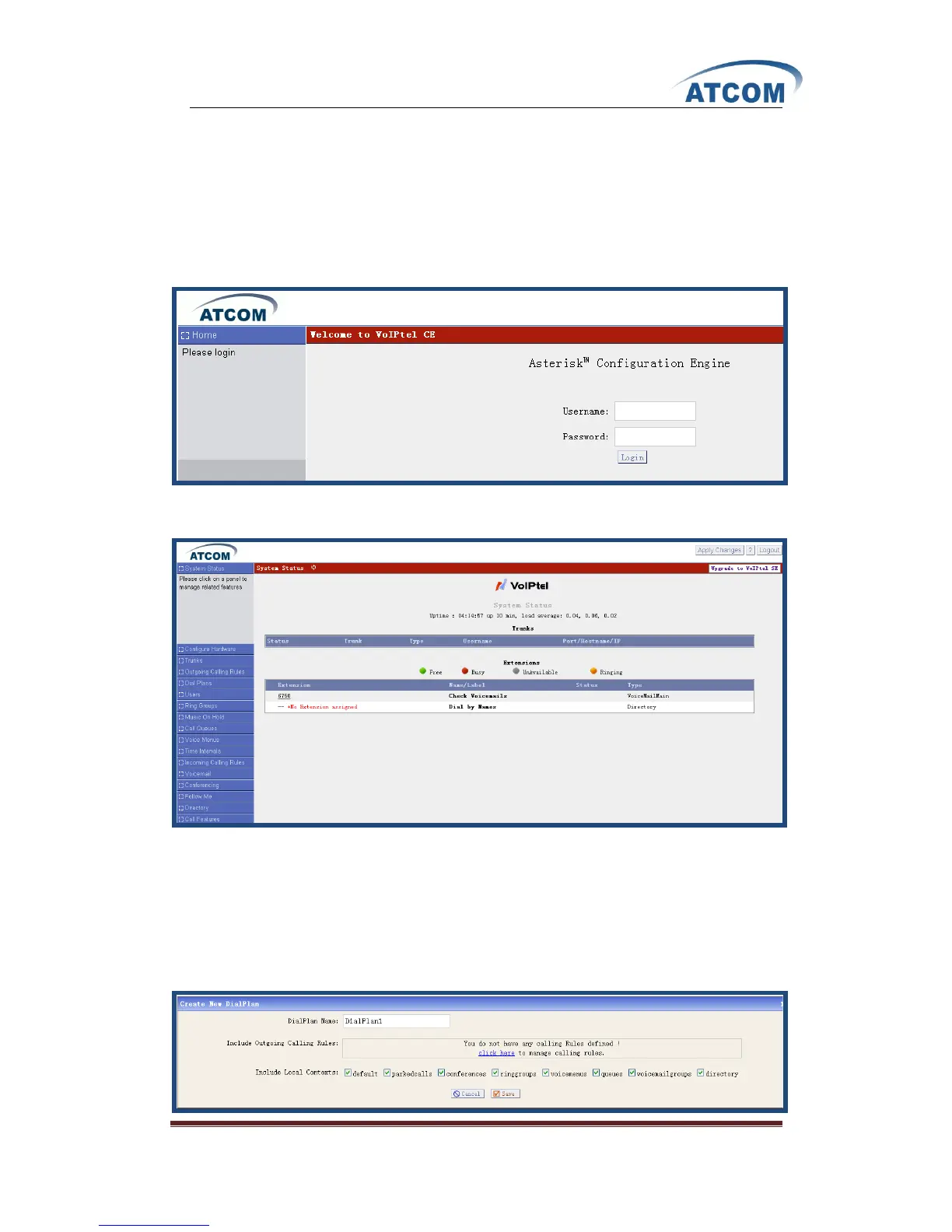
After connecting IP08 to LAN, please open your browser of PC with windows OS and input the IP
Address of IP08 (the default IP address is 192.168.1.100), then you can get the following screen:
Please input the default Username: admin; Password: atcom in the presented screen above.
When you login successfully, you can get the configuration web page as below:
4.1.2 Add up Users from Web Page of IP08
1) Add up a DialPlan
Before you add up user, you have to add up a DialPlan, please click on Dial PlansNew
DialPlan, I add up a DialPlan like the following:



 To Next Page