www.atcom.cn 58
4.5.2 Call from IP04 to IP08
In order to call from IP04 to IP08, I will create a SIP user in IP08 for the SIP trunk in IP04, create
a SIP trunk, an outgoing call rule and a dial plan in IP04.
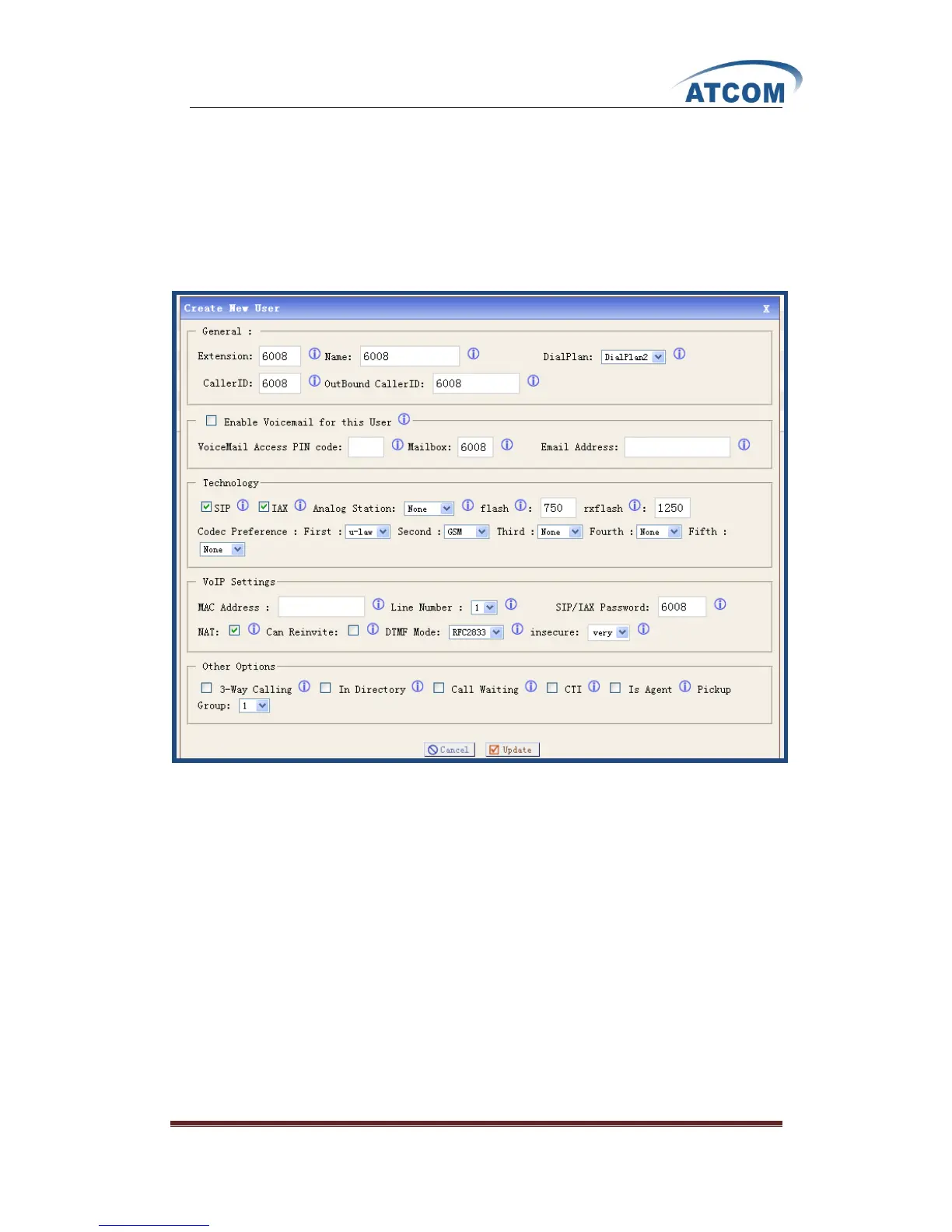
1) Add a user 6008 in IP08
Add a SIP user: 6008, after logging into the web page of IP08, please click on Users
Create New User, I add a user 6008 like the following:
At last, please click on Update button, and click on Apply Changes button in up right corner of
the main page.



 To Next Page