www.atcom.cn 57
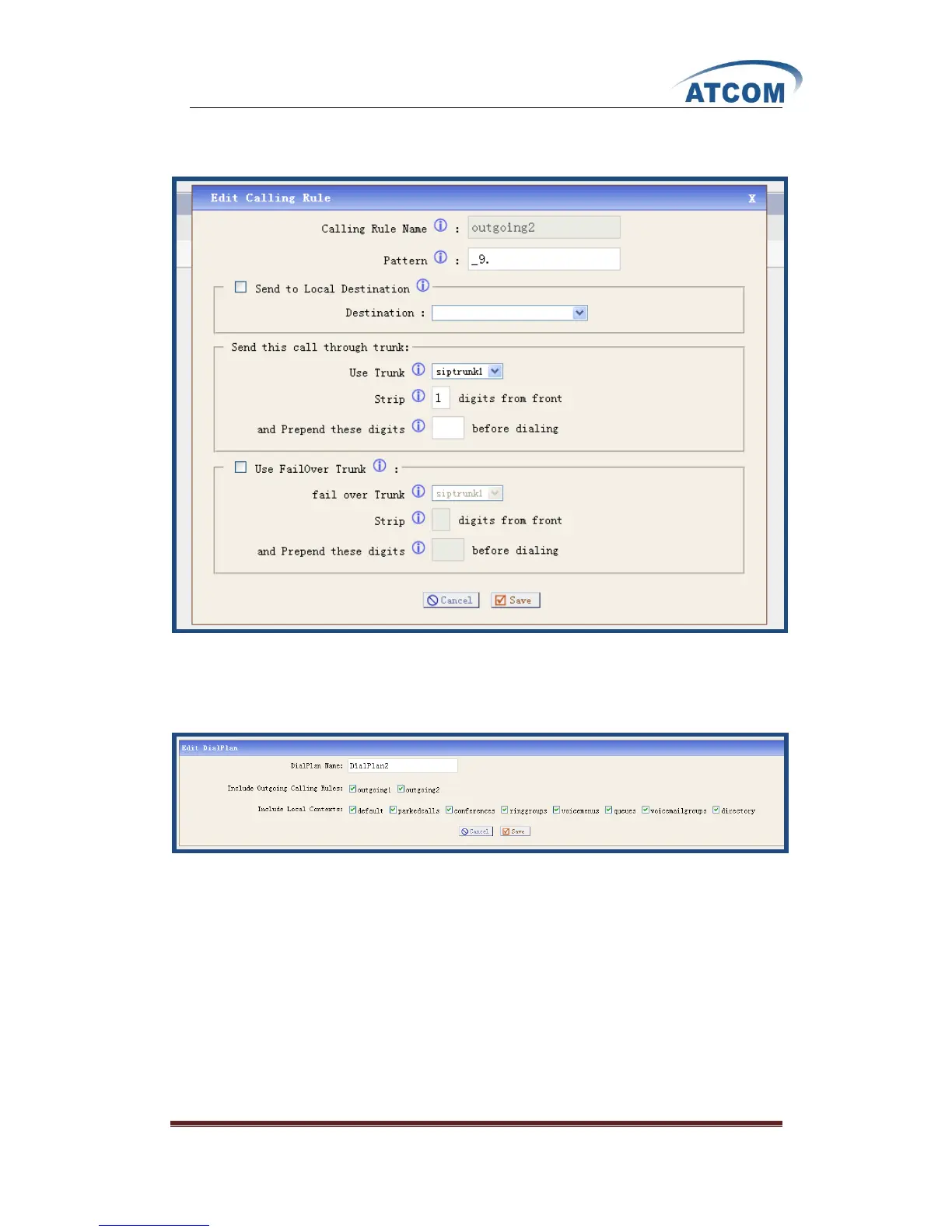
3) Create an outgoing calling rule in IP08, after logging into the webpage of IP08, please click
on Outgoing Calling RulesNew Calling Rule, I configure an outgoing2 rule like the
following:
After configuring, please click on Save button, and click on Apply Changes button in up right
corner of the main page.
4) Create a dial plan in IP08, after logging into the webpage of IP08, please click on Dial
PlansNew DialPlan, I configure a dialplan2 like the following:
After configuring, please click on Save button, and click on Apply Changes button in up right
corner of the main page.
In configuration screens of 6001 and 6005, please select dialplan2 in the DialPaln drop-down list
Now you can call from 6001 and 6005 to 6030 by dialing 96030



 To Next Page