User can choose “Select all groups”, “Explode selected group”, “Explode all groups”.
3) :User can merge multi lines/curves and make them a whole and independent
graphic. User can explode one single graphic until it can’t be separated.
3.2.2.5 Basic cutting process
User can set up the path planning/basic process in this part.
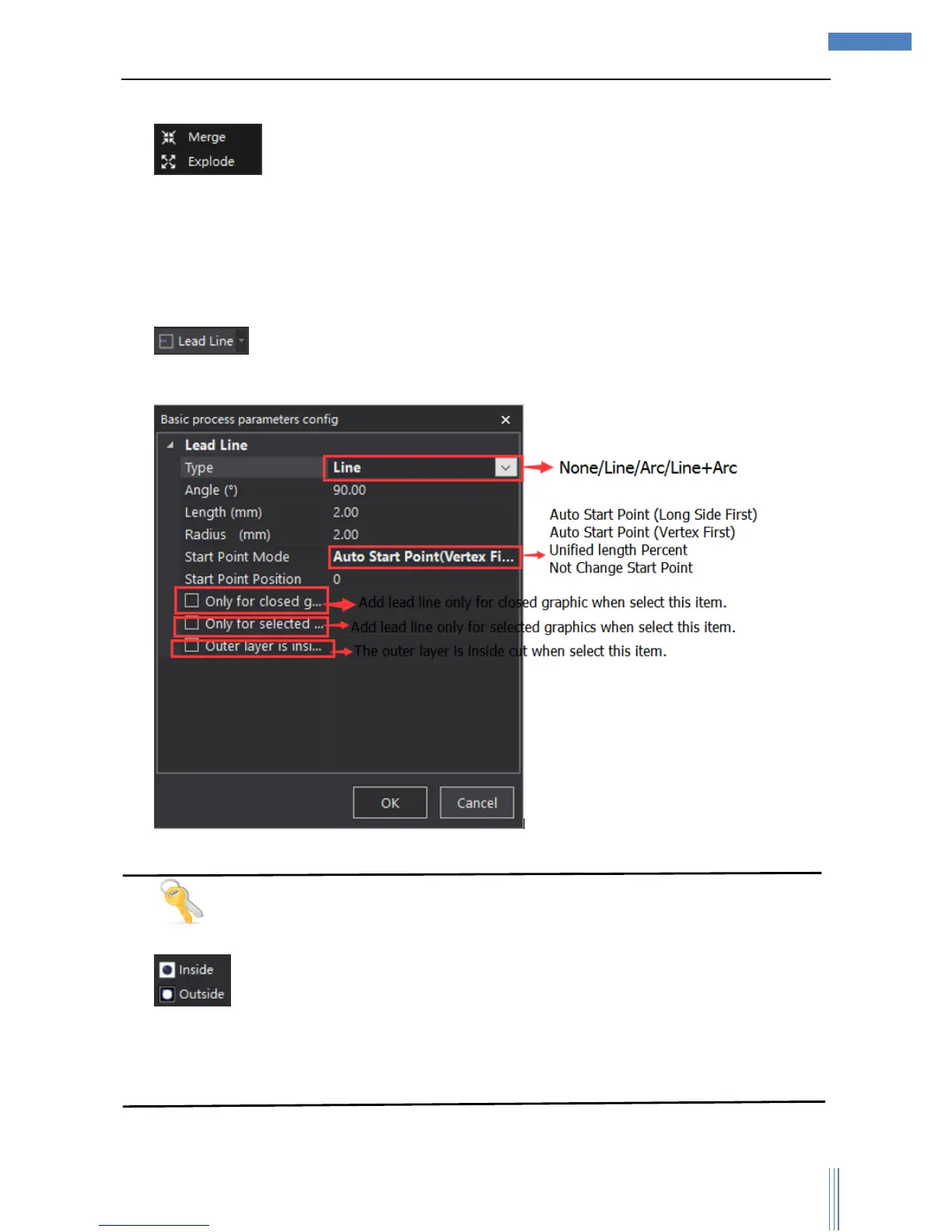
1) :User can add lead line to selected graphics, and click the icon to set up the
parameters related.
Tips
: SC1000 can recognize the nested relationship among graphics, and the outer layer is
outside cut (default), if the outer layer needs to be inside cut, please select “Outer layer is inside
cut”.
User can change the way of lead line through shortcut-menu.



 To Next Page