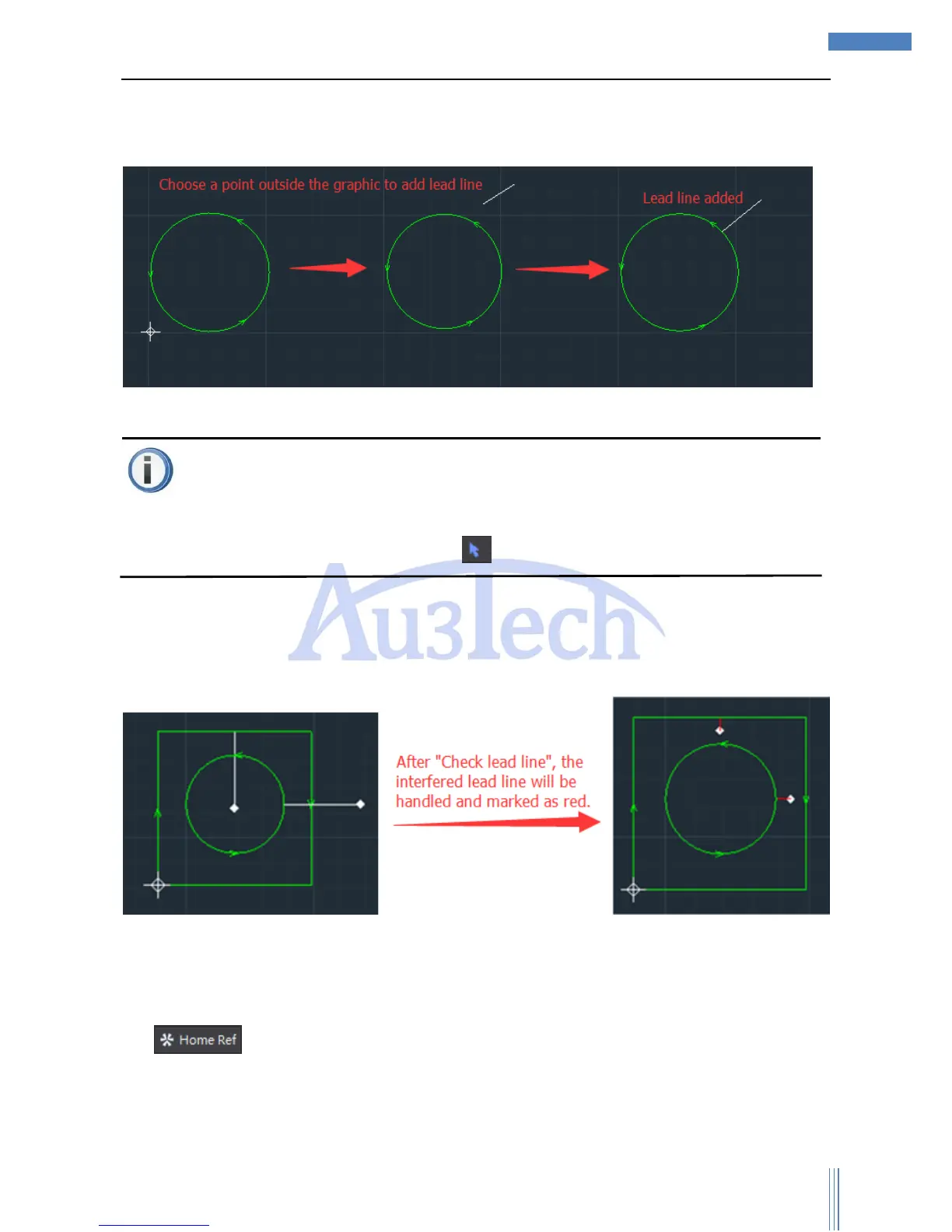
User can click the dropdown menu of lead line to select: “Manual lead line”, “Check lead line”,
“Clear error mark” and “Clear lead line”.
User can add lead line manually through “Manual lead line”. The adding ways shows as below:
Attention
“Manual lead line” can be added continuously, if user wants to dropout the lead line adding, please
select “cancel” through Mouse Right or select .
“Check lead line”:User can check the interfered lead line and clear the error lead line. Please check
all the lead lines again once all have been finished.
“Clear error mark”: User can clear error mark of selected graphic. If user wants to clear all the lead
lines, please click “Select all”.
“Clear lead line”: User can clear the red mark interfering lead line.
2) :User can set up the docking location of the cutting head after the cutting, that is to say
the zero point of the cutting graphic.



 To Next Page