of the path starting point.
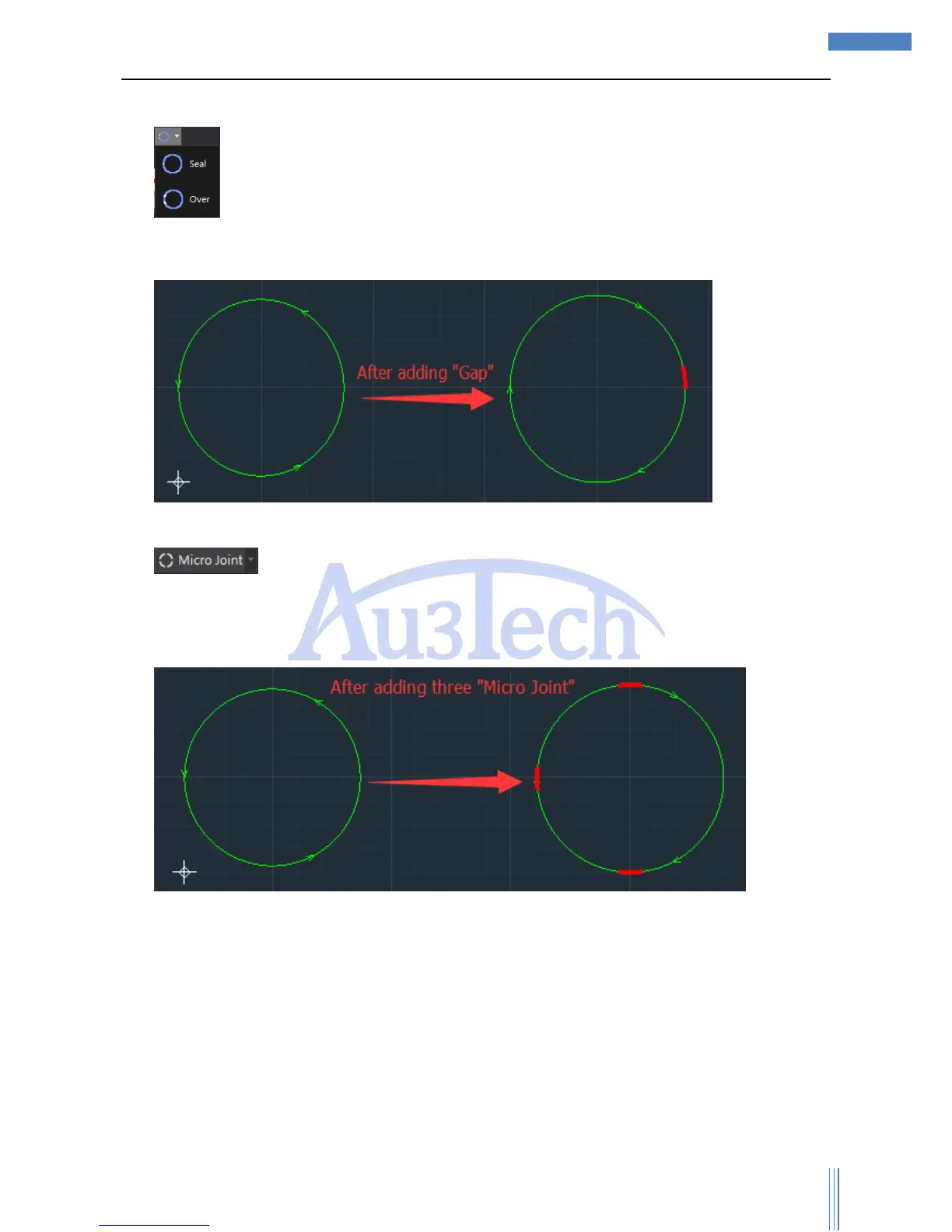
4) :User can reserve gap/line segment of closed graphics in specified size. After adding gap,
there will be red mark on the gap part and the gap part will not be cut during cutting. User can use
this function to stop the cutting part from dropping down.
User can seal the unwanted gap though “Seal”.
5) User can set up several not cutting line segments on the selected graphic contour.
SC1000 support manual micro joint (default) and auto micro joint. After click “Micro Joint”, user can
add micro joint on any point of graphic contour. User also can set up parameters through dropdown
menu.
Auto micro joint: User can set up auto micro joint type/number/length. User also can clear all the
micro joint points by “Clear micro joint”.
3.2.2.6 Advanced cutting process
User can further optimized the path planning or process through this part.



 To Next Page