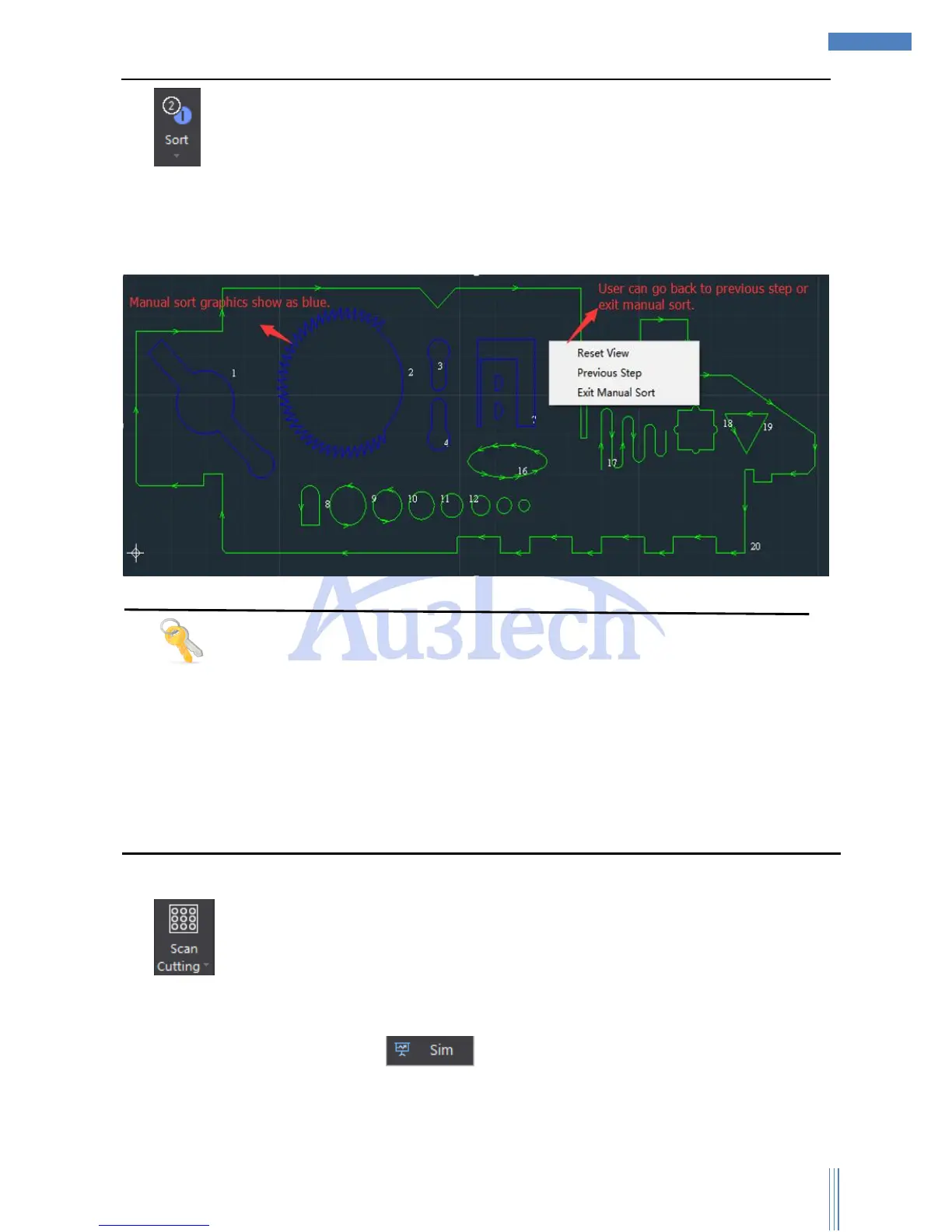
1) SC1000 provides various ways of sorting. User can choose the best one in order to
decrease the length of moving in the air so that to increase the cutting efficiency. User can choose
“Left to right”, “Right to left”, “Bottom to top”, “Top to bottom”, “Nearest”, “Inside to
outside”, “Outside to inside”, “Small graphics priority” and “Manual sort”. “Manual sort”:
User can easily sort according to his needs.
Tips
After sorting, user can also quickly revise the cutting serial number through shortcut-menu.
If user wants to select some graphic as the first/last one to be cut, please select the graphic and
select “First process” or “Last process” through Mouse Right.
SC1000 can auto sort based on nested relationship among graphics, and the graphics surrounded
will always be cut in priority. If the out layer graphic is unclosed curve, then this function will not
work.
2) “Scan Cutting” is applied for cutting graphics, and SC1000 will choose the best path
planning to improve the efficiency and decrease the time. Select all the graphics (circles/squares in
array) , click “Scan Cutting” then SC1000 will finish planning the path planning, and user can see
the real path planning by clicking “ ”



 To Next Page