General operation10
Speller
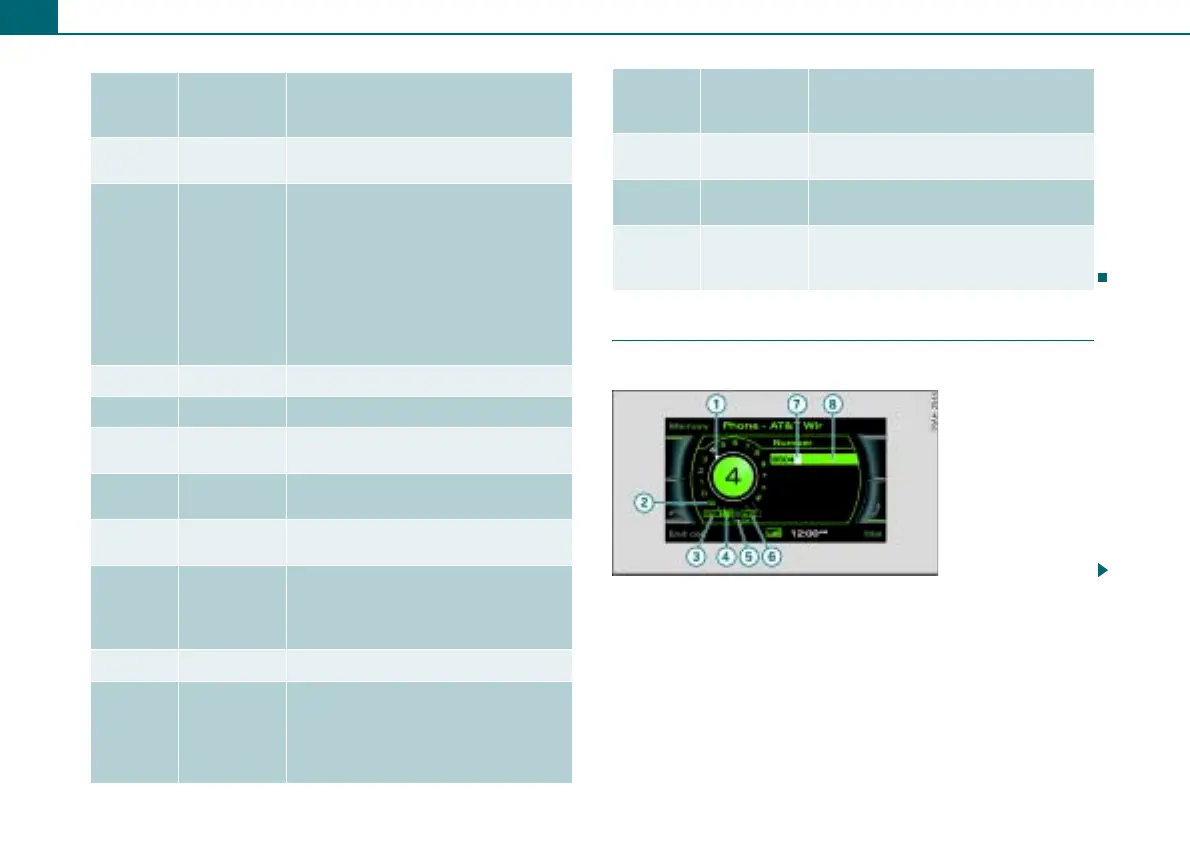
You enter telephone numbers using the speller.
Legend
Symbol/
Descrip-
tion
Explanation
Selected text
A menu item you have selected has a
white background.
Title line
Operating mode selected (e.g. FM/AM
⇒ page 9, fig. 6).
Setup display: Setup menu for the
operating mode selected (e.g. Setup
FM ⇒ page 9, fig. 5).
On vehicles with a telephone*, the cell
phone operator and, where applicable,
the roaming symbol # will be dis-
played.
Cursor Shows a line selected in a menu.
Options box Options for the menu item selected.
Arrow
Points to additional options or possi-
ble settings.
Temperature
display*
Bluetooth
symbol
Cell phone is connected via Bluetooth
to the cell phone package.
Signal
strength bar*
Cell phone connection quality, or
PIN: Enter PIN ⇒ page 43
PUK: Enter PUK ⇒ page 43
SIM: Insert SIM card
Time of day
Display cor-
ners
Show selectable functions.
You perform the functions using the
control buttons. The top right corner
of the display corresponds to the top
right control button.
1
2
3
4
5
6
7
8
9
10
Subtitle
Tells you about a selected option (e.g.
radio station preference).
Control wheel
Is operated by rotating and pressing
the control knob.
Cancelled
loudspeaker
symbol
Active audio source is muted.
Legend
Symbol/
Descrip-
tion
Explanation
11
12
13
Fig. 7 Number speller:
Telephone number
entry



 To Next Page