General operation 11
In telephone* mode, you are required to enter letters or numbers.
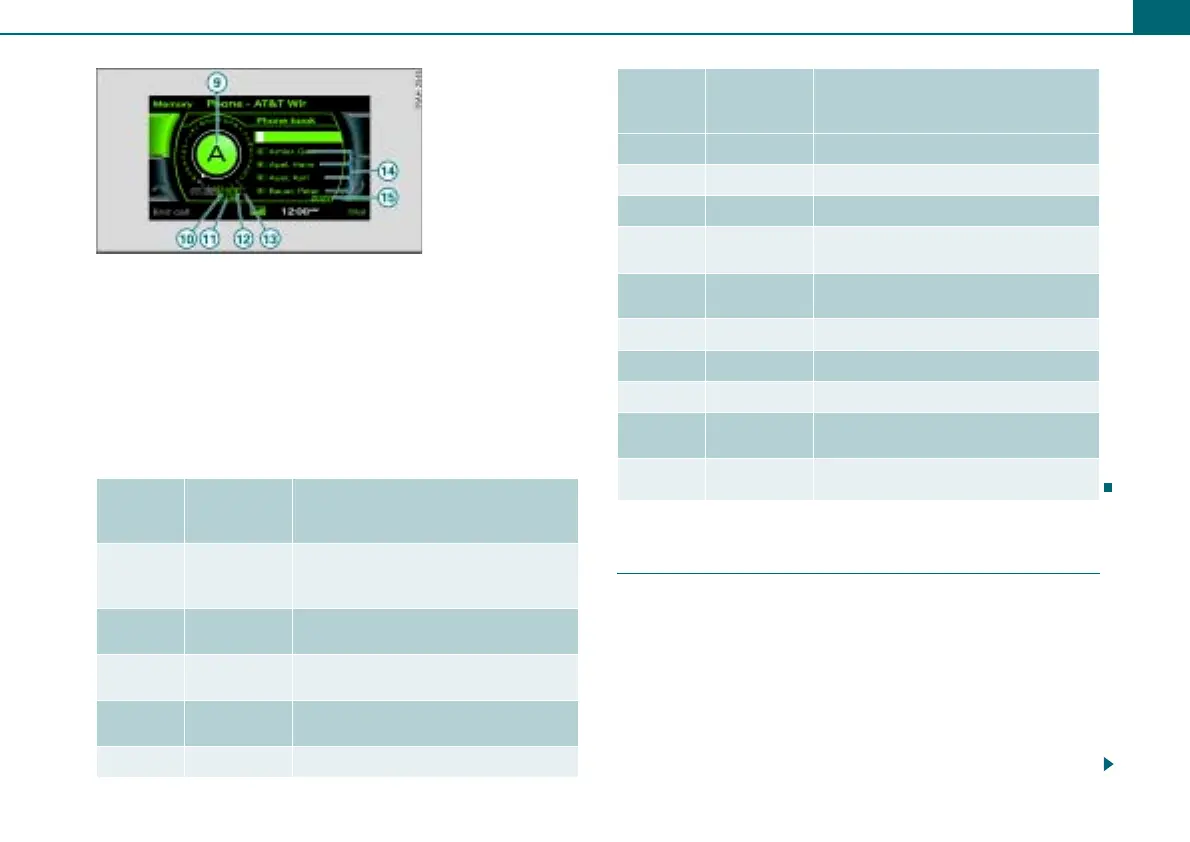
For you to do this, the number speller ⇒ page 10, fig. 7 or the letter
speller ⇒ fig. 8 appears in the display.
While you are making your entry, you can switch as needed from
numbers to letters or from letters to numbers by rotating the
control knob 0..9 ⇒ fig. 8 or A..Z ⇒ page 10, fig. 7 and
pressing the knob.
The symbols for entering letters and numbers are explained in the
table below:
Entering letters, numbers and symbols using
the speller
You can find an overview of the speller on ⇒ page 10.
Entering numbers, letters, and symbols
– Rotate the control knob with the selection arrow to
the letters, the number or the symbol. Your selection is
shown enlarged in the entry ring .
– To accept the letter, the number or the symbol, press the
control knob. Your entry appears in the entry field .
Legend
Symbol/
Descrip-
tion
Explanation
Selection
arrow
Puts a white background behind the
selected element and shows it
enlarged in the entry ring.
Mailbox sym-
bol
Call mailbox.
DEL
Deletes the character to the left of the
white highlighted cursor.
$%
Moves the cursor forward/backward in
the entry field.
OK Confirms the entry.
Fig. 8 Letter speller:
Telephone number
entry
12
6
1
2
3
4
5
A..Z Switches from number to letter entry.
Cursor
Entry field
Entry ring
Shows the character selected with the
selection arrow enlarged.
!
Switches from lower case to upper
case.
LIST Shows a list containing suggestions.
0..9 Switches from letter to number entry.
Space Inserts a space in the entry field.
List with sug-
gestions
Lists suggestions in alphabetical
order.
&
Refers to additional list entries.
Legend
Symbol/
Descrip-
tion
Explanation
6
7
8
9
10
11
12
13
14
15
1
9
8



 To Next Page